
TL;DR, Quick Answer
10 min readThe Model Context Protocol (MCP) lets AI assistants like Cursor and Claude directly interface with social media platforms, enabling you to draft, schedule, and publish posts without leaving your code editor or workspace.
Rather than juggling browser tabs, teams now automate social media with MCP protocol connections wired into the editor they already work in. Rather than toggling between dozens of browser tabs, MCP allows AI assistants such as Cursor and Claude to directly interface with your social media accounts from within the tools you already use.
The practical outcome? You draft, schedule, and publish posts without ever leaving your code editor, project management tool, or SaaS workspace. There is no context switching, no lost momentum, just content flowing naturally from where you work.
Platforms like AdaptlyPost that support MCP turn social media management from a standalone chore into a seamless part of your daily operations.
How AdaptlyPost Leverages MCP for Social Media Workflows
AdaptlyPost integrates MCP to embed social media management directly into your existing toolkit. When you connect AdaptlyPost with an AI assistant like Cursor or Claude, posting becomes as simple as writing a prompt.
Here is what becomes possible:
- Draft and queue posts from inside your code editor
- Push automated updates triggered by changes in Notion
- Launch social media posts based on events from virtually any SaaS platform
MCP is not just another scheduling interface, it is an automation layer that lives wherever you do your work.
Once that connection exists, publishing stops being a place you visit and becomes one more task you hand to an AI agent along with everything else in your queue.
- Juggling browser tabs across platforms
- Toggling between dozens of tabs to post
- Social media management as a standalone chore
- Draft and queue posts from inside the code editor
- Push updates triggered by changes in Notion
- Launch posts from events on any SaaS platform
Key Advantages of MCP-Powered Social Media Management
Adopting MCP for social media brings tangible benefits:
- Operational efficiency: Govern every social channel from a single workflow.
- Sustained focus: Remove the distraction of app hopping and tab switching.
- Reliable consistency: Pre-schedule content to maintain a steady posting cadence.
- Seamless teamwork: Distribute posts automatically from shared platforms like Notion.
The net effect is greater output with significantly less overhead.
Using AdaptlyPost with Cursor: Social Media Meets Development
Connecting AdaptlyPost to Cursor means developers can share updates, milestones, and announcements without stepping outside their IDE.
What this unlocks:
- Broadcast development achievements the moment they happen
- Queue social posts while you are deep in a coding session
- Participate in tech community conversations without breaking your flow
Your editor becomes a complete social media control panel.
Configuring the AdaptlyPost-Cursor Connection
Setting up the integration is straightforward. Ensure both AdaptlyPost and Cursor are running their latest versions. Inside Cursor, navigate to settings and locate the MCP configuration section. Add AdaptlyPost as an MCP server and authenticate with your AdaptlyPost API key. Once connected, Cursor can send scheduling instructions directly to your AdaptlyPost account.

Writing Effective Prompts for Social Media Automation
The quality of your prompts directly determines the quality of your automated posts.

AdaptlyPost
Start Your 7-Day Free Trial
All-platform analytics
Social Inbox
AI-powered assistant
Guidelines for strong prompts:
- Name the target platform explicitly
- Specify hashtags, tone, or voice preferences
- State when the post should go live
Sample prompt:
"Queue a Twitter thread about our new API release for tomorrow at 10 AM with #DevTools and #OpenSource hashtags."
Publishing Across Multiple Platforms Simultaneously
MCP makes cross-platform distribution effortless from a single instruction.
Capabilities include:
- Distribute to LinkedIn, Twitter, and Facebook in one action
- Maintain uniform messaging across every network
- Eliminate redundant manual posting
This is particularly valuable for teams that operate across several social channels daily.
| Task | Manual Approach | MCP Approach | Efficiency Gain |
|---|---|---|---|
| Platform Selection | Open each platform individually | Declare platforms in one prompt | High |
| Content Drafting | Write separate posts per network | Compose once for all networks | High |
| Scheduling | Set times on each platform | Schedule everywhere at once | High |
| Performance Review | Check dashboards one by one | Access unified performance data | High |
Getting More from the AdaptlyPost-Cursor Workflow
Maximize this integration with these practices:
- Provide rich detail in prompts, specificity yields better posts.
- Time your posts strategically by studying when your audience is most active.
- Track engagement metrics to understand what content performs best.
- Tap into AdaptlyPost features like content templates and AI-driven suggestions.
Combining AdaptlyPost and Cursor lets you share wins, engage the developer community, and grow your brand entirely from your coding environment.
Notion Integration: From Internal Docs to Published Content
When AdaptlyPost connects to Notion via MCP, your internal documentation transforms into external content automatically.
What you gain:
- Automatic social posts whenever project milestones are marked complete
- Fewer manual handoffs between team members
- A single source of truth that feeds both internal records and public updates
Your workspace becomes a live publishing engine.
Turning Notion Updates into Social Media Posts
Picture your team completing a sprint milestone in Notion. With the MCP integration, AdaptlyPost detects the update and automatically generates and schedules a social media announcement. This eliminates manual effort and ensures your channels stay active. Notion effectively becomes the hub for both project tracking and content distribution.
Tailoring Posts to Your Brand
AdaptlyPost provides extensive customization options:
- Platform-specific templates: Design formats optimized for each social network.
- Permission controls: Determine who on your team can create and publish posts from Notion.
- Integrated content calendars: Map out your publishing schedule directly within Notion.
These capabilities ensure your automated posts remain professional, on-brand, and aligned with your voice.
Connecting Your Entire SaaS Stack to Social Media
MCP extends well beyond developer tools.
AdaptlyPost
Start Your 7-Day Free Trial
All-platform analytics
Social Inbox
AI-powered assistant
AdaptlyPost can connect to:
- CRMs for celebrating customer wins
- Analytics dashboards for sharing milestone announcements
- Support platforms for highlighting positive customer feedback
Every meaningful business event becomes potential social content.
Building a Connected Software Ecosystem
Consider this scenario: your sales team closes a major account in your CRM. Through MCP and AdaptlyPost, a congratulatory LinkedIn post is automatically drafted and scheduled. Similarly, your support team surfaces glowing customer testimonials from your helpdesk onto Twitter. This kind of integration turns your entire technology stack into an always-on content engine producing timely, relevant social media updates.
Practical Examples of SaaS-to-Social Automation
Teams across departments are already putting MCP-based automation to work:
- Product teams: Announcing feature launches directly from their project tracker.
- Marketing teams: Sharing campaign performance highlights from their analytics platform.
- HR teams: Promoting open positions and culture content from their recruiting software.
A marketing department, for instance, configures AdaptlyPost to post automatically whenever a campaign exceeds a performance threshold, all without any manual intervention.
Designing Custom Automation Workflows
The real power of MCP lies in building tailored trigger-action workflows. Define specific events in your SaaS tools that initiate automated posting. A new customer record in your CRM triggers a welcome message on your social channels. Templates and rules within AdaptlyPost let you personalize each automated post so it resonates with your target audience. With 246 million Americans active on social media as of January 2025, maintaining a strong automated presence is more important than ever.
Preserving Authenticity in Automated Content
Automation should amplify your voice, not replace it. Ensure that automated posts deliver genuine value and feel personal rather than robotic. Craft thoughtful content templates and establish clear tone and style guidelines for automated output. Review and refine your workflows regularly to keep the human element that fosters real engagement.
Scaling Social Media with Advanced MCP Strategies
Experienced teams leverage MCP to:
- Trigger coordinated multi-platform campaigns from a single event
- Automatically adapt messaging for each platform's audience
- Bulk schedule up to 100 posts in one call
This elevates MCP from a scheduling utility to a complete social media operations layer.
Orchestrating Multi-Platform Campaigns
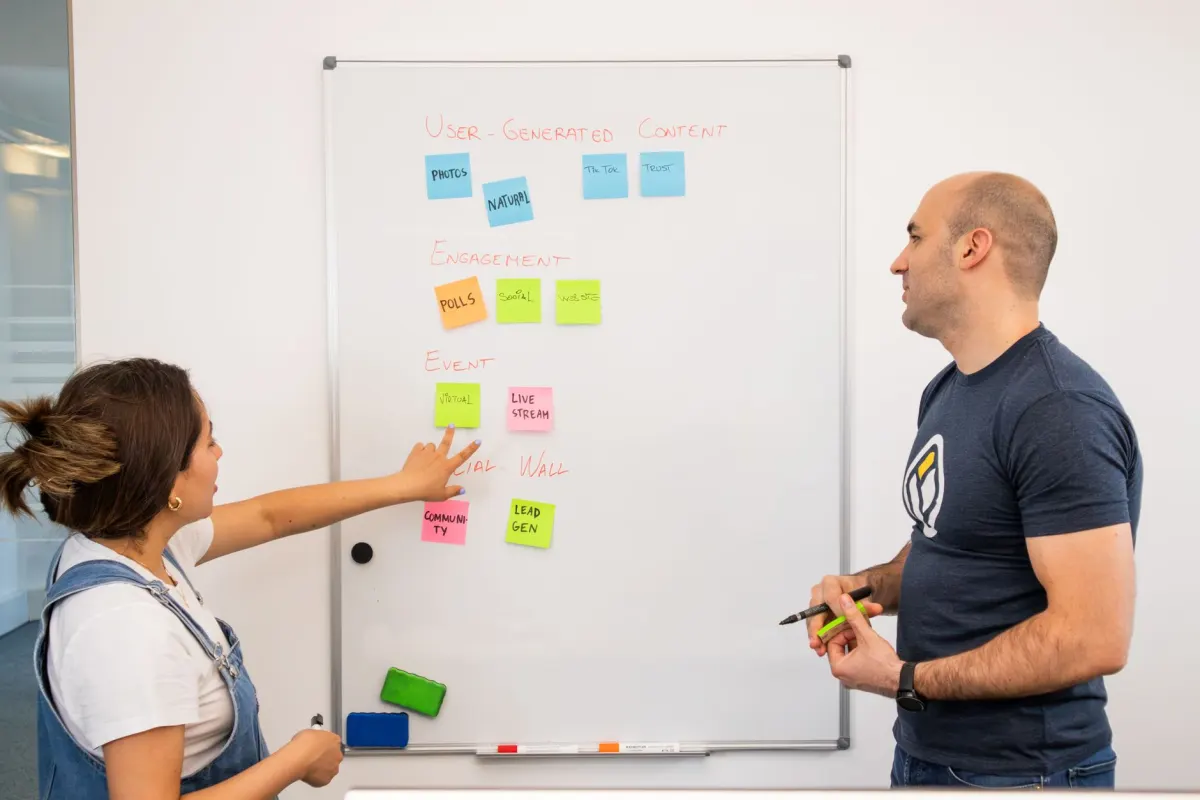
A single business event, say, a product launch logged in your project management tool, can trigger distinct, tailored posts across every network simultaneously. AdaptlyPost publishes a concise announcement on Twitter, a detailed breakdown on LinkedIn, and a visual carousel on Instagram, all from one trigger. This coordinated approach amplifies reach and engages diverse audiences.
Adapting Content Per Platform
Social Media MCP supports deep content personalization. Instead of duplicating the same message everywhere, you adapt format, length, and tone for each network. Twitter demands brevity; LinkedIn rewards depth. AdaptlyPost content templates maintain brand consistency while automatically adjusting output for each platform's expectations.
Scheduling Posts in Bulk
AdaptlyPost has no A/B testing. MCP helps with volume instead. The bulk scheduling tool in the AdaptlyPost MCP server books up to 100 posts in one call, and analytics for 10 networks show how each post performed once it goes live.
Creating a Self-Sustaining Content Engine
Connecting AdaptlyPost across your entire software stack transforms routine business activity into a steady stream of content. New client signups, product updates, support wins, each event can automatically generate a relevant social post, keeping your audience informed and engaged.
| Integration Type | Setup Effort | Automation Depth | Ideal Use Case |
|---|---|---|---|
| Basic Scheduling | Low | Low | Single-platform posting |
| Multi-Platform Posting | Medium | Medium | Coordinated cross-network campaigns |
| AI-Driven Content & Scheduling | High | High | Personalized content with optimized timing |
| CRM Integration | Medium | High | Automated customer engagement posts |
| Project Management Integration | Medium | High | Milestone-triggered announcements |
Harnessing AI-Powered Features
MCP paired with AdaptlyPost unlocks advanced AI capabilities including content ideation, image generation, and audience-optimized scheduling. These features create a feedback loop where content performance data continuously refines future output.
AdaptlyPost
Start Your 7-Day Free Trial
All-platform analytics
Social Inbox
AI-powered assistant
Implementation Roadmap and Best Practices
Deploying Social Media MCP with AdaptlyPost requires some upfront planning to maximize results.
Before setting up automations, define clear goals and ensure automation aligns with your broader strategy. If you are building your social media presence from the ground up, establish a solid foundation before layering on automation.
Planning Your Deployment
Key considerations before you begin:
- Define objectives: Are you optimizing for efficiency, brand consistency, or engagement growth?
- Prioritize integrations: Start with the connections that deliver the highest impact, perhaps Cursor for developer updates or Notion for team-wide content distribution.
- Audit current workflows: Identify where manual processes create the most friction and target those first.
This planning phase ensures MCP aligns with your overall social media strategy from day one.
Best Practices for a Smooth Rollout
- Start with a narrow scope: Launch with one or two integrations and expand as you gain confidence.
- Write precise prompts: Specificity in your instructions to AI assistants produces better automated content.
- Test before going live: Run your workflows in a staging mode to catch issues early.
- Monitor and iterate: Track social media performance and adjust automation rules based on real data.
Growing Your MCP Operations Over Time
As your needs evolve:
- Refine workflows continuously: Use performance data to optimize automation processes.
- Adopt advanced features: Explore content templates, AI suggestions, and recurring posts within AdaptlyPost.
- Learn from the community: Connect with other AdaptlyPost users for insights and best practices.
- Stay current: Keep up with MCP and AdaptlyPost developments to leverage new capabilities.
What Comes Next for MCP and Social Media
As AI capabilities advance, MCP will move well beyond basic scheduling.
Anticipated developments include:
- AI-generated captions and visual assets
- Predictive scheduling driven by audience behavior analysis
- Deeper integration with analytics and business intelligence tools
MCP is evolving toward fully adaptive, intelligent social media systems.
AI-Driven Innovations on the Horizon
Expect platforms like AdaptlyPost to offer increasingly sophisticated AI features, from trending topic suggestions and personalized caption generation to automatic visual creation tailored for each network. AI-optimized scheduling based on real-time audience behavior will maximize every post's reach.
Broader Integration Possibilities
Future MCP development will likely expand connectivity to a wider array of SaaS applications, including advanced analytics platforms, CRM systems, and emerging technologies. This growing ecosystem will unlock automation possibilities that are difficult to imagine today.
Navigating Emerging Challenges
As social media evolves, privacy regulations, cross-platform compatibility, and content authenticity will demand attention. Future MCP implementations will need to prioritize secure data handling, user consent, and consistent brand voice across an increasingly fragmented landscape.
Staying Ahead of the Curve
To prepare for what is coming:
- Follow industry developments and engage with the AdaptlyPost community.
- Experiment with new features as they become available.
- Share feedback with the AdaptlyPost team to help shape the platform's direction.
Active engagement with MCP technology today positions you to capitalize on tomorrow's innovations.
Ready to streamline your social media automation? Start using AdaptlyPost today: https://adaptlypost.com
Frequently Asked Questions
What is MCP in the context of social media management?
MCP stands for Model Context Protocol, the connection that lets AI assistants like Cursor and Claude reach your social accounts directly. Instead of switching to a browser tab, you draft, schedule, and publish from the editor or workspace you are already in.
AdaptlyPost
Start Your 7-Day Free Trial
All-platform analytics
Social Inbox
AI-powered assistant
Do I need to leave my code editor to schedule a post with AdaptlyPost?
Once AdaptlyPost is connected to Cursor as an MCP server, you write a prompt and the post gets queued from inside the editor. The connection handles authentication and sends the scheduling instruction straight to your AdaptlyPost account.
Which platforms can AdaptlyPost publish to at once?
A single prompt can distribute the same update to LinkedIn, Twitter, and Facebook. Messaging stays consistent across networks and eliminates redundant manual posting.
How do I set up the AdaptlyPost integration with Cursor?
Make sure AdaptlyPost and Cursor are both running their latest versions, then open Cursor's settings and find the MCP configuration section. Add AdaptlyPost as an MCP server and authenticate with your AdaptlyPost API key.
Can Notion trigger social media posts automatically?
Once AdaptlyPost connects to Notion via MCP, marking a project milestone complete can generate and schedule a social media announcement automatically. Notion becomes the hub for both project tracking and content distribution.
What permission controls exist for posts published from Notion?
AdaptlyPost lets you determine who on your team can create and publish posts from Notion. Combined with platform-specific templates and integrated content calendars, this keeps automated posts on-brand and under control.
Can AdaptlyPost run A/B tests on social content?
No. AdaptlyPost has no A/B testing. You can schedule two versions of a post yourself and compare their results in AdaptlyPost analytics, which cover Facebook, Instagram, Threads, TikTok, Pinterest, Bluesky, YouTube, X, and LinkedIn.
How does AdaptlyPost adapt one message for different platforms?
Content templates adjust format, length, and tone for each network, a concise announcement on Twitter, a detailed breakdown on LinkedIn, a visual carousel on Instagram, all from one trigger. Brand consistency stays intact while the output adapts automatically to each platform's expectations.
Which business tools can trigger a social media post through MCP?
Beyond Cursor and Notion, AdaptlyPost can connect to CRMs, analytics dashboards, and support platforms. A closed deal, a milestone hit, or a glowing customer testimonial can each become a scheduled post.
How should teams start rolling out MCP automation?
Start with a narrow scope, one or two integrations such as Cursor for developer updates or Notion for team content, and expand as confidence grows. Test workflows in a staging mode first, then monitor performance and adjust the automation rules based on real data.
Put this into practice with AdaptlyPost
Was This Article Helpful?
Let us know what you think!
See us more often in Google
One click marks AdaptlyPost as a preferred source, so our articles sit higher in your Top Stories, AI Mode, and AI Overviews.
Before you go...
AdaptlyPost
Schedule your content across all platforms
Manage all your social media accounts in one place with AdaptlyPost.
All-platform analytics
Social Inbox
AI-powered assistant
Related Articles
How to Set Up Hermes Agent Social Media Posting With the AdaptlyPost Plugin
Set up Hermes Agent social media posting with the AdaptlyPost plugin: two commands, one OAuth sign-in, 14 platforms, and an approval prompt before every write.
How to Schedule Social Media Posts From ChatGPT With the AdaptlyPost Plugin
Schedule social media posts from ChatGPT on 11 networks: install the AdaptlyPost plugin, sign in once, and confirm each post before it goes out.
How to Post to Social Media With AI Agents in Under 5 Minutes
A step-by-step guide on how to post to social media with AI agents: connect accounts once, give Claude, ChatGPT, Cursor or a script one key, and publish to fourteen platforms through MCP, an agent skill, or REST.