
TL;DR, Quick Answer
6 min readSchedule Instagram posts using the in-app scheduler (Business/Creator accounts), Meta Business Suite on desktop, or a third-party tool like AdaptlyPost for unlimited scheduling with AI captions.
Three routes exist for Instagram scheduler/management in 2026: the in-app scheduler on mobile, Meta Business Suite on desktop, and third-party tools that add approvals and cross-posting on top. Each carries a different ceiling, and only some of them handle carousels without complaint.
The quickest way to schedule Instagram posts is through the built-in scheduler (for Business/Creator accounts), Meta Business Suite on desktop, or a third-party platform like AdaptlyPost, which lets you queue feed posts, Reels, and carousels up to 75 days out -- or without any time limit on paid plans.
If your current routine involves logging in every morning to post or frantically hunting for content ideas at the last minute, you already understand that approach does not scale.
Here is the good news: Instagram now supports in-app scheduling. Meta Business Suite provides free desktop-based scheduling. And the latest generation of third-party Instagram schedulers can handle everything from Reels and carousels to AI-generated captions and multi-network publishing.
Whether you are a creator growing a personal brand, a small business juggling customer content, or an agency managing a portfolio of client accounts, an Instagram scheduler like AdaptlyPost streamlines the entire workflow.
This guide covers:
- Scheduling Instagram posts with the native in-app scheduler (step-by-step walkthrough)
- Using Meta Business Suite for free desktop scheduling
- The top Instagram scheduling tools for 2026 (free and paid options compared)
- Which method is the best fit for creators, small businesses, and agencies
- Instagram scheduling limits, recommended practices, and answers to common questions
Is It Possible to Schedule Instagram Posts in 2026?
Absolutely. Instagram currently offers three official paths for scheduling:
- The in-app scheduler -- Available to Business and Creator accounts. Queue feed posts, Reels, and carousels up to 75 days ahead directly within the Instagram app.
- Meta Business Suite -- A free desktop scheduling solution for Instagram and Facebook business accounts. Includes a content calendar view and basic performance analytics.
- Third-party scheduling tools -- Platforms like AdaptlyPost, Buffer, Later, and Hootsuite provide unlimited scheduling, AI-assisted captions, cross-platform distribution, and team collaboration functionality.
Method 1: The Native In-App Scheduler
What You Need
- A Business or Creator account (personal accounts cannot schedule)
- The most recent version of the Instagram app

Instructions
- Open Instagram and tap the + icon to begin creating a post
- Choose your photo(s) or video
- Apply edits and filters as needed
- Write your caption and include hashtags
- Before hitting "Share," tap Advanced Settings
- Switch on Schedule this post
- Pick your desired date and time
- Tap Schedule
Restrictions
- 75-day maximum scheduling window
- Stories cannot be scheduled this way
- No batch scheduling capability
- No AI-powered caption help
- No multi-platform distribution
- Analytics limited to Instagram Insights
Method 2: Meta Business Suite
What You Need
- A Facebook Page connected to your Instagram business account
- A desktop browser or the Meta Business Suite mobile app
Instructions
- Visit business.facebook.com
- Click Create Post in the left sidebar
- Select Instagram (and Facebook if you want both)
- Compose your caption and upload your media
- Click the dropdown next to "Publish" and choose Schedule
- Set your date and time
- Click Schedule
What Meta Business Suite Adds
- Full desktop publishing with a physical keyboard
- A visual content calendar
- Simultaneous scheduling to Facebook and Instagram
- Basic performance reporting
Restrictions
- The interface can feel sluggish and unintuitive
- Scheduling support for certain content types is limited
- No AI-powered features
- Platform coverage stops at Facebook and Instagram
Method 3: Third-Party Scheduling Platforms
External scheduling tools deliver the most feature-rich experience. Here is what they bring to the table:
- Unlimited scheduling -- No 75-day cutoff
- AI caption generation -- Produce captions faster with brand-aware AI
- Multi-network publishing -- Distribute content to Instagram, TikTok, LinkedIn, X, YouTube, Pinterest, and more from a single dashboard
- Batch scheduling -- Upload and schedule 20+ posts in one session
- Team collaboration -- Approval workflows, shared calendars, and role-based permissions
- Cross-platform analytics -- Track performance across every network
- Content calendar -- A visual overview of all queued content
- Post previews -- See an accurate rendering of how posts will look before they go live
Scheduling with AdaptlyPost
- Register at adaptlypost.com and connect your Instagram account
- Click Create Post
- Select Instagram (plus any additional platforms)
- Upload media or generate an image with AI Image Studio
- Write a caption or click Generate AI Caption
- Preview the post as it will appear on Instagram
- Choose a date and time
- Click Schedule
Choosing the Right Method
| Scenario | Recommended Method |
|---|---|
| Casual personal posting | Instagram in-app scheduler |
| Small business (1-2 accounts) | Meta Business Suite |
| Creator active on multiple platforms | Third-party tool (AdaptlyPost) |
| Agency handling client accounts | Third-party tool with team features |
| Team requiring approval workflows | Third-party tool with collaboration |
Scheduling Best Practices for Instagram
Publish during peak activity windows
Check Instagram Insights under "Most Active Times" to identify when your followers are online. Schedule your posts to land during those high-engagement periods.
Batch your content production
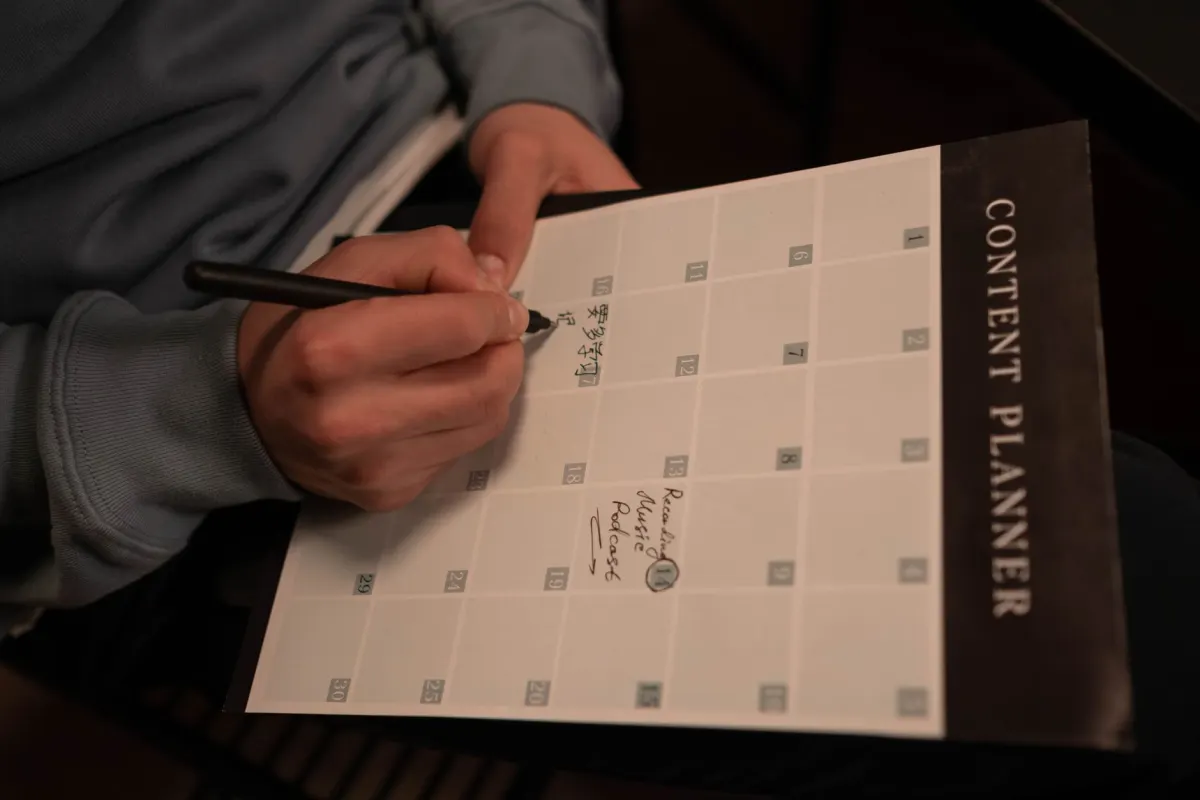
Set aside 2-3 hours once a week to create and schedule all of your content in one sitting. This is far more efficient than producing posts on the fly each day, and it keeps you consistent even during hectic weeks.
Leverage the content calendar view
A visual calendar makes it easy to spot gaps, maintain variety, and avoid publishing three promotional posts in a row. Alternate between educational, entertaining, and promotional content.
Always preview before scheduling
Check how each post will render in the feed before it goes live. Confirm image cropping, caption formatting, and hashtag placement.
Schedule first comments
Many scheduling tools let you attach a first comment to publish alongside your post. Use this for hashtags to keep the caption clean, or to add supplementary context and links.

AdaptlyPost
Start Your 7-Day Free Trial
All-platform analytics
Social Inbox
AI-powered assistant
FAQ
Does scheduling reduce Instagram reach?
No. Instagram has confirmed that posts published through approved scheduling tools receive the same algorithmic treatment as manually published posts. There is no reach penalty for scheduling.
Can I schedule Instagram Reels?
Yes. The native scheduler, Meta Business Suite, and most third-party platforms all support Reel scheduling with automatic publishing.
Can I schedule Instagram Stories?
The native in-app scheduler does not support Stories. Meta Business Suite offers limited Story scheduling. Third-party tools such as AdaptlyPost provide full Story scheduling support.
How far in advance can posts be scheduled?
The native scheduler and Meta Business Suite both allow scheduling up to 75 days ahead. Third-party tools generally have no time limit.
Can carousel posts be scheduled?
Yes. All three methods support carousel scheduling. Third-party tools typically offer the best workflow for arranging slides and previewing the finished result.
What happens when a scheduled post fails to publish?
With the native scheduler, you receive a notification. Third-party tools usually provide failure alerts with specific error details (expired token, unsupported media format, etc.). It is good practice to verify that each scheduled post has gone live shortly after its intended publish time.
Do I need a business account to schedule Instagram posts?
The native in-app scheduler works only with Business and Creator accounts, so personal accounts can't use it. Meta Business Suite requires a Facebook Page connected to your Instagram business account. Third-party tools such as AdaptlyPost only ask you to connect your Instagram account during setup.
Is Meta Business Suite free to use?
Meta Business Suite is a free desktop scheduling solution for Instagram and Facebook business accounts. It includes a content calendar view and basic performance analytics at no cost. The tradeoff is a narrower feature set: no AI captions and no distribution beyond Facebook and Instagram.
Can I schedule posts to Instagram and other platforms at once?
The native scheduler and Meta Business Suite stay inside the Meta ecosystem, with Meta Business Suite covering Facebook and Instagram together. Third-party platforms go further, distributing content to Instagram, TikTok, LinkedIn, X, YouTube, Pinterest, and more from a single dashboard. AdaptlyPost's post creation flow lets you pick Instagram plus any additional connected platform in the same step.
How many Instagram posts can I schedule at once?
The native in-app scheduler has no batch scheduling capability, so each post gets queued one at a time. Third-party tools remove that ceiling, letting you upload and schedule 20 or more posts in a single session. That batch capacity pairs well with setting aside 2-3 hours once a week to plan an entire week of content.
Put this into practice with AdaptlyPost
Was This Article Helpful?
Let us know what you think!
See us more often in Google
One click marks AdaptlyPost as a preferred source, so our articles sit higher in your Top Stories, AI Mode, and AI Overviews.
Before you go...
AdaptlyPost
Schedule your content across all platforms
Manage all your social media accounts in one place with AdaptlyPost.
All-platform analytics
Social Inbox
AI-powered assistant
Related Articles
How to Schedule Instagram Stories (2026) - Full Guide
Business Suite queues Stories free with a Page attached, and third-party tools add previews. Both routes step by step, plus the timing that keeps taps up.
Explained Clearly - Size for an Instagram Photo
Export at 1080px wide and Instagram stops softening your work. Exact sizes for square, portrait, landscape, Stories, Reels, and profile photos in 2026.
Answered in Context - How to See Scheduled Posts on LinkedIn Mobile
Your LinkedIn schedule posts queue hides behind a clock icon in the composer. Three routes on desktop, mobile, and external tools, plus why posts fail.