
TL;DR, Quick Answer
6 min readYouTube Shorts Collab allows creators to make collaborative short-form videos together, similar to TikTok's duet and stitch features. It helps creators reach new audiences by partnering with other channels.
What Is YouTube Shorts Collab?
Two creators can share a single Short, and how to collaborate on YouTube shorts comes down to picking a side-by-side or a sequential layout. Collab creates a new Short that incorporates or responds to another creator's existing Short, resulting in a side-by-side or sequential video that features both creators.
The feature is YouTube's response to similar collaboration tools on competing platforms, particularly TikTok's Duet and Stitch features. It provides a native way for creators to interact with, respond to, and build upon each other's content within the YouTube ecosystem.
How YouTube Shorts Collab Works
The Collab feature allows two types of collaborative content:
Side-by-Side Collab
Your video appears alongside the original creator's video in a split-screen format. This is ideal for reaction videos, duets, comparisons, and simultaneous content where both videos play at the same time.
Sequential Collab
The original creator's video plays first, followed by your response or addition. This works well for before-and-after content, tutorials that build on existing instructions, or any format where chronological order matters.

- Split-screen format
- Best for reactions, duets, and comparisons
- Both videos play at the same time
- Original video plays first
- Best for before-and-after content and tutorials
- Chronological order matters
How to Create a Shorts Collab
- Find a Short you want to collaborate with.
- Tap the "Remix" or "Collab" button on the Short (the exact button label varies by app version).
- Select the Collab option from the remix menu.
- Choose your preferred collab format (side-by-side or sequential).
- Record your portion of the collaborative video.
- Edit, add effects, text, or music as needed.
- Write a caption that credits the original creator.
- Publish your collaborative Short.
The original creator is typically notified when someone creates a Collab with their content, and they may have settings to control whether their content can be used in Collabs.
Why YouTube Shorts Collab Matters
Cross-Audience Exposure
When you collaborate with another creator, your content is exposed to their audience and vice versa. This cross-pollination is one of the most effective ways to reach new viewers who share similar interests but have not discovered your channel yet.
Content Variety
Collabs add variety to your content without requiring the full effort of a standalone video concept. Reacting to, building on, or responding to existing content is faster than creating something entirely from scratch.
Community Building
Collaboration fosters a sense of community among creators. Engaging with other creators' content through Collab shows respect for their work and leads to reciprocal engagement, strengthening relationships within your niche.
Algorithm Benefits
YouTube's algorithm favors content that generates high engagement. Collaborative content performs well because it attracts audiences from both creators, generating more views, likes, and comments than a solo Short earns.
Collab Content Ideas
| Collab Type | Description | Example |
|---|---|---|
| Reaction | React to another creator's content | Commenting on a cooking technique |
| Challenge | Attempt the same challenge | Side-by-side fitness challenge |
| Duet | Perform alongside another creator | Musical performance together |
| Tutorial extension | Add steps to an existing tutorial | Building on a DIY project |
| Debate | Present an opposing viewpoint | Different opinions on a topic |
| Comparison | Show your version of something | Recipe variation, style comparison |
| Appreciation | Highlight and praise great content | Showcasing talented creators |
Best Practices for YouTube Shorts Collab
Choose Relevant Partners
Collaborate with creators whose content is relevant to your niche and audience. A fitness creator collaborating with a nutrition creator makes sense. A random pairing with no topical connection confuses both audiences.
Add Genuine Value
Your contribution to the Collab should add something meaningful. Simply watching another creator's video without adding commentary, reaction, or original content provides little value to viewers.
Credit the Original Creator
Always mention the original creator in your video description and, if possible, in the video itself. Tagging them and linking to their channel demonstrates respect and encourages them to share the Collab with their audience.
Maintain Quality
Even though Collabs build on existing content, your portion should meet the same quality standards as your other Shorts. Good lighting, clear audio, and engaging presentation matter just as much in collaborative content.

AdaptlyPost
Start Your 7-Day Free Trial
All-platform analytics
Social Inbox
AI-powered assistant
Respect Creator Preferences
Some creators disable Collab on their videos. Respect these settings. If you want to collaborate with someone who has Collab disabled, reach out directly to discuss a different type of partnership.
Engage with Collab Comments
When your Collab generates comments, engage with them actively. This interaction boosts the video's engagement metrics and shows both your audience and the original creator's audience that you are invested in the community.
Growing Through Collaboration
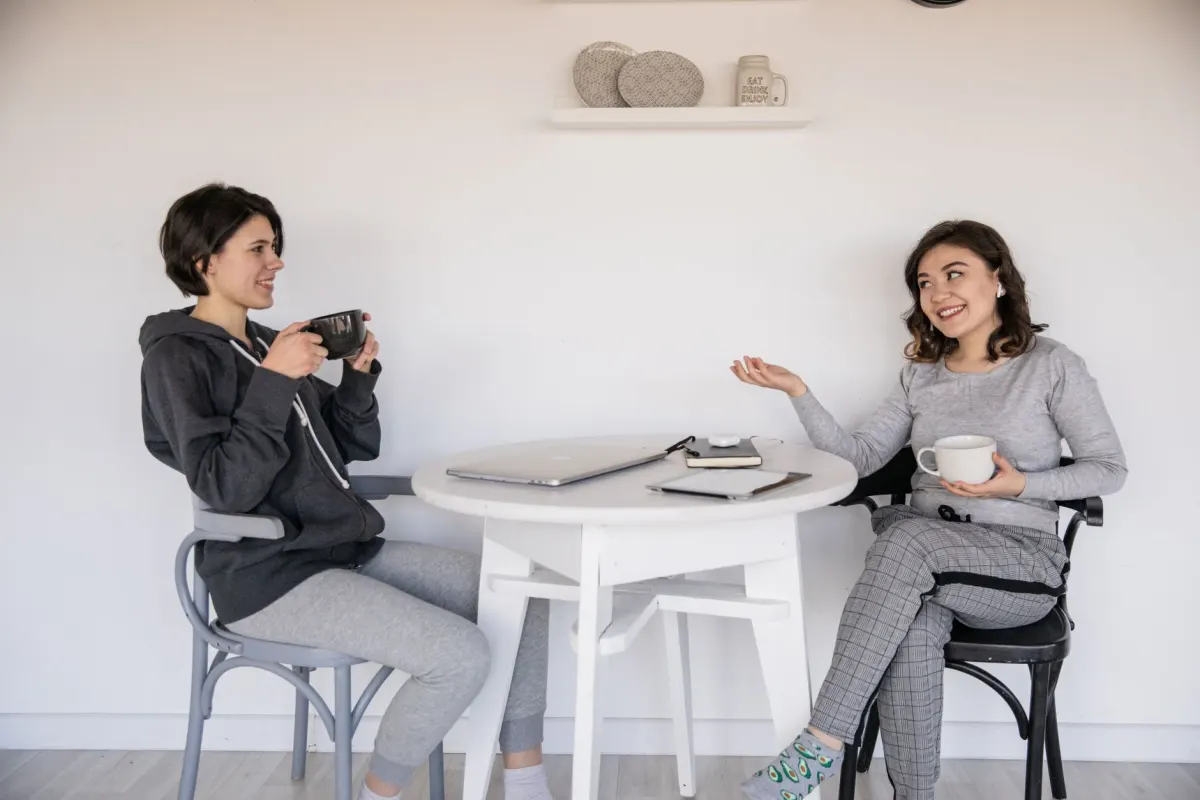
Strategic collaboration can accelerate channel growth significantly. Consider these approaches:
- Start within your niche. Collaborate with creators at a similar size and in the same content category.
- Be consistent. Regular Collabs keep your channel visible to new audiences on an ongoing basis.
- Build relationships first. Engage with other creators' content through comments and likes before initiating Collabs. Warm outreach produces better partnerships.
- Track performance. Monitor which Collabs drive the most new subscribers and replicate those successful patterns.
- Diversify partners. Collaborating with different creators exposes you to different audience segments.
Do both creators earn revenue from a Collab?
The creator who publishes the Collab Short earns any revenue generated from that specific video. The original creator retains earnings from their original Short independently. Revenue sharing specifics may evolve as YouTube updates its Shorts monetization policies.
Can I Collab with any Short on YouTube?
Only if the original creator has not disabled the Remix/Collab feature for their videos. Many creators leave it enabled by default, but some choose to restrict it.
How long can a Shorts Collab be?
Shorts Collabs follow the standard YouTube Shorts duration limits, which is currently up to 60 seconds. Your portion of the Collab must fit within this constraint alongside the original content.
Do Collabs notify the original creator?
Yes. The original creator typically receives a notification when someone creates a Collab using their content, similar to how they would be notified about a video response.
Plan Your Collab Strategy with AdaptlyPost
AdaptlyPost plans your Shorts content calendar alongside your cross-platform publishing schedule. Coordinate your Collabs, standalone Shorts, and long-form videos into a cohesive content strategy that drives consistent growth.
Frequently Asked Questions
How do you start a Collab on YouTube Shorts?
Find a Short you want to build on and tap the Remix or Collab button on it. From the remix menu, select the Collab option and choose a side-by-side or sequential format before you record your part.
What happens if the original creator disables Collab?
You will not be able to create a Collab with that Short, since creators can restrict the feature on their own videos. Reach out to them directly instead and discuss a different kind of partnership.
Do I need to credit the original creator in a Collab?
Credit them in your caption and, when possible, in the video itself. Tagging them and linking to their channel shows respect for their work and gives them a reason to share your Collab with their own audience.
What kind of content works best for a Collab?
Reactions, challenges, duets, tutorial extensions, debates, comparisons, and appreciation posts all fit the format well. Pick whichever type matches the original Short and gives your own audience a reason to watch both halves.
Why do Collabs help grow a channel?
A Collab exposes your content to the original creator's audience and their content to yours, so both channels reach viewers who have not found them yet. Because collaborative Shorts generate more views, likes, and comments than a solo Short, YouTube's algorithm favors them too.
Should I Collab with any creator?
Stick to creators whose content fits your niche and audience. A fitness creator collaborating with a nutrition creator makes sense, while a random pairing with no topical connection can confuse both audiences.
AdaptlyPost
Start Your 7-Day Free Trial
All-platform analytics
Social Inbox
AI-powered assistant
How is a Collab different from posting a solo Short?
A Collab lets you react to, build on, or respond to a Short that already exists, so you skip the work of developing a concept from scratch. It still adds variety to your channel without the full effort a standalone video requires.
Do Collabs affect YouTube's algorithm?
Collabs draw engagement from both creators' audiences, generating more views, likes, and comments than a solo Short. YouTube's algorithm favors content with high engagement, so a well-made Collab can perform better than a comparable solo upload.
How often should I do Collabs to grow my channel?
Regular Collabs keep your channel visible to new audiences on an ongoing basis, rather than producing a single spike in reach. Pair that consistency with tracking which Collabs bring in the most new subscribers, then repeat what works.
What should I do before reaching out for a Collab?
Engage with the other creator's content through comments and likes first, so the outreach does not come out of nowhere. Warm outreach like this produces better partnerships than a cold request.
Put this into practice with AdaptlyPost
Was This Article Helpful?
Let us know what you think!
See us more often in Google
One click marks AdaptlyPost as a preferred source, so our articles sit higher in your Top Stories, AI Mode, and AI Overviews.
Before you go...
AdaptlyPost
Schedule your content across all platforms
Manage all your social media accounts in one place with AdaptlyPost.
All-platform analytics
Social Inbox
AI-powered assistant
Related Glossary Terms
Three Minutes, Not Sixty Seconds: How Long Can a YouTube Short Be
Most pages say 60 seconds. How long can a YouTube Short be is three minutes, and the music and copyright limits that bite well before that.
Co-Creation: What It Means and How to Use It in Marketing
Learn what co-creation means in marketing, how brands collaborate with customers to create value, and best practices for co-creation strategies.


Key Insights - Collabs
A collab only pays off when both audiences get something. How collabs work, the Instagram Collab post format, and how to vet a partner before committing.
Related Articles
Explained Clearly - S4S Meaning
Short for shoutout for shoutout, the S4S meaning describes an audience swap. When it grows an account, when it wastes a post, and how to vet a partner.
Keep Subscribers Active With a YouTube Community Post
A YouTube community post reaches subscribers between uploads. Who is eligible, the five formats available, and which ones actually pull replies and votes.
A Practical Overview - YouTube Shorts Ad Revenue Sharing Official
Shorts pay out of a pooled ad fund, not per-video ads. The YPP thresholds, how the music licensing split shrinks your share, and what lifts earnings.