
TL;DR, Quick Answer
7 min readPinterest recommends a 2:3 aspect ratio for image Pins, and its ad specs page gives that as 1000 x 1500 pixels. The organic Pin specs page lists the file types (BMP, JPEG, PNG, TIFF, WEBP), a 20 MB maximum on the web, 1 GB recommended on Android and iOS, and safe zones of 270 px top, 65 px left, 195 px right and 790 px bottom. Images taller than 2:3 can be cut off in feeds.
The Pinterest image size Pinterest recommends is a 2:3 aspect ratio, which its ad specs page writes out as 1000 x 1500 pixels, and an image Pin uploaded on the web can be 20 MB at most. Those two facts sit on two different help pages, and the page written for ordinary Pins gives no pixel dimensions for image Pins. Design at 1000 x 1500, export under 20 MB, and keep text inside the safe zones listed below.
What is the recommended Pinterest image size?
Pinterest recommends a 2:3 aspect ratio for image Pins, and its Review ad specs page translates that into pixels: "We recommend using a 2:3 aspect ratio, or 1000 x 1500 pixels." The same line goes on to warn that "Pins with an aspect ratio greater than 2:3 might get cut off in people's feeds."
The organic side of the help centre agrees on the ratio but not the pixels. Pinterest's Pin performance and distribution article tells business accounts: "We recommend a 2:3 aspect ratio for images and videos that are anywhere from 15 to 60 seconds long." Its Review Pin specs page, which is the one written for ordinary Pins, lists file types, file size, safe zones and character counts, and gives no image dimensions or ratio.
So the 1000 x 1500 figure comes from the ads page, and it applies cleanly to organic Pins because the ratio is the same. A 1000 x 1500 image is exactly 2:3. If you work at a larger size, keep the ratio: 1200 x 1800 and 2000 x 3000 are both 2:3 as well.
What are Pinterest's full image Pin specs?
Pinterest's Review Pin specs page sets the file type, the size cap, the safe zones and three text limits for image Pins. Here is every number on that page for image Pins, next to the matching line from the standard image ad specs.
| Spec | Organic image Pin | Standard image ad |
|---|---|---|
| File types | BMP, JPEG, PNG, TIFF, WEBP | PNG or JPEG |
| Max file size | 20 MB on web, 1 GB recommended on Android and iOS | 20 MB desktop, 32 MB in-app |
| Aspect ratio | Not stated on this page | 2:3, or 1000 x 1500 pixels |
| Safe zone, top | 270 px | Not stated |
| Safe zone, left | 65 px | Not stated |
| Safe zone, right | 195 px | Not stated |
| Safe zone, bottom | 790 px | Not stated |
| Title | 100 characters max | Up to 100 characters |
| Textbox | 250 characters max | Not stated |
| Description | Up to 800 characters | Up to 800 characters |
Two details in that table catch people out. The organic page accepts BMP, TIFF and WEBP, while ads take only PNG and JPEG. And the organic page phrases the mobile number as "1 GB recommended", not as a hard maximum, so the 20 MB web cap is the only firm ceiling Pinterest publishes for image Pins.
The title limit matters for layout too. The ad specs page says that "Depending on the device, the first 40 characters may show in people's feeds," so a title written for a 2:3 image needs its point in the first 40 characters. Our guide on how to post pictures on Pinterest covers the title and description fields in more detail.
What happens to images taller than 2:3?
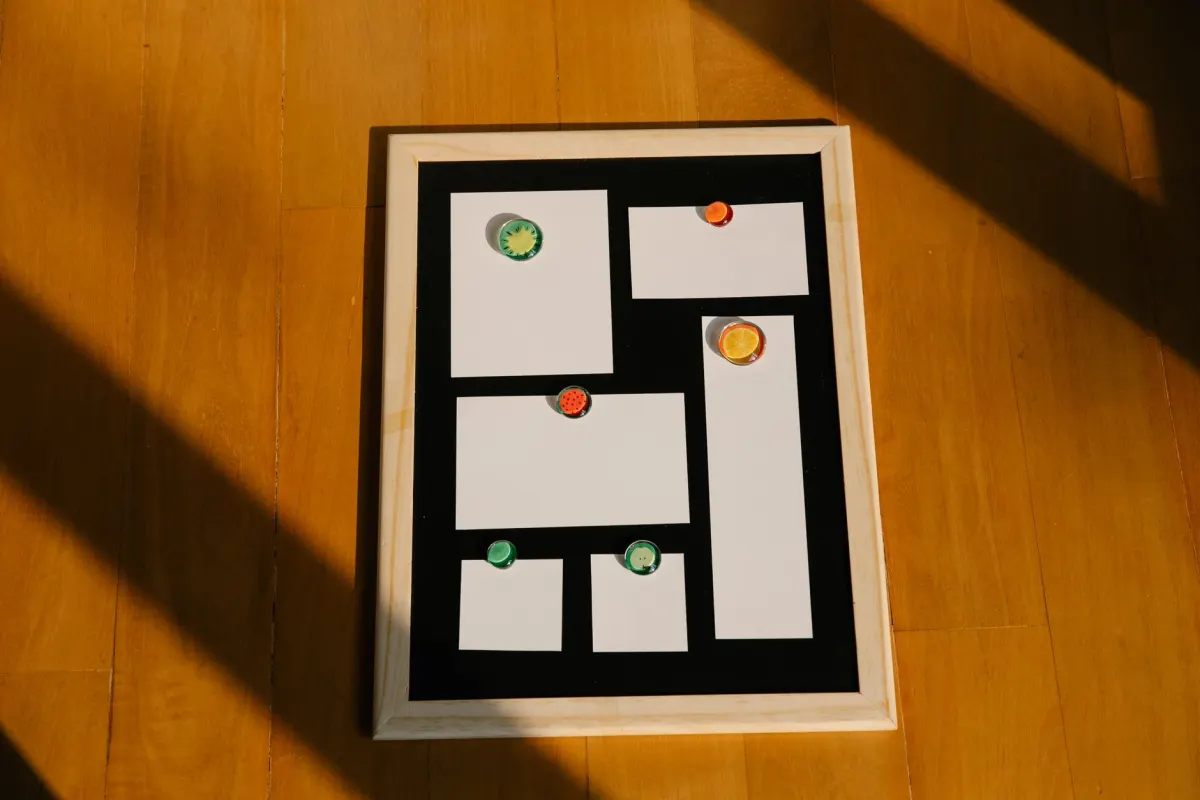
Pinterest says Pins taller than 2:3 can be cropped in the feed. The exact wording on the ad specs page is "Pins with an aspect ratio greater than 2:3 might get cut off in people's feeds." Pinterest does not publish the crop point or say which part of the image it keeps.
That leaves one safe rule. If the full image has to show in the feed, export at 2:3. A 9:16 image is taller than 2:3, so anything important near the top or bottom of a 9:16 still is at risk of being cut. Video is different: the same Review Pin specs page recommends 9:16, or 1080 x 1920 pixels, for full-bleed video Pins, and lists 1:2, 2:3, 3:4, 4:5 and 1:1 as other options.
Pinterest's own Pin builder reflects the same split. The Design a Pin article lists the desktop canvas ratios as 2:1, 16:9, 3:2, 4:3, 5:4 and 1:1, and the mobile camera ratios as 9:16, 2:3, 3:4, 4:5 and 1:1.
- Matches the ratio Pinterest recommends
- The full image can show in the feed
- Pinterest warns it can get cut off in feeds
- Pinterest does not publish the crop point
- Anything near the top or bottom is at risk
What are Pinterest safe zones for images?
Safe zones are the margins where Pinterest's interface sits on top of the Pin, so text placed there gets covered. The Review Pin specs page tells creators to "Put text and other elements within the dimensions below so users can easily see on any device when viewing" and gives 270 px at the top, 65 px on the left, 195 px on the right and 790 px at the bottom.
Pinterest does not say which canvas those pixel values are measured against. The page repeats the same four numbers under video Pins, where it recommends a 1080 x 1920 frame, and it gives no separate set for a 1000 x 1500 image. For a standard 2:3 image in the home feed, keep logos and headline text away from the edges and out of the bottom of the frame, and preview the Pin on a phone before scheduling it.
Does Pinterest change your image after upload?
Pinterest converts and tints images after upload. The ad specs page states that "All uploaded images are converted to standard 8-bit RGB JPEGs before being turned into Pins and ads," and advises uploading "in PNG with sRGB formats to avoid any reduction in image quality." It adds that "Custom color profiles are not supported on Pinterest and may result in slightly different colors on published Pins and ads."
Background color gets adjusted too. Both spec pages describe a faint layer that Pinterest adds to image Pins with white or black backgrounds in the home feed:

AdaptlyPost
Start Your 7-Day Free Trial
All-platform analytics
Social Inbox
AI-powered assistant
- White or near-white background in light mode: a black layer at 4% opacity.
- Black or near-black background in dark mode: a white layer at 10% opacity.
- The other two combinations: no change.
Pinterest says this applies "to all organic and paid image Pins and ad types but does not apply to videos." A product shot on pure white will therefore look slightly grey in the light-mode feed, which is expected behaviour, not a compression fault.
What image size do Pinterest carousels use?
Pinterest carousels take 2 to 5 static images, each in a 1:1 or 2:3 ratio. The Create a carousel article says to "upload 2-5 images for your carousel" and that "At this time only static images can be used in a carousel, and the aspect ratio must be either 1:1 (square) or 2:3 (vertical)." The carousel ad specs set the file limit at 20 MB per image in PNG or JPEG.
Carousels have a creation limit as well. Pinterest states that "Carousel Pins can only be created using a desktop device," through Ads Manager or the bulk editor, and anyone creating one needs a business account in an ad market.
How do you prepare an image for Pinterest?
Prepare an image for Pinterest by fixing the ratio first, then the file, then the text placement.
- Set the canvas to 1000 x 1500 pixels, or any larger 2:3 size.
- Keep headline text and logos clear of the edges and the bottom of the frame.
- Export as PNG or JPEG in the sRGB color space, since Pinterest converts everything to 8-bit RGB JPEG anyway.
- Check the file is under 20 MB if you upload from a browser.
- Write a title with its point in the first 40 characters, and a description of 800 characters or fewer.
- Preview on a phone in both light and dark mode if the background is white or black.
If a Pin still fails after these checks, the cause sits somewhere else, and our guide on why a Pin is not publishing on Pinterest walks through link domains and token problems. For comparison with the other big visual network, see the Instagram image size guide.
Where AdaptlyPost fits
AdaptlyPost publishes image Pins to a connected Pinterest business account, so the image you upload has to meet the same Pinterest specs as one uploaded by hand. The Pinterest post scheduler queues vertical image Pins with titles, descriptions and destination links, and you choose the board and the publish time for each one. Through the AdaptlyPost API, a board ID is a required value on every Pinterest post, and Pinterest carousels stop at 5 images, the same ceiling as the 2 to 5 range in Pinterest's own carousel rules. A planning walkthrough sits in our guide on how to schedule Pinterest posts.
Frequently asked questions
What is the best image size for a Pinterest Pin?
Pinterest recommends a 2:3 aspect ratio, and its ad specs page gives that as 1000 x 1500 pixels. Any larger 2:3 size, such as 2000 x 3000, keeps the same shape. Pinterest's organic Pin specs page lists no pixel dimensions for image Pins.
What is the maximum file size for a Pinterest image?
The Review Pin specs page sets a 20 MB maximum for image Pins uploaded on the web. For Android and iOS it lists "1 GB recommended" instead of a hard cap. Standard image ads allow 20 MB on desktop and 32 MB in-app.
Which file types does Pinterest accept for images?
Organic image Pins accept BMP, JPEG, PNG, TIFF and WEBP. Standard image ads and carousel ads take PNG or JPEG only. Pinterest converts every uploaded image to an 8-bit RGB JPEG before turning it into a Pin.
Will Pinterest crop a tall image?
Pinterest says "Pins with an aspect ratio greater than 2:3 might get cut off in people's feeds." It does not publish where the crop happens. Export at 2:3 if the whole image needs to show in the feed.
What size should a Pinterest carousel image be?
Each carousel card is a static image in a 1:1 or 2:3 ratio, with 2 to 5 cards per carousel. The carousel ad specs cap each image at 20 MB in PNG or JPEG. Carousel Pins are created on desktop through Ads Manager or the bulk editor.
Why does my white-background Pin look grey?
Pinterest adds a faint black layer at 4% opacity to image Pins with white or near-white backgrounds in light mode. In dark mode it adds a white layer at 10% opacity to Pins with black backgrounds. The layer applies to all image Pins and ads, and not to videos.
What does a 2:3 aspect ratio mean on Pinterest?
The image is two units wide for every three units tall. A 1000 x 1500 image is exactly 2:3, and so are 1200 x 1800 and 2000 x 3000. Pinterest recommends this ratio for image Pins.
What size should a Pinterest video Pin be?
The Review Pin specs page recommends 9:16, or 1080 x 1920 pixels, for full-bleed video Pins. It also lists 1:2, 2:3, 3:4, 4:5 and 1:1 as other options. Image Pins follow a different rule, with 2:3 as the recommended ratio.
AdaptlyPost
Start Your 7-Day Free Trial
All-platform analytics
Social Inbox
AI-powered assistant
How long can a Pinterest Pin title and description be?
A title can run to 100 characters and a description to 800. Pinterest's ad specs say that, "Depending on the device, the first 40 characters may show in people's feeds," so put the point early. The textbox allows 250 characters.
Where should I put text on a Pinterest image?
Keep it inside the safe zones, which Pinterest lists as 270 px at the top, 65 px on the left, 195 px on the right and 790 px at the bottom. Pinterest does not say which canvas those values are measured against. Preview the Pin on a phone before you schedule it.
Put this into practice with AdaptlyPost
Was This Article Helpful?
Let us know what you think!
See us more often in Google
One click marks AdaptlyPost as a preferred source, so our articles sit higher in your Top Stories, AI Mode, and AI Overviews.
Before you go...
AdaptlyPost
Schedule your content across all platforms
Manage all your social media accounts in one place with AdaptlyPost.
All-platform analytics
Social Inbox
AI-powered assistant
Related Glossary Terms
Why the Pinterest Title Character Limit Is 100 but Feeds Show 40
The Pinterest title character limit is 100, but feeds show only the first 40 characters, or 30 in double byte languages. How to write a Pin title for both.
How Pinterest Alt Text Works on Pins and in the API
Setting Pinterest alt text goes through the alt_text field on a Pin: 500 characters, one per Pin, separate from the description. What it does and how.
How the First Slide Sets the Instagram Carousel Size for Every Slide
The Instagram carousel size comes from slide one. Meta crops every slide to its ratio, 4:5 to 1.91:1 through the API. Exact pixel sizes inside.
Related Articles
The Pinterest Pin Limit per Day Depends on How the Pin Gets Made
Pinterest sets no Pinterest pin limit per day for Pins you create by hand. RSS and bulk video uploads stop at 200 a day, and the API has its own caps.
From 240p to 8K: The YouTube Video Size for Every Long-Form Upload
The standard YouTube video size is 1920x1080 at 16:9, with 8K at 7680x4320 and a cap of 256 GB or 12 hours per file. Here is each resolution and limit.
What Meta Actually Publishes About the Facebook Post Character Limit
The Facebook post character limit is not in Meta's API docs or Help Centre. Here is what Meta does publish, and how to size a Page post that fits.