
TL;DR, Quick Answer
6 min readPinterest stores alt text as alt_text, a plain-text field on the Pin itself, capped at 500 characters in the Pinterest API. It sits next to the 100-character title and the 800-character description, not inside media_source, so a Pin has one alt text even when it holds more than one image. You set it with POST /v5/pins and change it later with PATCH /v5/pins/{pin_id}. Pinterest's help centre articles on creating and editing a Pin do not list an alt text field. AdaptlyPost sends the first image's alt text, cut to 500 characters.
What is Pinterest alt text?
Writing Pinterest alt text means filling in the alt_text field on a Pin, a plain-text description of the image that screen readers speak aloud for people who cannot see it. The field belongs to the Pin, alongside its title, description and link, and the Pinterest API returns it on every Pin it reads back.
Alt text and the Pin description do different jobs. The description is text for people browsing and for Pinterest's ranking: the Pinterest product specs page says "Descriptions are used by our algorithm to determine relevance for delivery." Alt text describes what the image shows, for people using assistive technology. A description written for searchers, such as "easy weeknight pasta, 20 minutes", tells a screen reader user nothing about the picture. Alt text for the same Pin reads "a bowl of spaghetti with tomato sauce and basil on a wooden table".
The two also have separate limits, so writing one does not use up room in the other.
What is the Pinterest alt text character limit?
The Pinterest alt text character limit is 500 characters, set on the alt_text field in the Pinterest API reference for creating and updating a Pin. Here is how it compares with the other text fields on a Pin:
| Pin field | API name | Limit |
|---|---|---|
| Alt text | alt_text | 500 characters |
| Title | title | 100 characters |
| Description | description | 800 characters |
| Destination link | link | 2,048 characters |
The developer docs mark alt_text as "Nullable", so a Pin with no alt text is valid and comes back with "alt_text": null. The 500-character figure comes from the API reference. Pinterest's help centre does not publish a separate number for alt text, so treat 500 as the ceiling for any tool that writes to the API.

How do you add alt text to a Pin?
You add alt text to a Pin through the alt_text field when the Pin is created or updated, which is the method Pinterest documents for developers and for tools built on its API. On the Pinterest website and app, the help centre article "Create a Pin from an image or video" lists the fields you fill in as title, description, link, board, related topics, publish later, the AI-modified toggles and "More options" for comments and shopping recommendations. Alt text is not on that list. The "Edit or delete a Pin" article lists title, description, link, board and comment settings, with no alt text there either.
That leaves two routes that Pinterest documents in full:
- Create the Pin with alt text. Send
POST /v5/pinswithalt_textin the request body, next toboard_id,title,descriptionandmedia_source. - Add or change it later. Send
PATCH /v5/pins/{pin_id}with a newalt_text. The update schema carries the same 500-character limit.
If your own Pin builder shows an alt text field, use it the same way, and keep within 500 characters so the text matches what the API accepts. The rest of the Pin creation flow, from boards to image formats, is covered in how to post pictures on Pinterest.
Where does alt_text go in a Pinterest API request?
alt_text goes at the top level of the Pin body in the Pinterest API, not inside media_source, which only describes where the image or video comes from. A single-image Pin request looks like this:
{
  "board_id": "123456789012345678",
  "title": "Weeknight tomato pasta",
  "description": "A 20-minute pasta with five ingredients.",
  "alt_text": "A bowl of spaghetti with tomato sauce and fresh basil on a wooden table",
  "media_source": {
    "source_type": "image_url",
    "url": "https://example.com/pasta.jpg"
  }
}
A multi-image Pin uses source_type: "multiple_image_urls" with 2 to 5 items. Each item takes a url, title, description and link, and none of them takes alt text. The Pin as a whole carries one alt_text, so on a multi-image Pin, describe the set or the first image. Video Pins use source_type: "video_id" and the same top-level field.
Pinterest's API has its own call quotas, covered in the Pinterest API rate limit. When a scheduled Pin does not appear, why Pinterest Pins are not publishing lists the common causes.
How do you write good Pinterest alt text?
Good Pinterest alt text names what the image shows in one or two plain sentences, including any words printed on it, and leaves keywords to the title and description. When a Pin carries a text overlay, a screen reader cannot read the words baked into the image unless the alt text repeats them.
A short checklist:

AdaptlyPost
Start Your 7-Day Free Trial
All-platform analytics
Social Inbox
AI-powered assistant
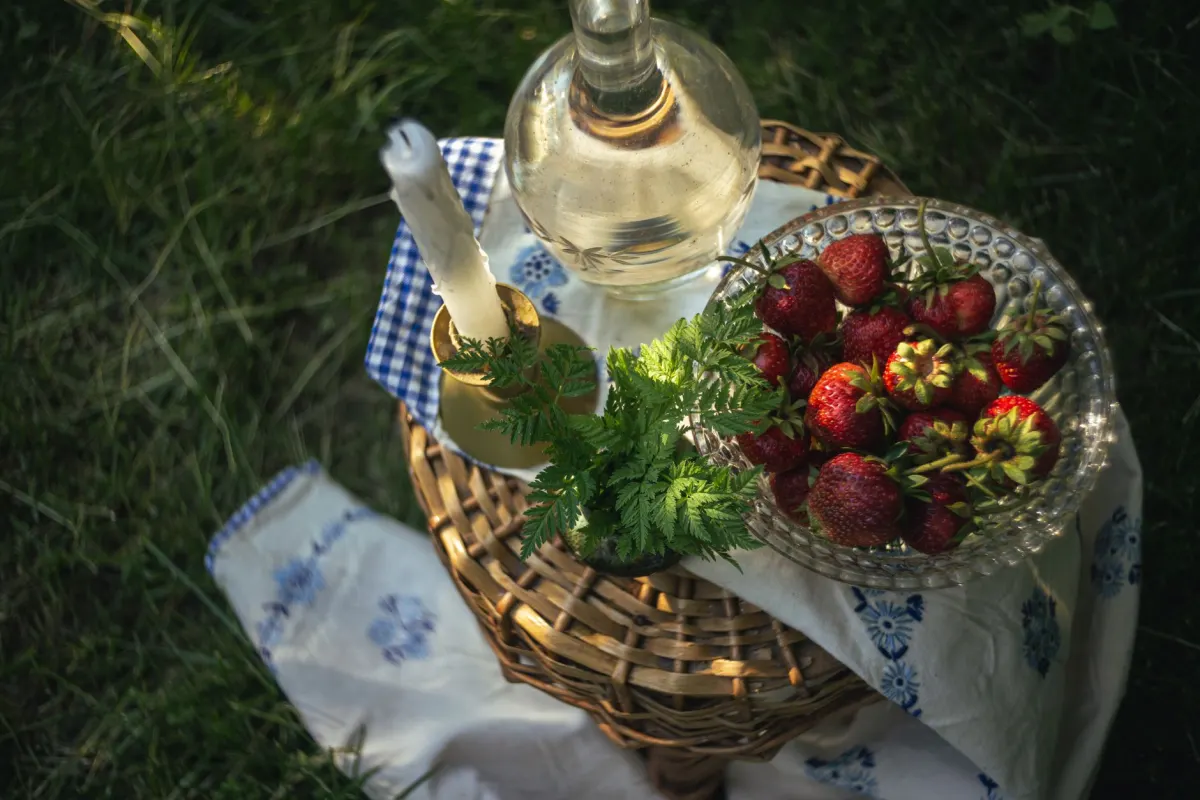
- Start with the subject. "A flat lay of a linen tablecloth with brass candlesticks" beats "Image of table decor."
- Copy overlay text. If the Pin says "5 fall table ideas" in large letters, put those words in the alt text.
- Skip "image of" and "Pin of". Screen readers already announce an image.
- Leave out hashtags and links. The field is plain text, and the description already holds the search terms.
- Stay under 500 characters. Most images need one to three sentences.
The same habits apply on other networks, with different limits. The guide to social media accessibility covers them side by side.
- "Image of table decor"
- Opens with "Image of", which screen readers already announce
- Leaves out the words printed on the Pin
- "A flat lay of a linen tablecloth with brass candlesticks"
- Starts with the subject
- Repeats the overlay text, such as "5 fall table ideas"
What alt text does AdaptlyPost send to Pinterest?
AdaptlyPost sends the first image's alt text to Pinterest as the Pin's alt_text, cut to 500 characters, because Pinterest takes one alt text per Pin. The composer's note on the alt text field says it directly: "Pinterest uses the first image's alt text."
In the composer, every image has an "Add alt text" button that opens a dialog asking you to "Describe the image for people who use screen readers." You write one description per image, up to 1,000 characters each. The same description goes to every network in the post that takes alt text, and for Pinterest AdaptlyPost takes the description from image 1 and trims it to Pinterest's 500. On a multi-image Pin, AdaptlyPost sends that one description for the whole Pin. Video Pins go out without alt text. The AdaptlyPost API works the same way: mediaAltTexts holds one string per image, in the order of mediaUrls, and its documentation notes Pinterest gets the "first image only, max 500 characters."
To make sure Pinterest gets a full description, write the first image's alt text in 500 characters or fewer, and describe the Pin as a whole if it holds more than one image. The Pinterest post scheduler handles the board, title, link and publish time, and how to schedule Pinterest posts walks through the full setup.
Frequently asked questions
Does Pinterest have alt text?
Yes. Every Pin has an alt_text field in the Pinterest API, a plain-text description of the image for screen readers. It is nullable, so Pins without alt text are valid.
What is the Pinterest alt text character limit?
The limit is 500 characters, set on alt_text in the Pinterest API reference for creating and updating a Pin. The title takes 100 characters and the description 800, and each field has its own limit.
How do I add alt text to an existing Pin?
Send PATCH /v5/pins/{pin_id} with a new alt_text value through the Pinterest API or a tool built on it. Pinterest's "Edit or delete a Pin" help article lists title, description, link, board and comment settings as the fields you edit, and does not list alt text.
Can each image in a multi-image Pin have its own alt text?
No. alt_text sits on the Pin, not on the items inside media_source, so a multi-image Pin holds one alt text. Describe the set of images, or the first one, in that single field.
Is Pinterest alt text the same as the Pin description?
No. The description helps Pinterest's algorithm "determine relevance for delivery" and is written for searchers, while alt text describes the image for people using screen readers. They are separate fields with separate limits of 800 and 500 characters.
What alt text does AdaptlyPost send to Pinterest?
AdaptlyPost sends the first image's alt text as the Pin's alt_text, trimmed to 500 characters. Descriptions on the other images go to networks that take one per image, not to Pinterest. Video Pins go out without alt text.
What should I write in Pinterest alt text?
Name what the image shows in one or two plain sentences, including any words printed on it. Skip "image of", because screen readers already announce an image. Leave hashtags and links out, since the description already holds the search terms.
Is Pinterest alt text required?
Pinterest does not require it. The developer docs mark alt_text as "Nullable", so a Pin with no alt text is valid and comes back with "alt_text": null.
Which API call sets alt text on a new Pin?
Send POST /v5/pins with alt_text in the request body, next to board_id, title, description and media_source. The field sits at the top level of the Pin, not inside media_source.
How many characters can I write for alt text in AdaptlyPost?
The composer takes up to 1,000 characters per image. Pinterest gets only the first image's alt text, cut to 500 characters, so write that first description in 500 or fewer.
Put this into practice with AdaptlyPost
Was This Article Helpful?
Let us know what you think!
See us more often in Google
One click marks AdaptlyPost as a preferred source, so our articles sit higher in your Top Stories, AI Mode, and AI Overviews.
Before you go...
AdaptlyPost
Schedule your content across all platforms
Manage all your social media accounts in one place with AdaptlyPost.
All-platform analytics
Social Inbox
AI-powered assistant
Related Glossary Terms
How to Add Mastodon Alt Text in the Web App and the API
Adding Mastodon alt text takes the ALT button in the composer or the description field on POST /api/v2/media. Server limits, defaults and culture.
Where the LinkedIn Alt Text Character Limit Is Actually Written
The LinkedIn alt text character limit is 4,086 characters on the API altText field, and LinkedIn publishes no limit at all for the alt text box in the app.
How the Threads API 500 Character Limit Treats topic_tag
The Threads API 500 character limit applies to the text field. topic_tag is a separate parameter capped at 50 characters, and Meta never says whether it counts.
Related Articles
How the Threads API Carousel Maximum Items Cap Works
Meta sets the Threads API carousel maximum items cap at 20 children and a minimum of 2. Here is the per-item container flow and what a bad carousel returns.
Why TikTok API pull_from_url Domain Verification Rejects Your Host
TikTok API pull_from_url domain verification is a DNS check on the host you send. Fail it and every init call returns url_ownership_unverified.
The Exact YouTube Chapters Rules Google Puts in Writing
Google's YouTube chapters rules run to four sentences: a list in the description, a 00:00 start, three timestamps in ascending order, a 10-second floor.