
TL;DR, Quick Answer
9 min readTo automate social media posts with n8n, install the community node n8n-nodes-adaptlypost in a self-hosted n8n under Settings > Community nodes, paste an adaptly_ workspace token into the AdaptlyPost API credential, and add the AdaptlyPost node to a workflow. Post > Validate checks a post without creating it, Post > Create publishes, schedules or saves a draft on Instagram, TikTok, YouTube, X, LinkedIn, Facebook, Pinterest, Threads, Bluesky, Mastodon, Google Business Profile, Tumblr and Telegram, and the AdaptlyPost Trigger starts a workflow when a post publishes or fails.
The hard part of n8n social media automation is the last step. n8n already reads your RSS feeds, spreadsheets, databases and forms, but out of the box it has no one node that posts to Instagram, TikTok, LinkedIn and ten more networks without a developer app for each. The AdaptlyPost community node is that node. You connect your social accounts in AdaptlyPost once, give n8n one token, and every workflow can check, schedule and publish posts from there.
This guide covers the install, the credential, the operations, and four workflows you can copy. We build AdaptlyPost, and everything below matches version 0.16.0 of the node.
The short version: install n8n-nodes-adaptlypost under Settings > Community nodes, create a token at app.adaptlypost.com/api-tokens, paste it into the AdaptlyPost API credential, then put Post > Validate, an IF node on valid and Post > Create after any trigger.
What do you need to automate social media posts with n8n?
You need a self-hosted n8n instance, an AdaptlyPost workspace with at least one social account connected, and a workspace API token. You do not need a Meta, TikTok, X or LinkedIn developer account, because AdaptlyPost holds the platform apps and your accounts connect to it through each network's own OAuth screen.
The node posts to 13 platforms: Instagram, TikTok, YouTube, X, LinkedIn, Facebook, Pinterest, Threads, Bluesky, Mastodon, Google Business Profile, Tumblr and Telegram. Google Business Profile locations, Tumblr blogs and Telegram channels and groups show up in the same account picker as your other profiles.
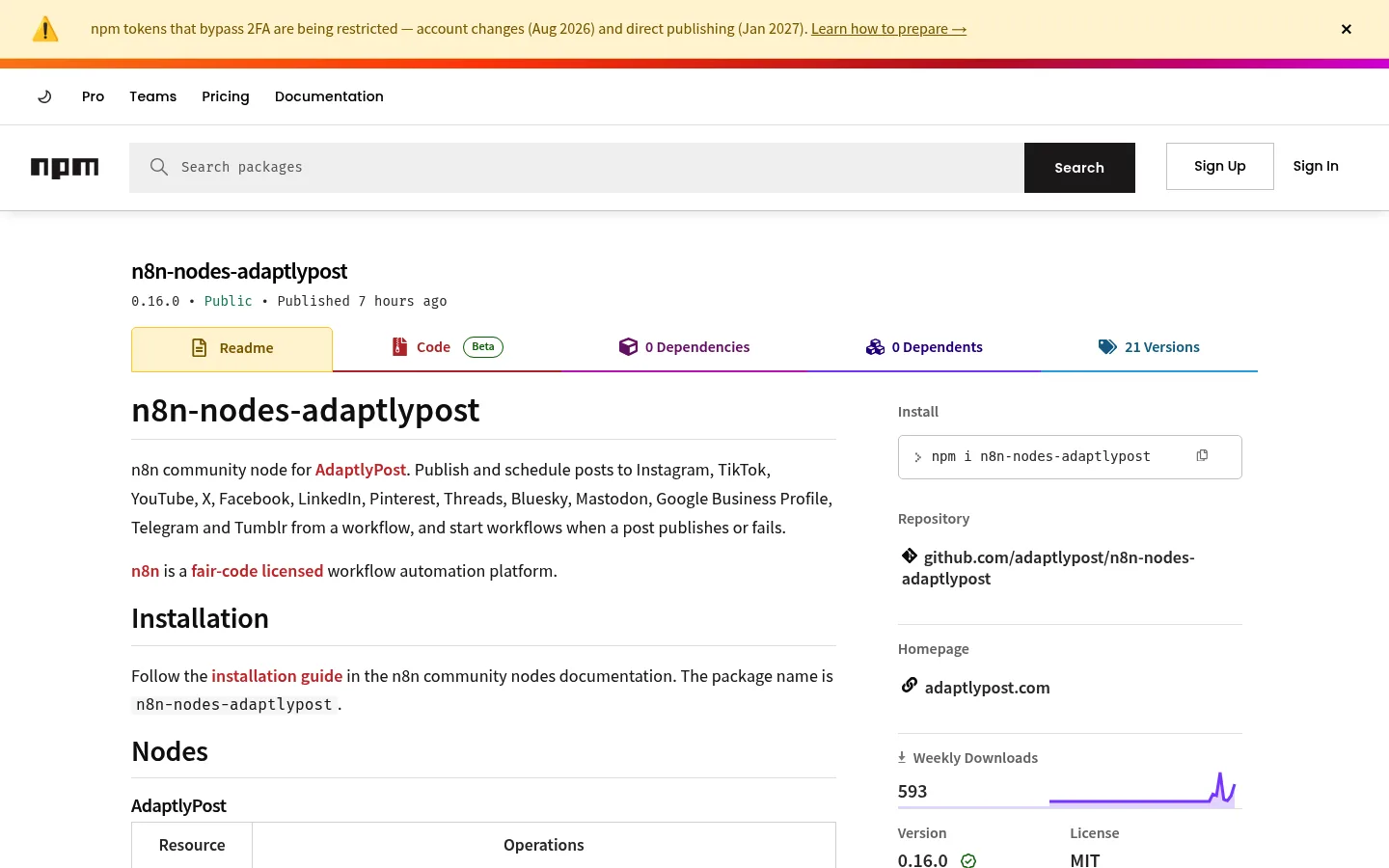
The package is on npm as n8n-nodes-adaptlypost. It is not listed in n8n's own integration directory, so you install it by its package name. The node's README lists n8n 1.100 and later as tested and does not cover n8n Cloud, so this guide uses a self-hosted instance.
How do you install the AdaptlyPost node in n8n?
Install it from the n8n editor under Settings > Community nodes > Install. Type n8n-nodes-adaptlypost as the package name, confirm the prompt about installing community code, and click Install. n8n downloads the package from npm and adds two nodes to the node panel: AdaptlyPost and AdaptlyPost Trigger.

Search for "AdaptlyPost" in the node panel to check the install worked.
How do you connect your AdaptlyPost account to n8n?
Connect it with a workspace token. Create one at app.adaptlypost.com/api-tokens, copy the value that starts with adaptly_, and paste it into the API Token field of a new AdaptlyPost API credential in n8n. n8n tests it with a request to GET /social-accounts, so a saved credential means the token works.
A token belongs to one workspace and carries the role you pick when you create it. It never does more than the member who created it.
| Role | What a workflow can do with it |
|---|---|
| Admin | Everything, including connecting and removing accounts |
| Editor | Create, schedule, publish, retry and delete posts; manage webhooks |
| Contributor | Create and edit its own drafts, upload media |
| Viewer | Read posts and analytics |
Pick the smallest role the workflow needs. A Contributor token is a good fit for a workflow that drafts posts for a person to approve, because it cannot publish even if the workflow is wrong. The AdaptlyPost Trigger registers a webhook, which needs an Editor or Admin token.
What can the AdaptlyPost node do?
The AdaptlyPost node has four resources, and the AdaptlyPost Trigger starts workflows from five events.
| Resource | Operations |
|---|---|
| Post | Create, Validate, Get, Get Many, Get Results, Publish Draft, Retry Failed Platforms, Unschedule, Delete |
| Account | Get Many, Get Pinterest Boards, Remove, Search Instagram Audio |
| Analytics | Get Overview, Get Timeseries, Get Platform Breakdown, Get Post Analytics |
| Recurring Post | Get, Get Many, Pause, Resume, Delete |
Post > Create takes the accounts to post from, a content type, the text and a list of media URLs. The content type is text, image, video, carousel or document, and document is LinkedIn only. The node copies each media URL into AdaptlyPost storage first, so any public JPEG, PNG, WebP, MP4 or QuickTime link works. Leave Scheduled At empty to publish now, set it to schedule, or turn on Save as Draft. Platform settings such as TikTok privacy, the Pinterest board, the YouTube title, first comments and video thumbnails sit under Additional Fields.

AdaptlyPost
Start Your 7-Day Free Trial
All-platform analytics
Social Inbox
AI-powered assistant
Post > Validate takes the same fields as Create and creates nothing. It returns a report with valid, the outcome Create would have (PUBLISH_NOW, SCHEDULED or DRAFT), a status per account (READY, WARNING or BLOCKED) with its issues, and notChecked, the list of things only the platform can decide. Beyond the checks Create runs, it also tests TikTok creator limits, the YouTube upload quota and expired Instagram and Threads tokens.
Repeat on Create turns a post into a recurring series: daily, weekly, monthly or yearly, ending never, on a date, or after 2 to 365 posts. The Recurring Post resource then lists, pauses, resumes and deletes those series. X and LinkedIn reject identical text, so use spintax such as {Hi|Hello} to vary each post.
Analytics returns workspace totals with a comparison to the previous window, a timeseries by day, week or month, one row per platform, and per-post metrics you can sort by views, likes, engagement rate and more. Mastodon, Telegram and Tumblr have no analytics.
The AdaptlyPost Trigger fires on Post Published, Post Partially Failed, Post Failed, Post Scheduled and Account Disconnected. It checks the signature on every delivery and answers a wrong one with 401, so a forged request never starts your workflow.
Workflow 1: post new blog articles only after a check
This workflow turns each new article in your blog's RSS feed into a post, and stops the ones a platform would refuse.
- RSS Feed Trigger polls your feed and outputs each new item.
- AdaptlyPost, Post > Validate gets the accounts, the Text content type, and Text set to an expression such as
{{ $json.title }} {{ $json.link }}. - IF checks whether
{{ $json.valid }}is true. - On the true branch, AdaptlyPost, Post > Create gets the same fields. Validate's output is the report, so point the expressions back at the trigger, for example
{{ $('RSS Feed Trigger').item.json.title }}. - On the false branch, an email or Slack node sends you the
issuesand each account's issues, so you can fix the post by hand.
Validate never schedules or publishes, so a failed check costs nothing.

Workflow 2: run a content calendar from a spreadsheet
This workflow schedules posts from a Google Sheet that your team fills in, with one row per post and columns for text, image URL, date and status.
- Schedule Trigger runs every hour.
- Google Sheets reads the rows where status is
ready. - AdaptlyPost, Post > Create maps the text and image URL columns, and sets Scheduled At from the date column and Timezone to an IANA name such as
Europe/Berlinunder Additional Fields. - Google Sheets writes the returned post ID back to the row and sets status to
scheduled, so the next run skips it.
If someone should approve each post first, turn on Save as Draft and use a Contributor token. An Editor then publishes the drafts from the AdaptlyPost calendar or with Post > Publish Draft. For time zone details, read how social media schedulers handle time zones.
Workflow 3: send a weekly analytics report
This workflow emails you last week's numbers every Monday morning.
- Schedule Trigger runs every Monday at 9:00.
- AdaptlyPost, Analytics > Get Overview sets From to
{{ $now.minus({ days: 7 }) }}and To to{{ $now }}. It returns the totals for the week and the comparison to the week before. - AdaptlyPost, Analytics > Get Post Analytics uses the same window, sorted by Engagement Rate with a limit of 5, to find the posts that worked.
- AdaptlyPost, Analytics > Get Platform Breakdown adds one row per platform.
- Merge joins the three outputs, and a Send Email or Slack node sends the summary.
A Viewer token is enough here, since the workflow only reads. Our guide to social media analytics and reporting covers which numbers deserve a place in that email.
Workflow 4: find out when a post fails or an account disconnects
This workflow tells you about a failure before a client does.
- AdaptlyPost Trigger listens for Post Failed, Post Partially Failed and Account Disconnected.
- Switch routes on
{{ $json.event }}, which ispost.failed,post.partially_failedoraccount.unauthorized. - For a failed post, AdaptlyPost, Post > Get Results reads one result per account with its platform, status and error message, and a Slack or email node sends it. Add Post > Retry Failed Platforms if you want the workflow to try again on its own.
- For a disconnected account, the message tells the account owner to reconnect it in AdaptlyPost. If nobody will, Account > Remove with an Admin token drops it, and pending and recurring posts stop publishing to it.
Each active trigger registers its own webhook, and a workspace can have at most 10.
How do you stop an n8n workflow from posting twice?
Leave Retry On Fail off on the Create node, and retry with Post > Retry Failed Platforms instead. Running Create a second time makes a second post, while Retry Failed Platforms sends the existing post again only to the accounts that failed.
This matters most with Wait for Result, an option under Additional Fields. By default Create answers as soon as AdaptlyPost queues the post, so a platform that rejects it later does not fail the n8n item. With Wait for Result on, the node reads the results every 5 seconds until the post is COMPLETED, PARTIAL_FAILURE or FAILED, for up to 300 seconds. A failed post then fails the item with each account's error, such as Publishing failed on TikTok (radiogyan): TikTok needs a video between 23 and 60 frames per second. Set On Error to Continue and the workflow gets error, status and results instead of stopping. Scheduled posts and drafts return right away, so use the Trigger for those.
AdaptlyPost
Start Your 7-Day Free Trial
All-platform analytics
Social Inbox
AI-powered assistant
- Create runs a second time
- A second post is made
- Sends the existing post again
- Only to the accounts that failed
What are the alternatives to n8n for automating posts?
AdaptlyPost also works with Zapier, with ChatGPT and Claude through its MCP server, and with any script through its REST API. All of them take the same adaptly_ token, and the agents page has setup steps for each.
Pick n8n when you want the automation on your own server, chained with your other systems. Zapier needs no server, and the Zapier social media automation guide covers its triggers and actions. In ChatGPT, the AdaptlyPost plugin drafts and schedules posts from a chat. The MCP server lets a chat assistant draft and schedule posts from plain requests, as shown in posting with AI agents. For REST, the best social media scheduling APIs compares AdaptlyPost with other tools, and how to automate social media posts covers what is worth automating at all.
Frequently Asked Questions
Is there an n8n node for posting to Instagram and TikTok?
The AdaptlyPost community node, n8n-nodes-adaptlypost, posts to Instagram, TikTok and 11 other platforms from an n8n workflow. The other 11 are YouTube, X, LinkedIn, Facebook, Pinterest, Threads, Bluesky, Mastodon, Google Business Profile, Tumblr and Telegram. Install it by package name under Settings > Community nodes, and one Post > Create node then posts to every account you select in a single run.
Can n8n schedule social media posts for later?
The AdaptlyPost node schedules social media posts from n8n: set Scheduled At on Post > Create, and AdaptlyPost publishes the post at that time, so n8n does not need to be running then. Post > Unschedule turns a scheduled post back into a draft, and Post > Get Many filters posts by status, platform and date.
Can I check a post before n8n publishes it?
Post > Validate in the AdaptlyPost node checks a post before n8n publishes it and creates nothing. Validate runs every check Create runs, plus the ones that otherwise fail only at publish time: TikTok creator limits and video length, the YouTube upload quota, expired Instagram and Threads tokens, Mastodon attachment limits, Pinterest boards and X credits. Put an IF node on its valid field before Post > Create, as in the first workflow above.
Can n8n create a recurring social media post?
The Repeat option on AdaptlyPost's Post > Create turns one n8n post into a recurring series that runs daily, weekly, monthly or yearly and ends never, on a date or after 2 to 365 posts. A recurring post needs a future Scheduled At and cannot be a draft or include a TikTok account. X and LinkedIn reject identical text, so vary each post with spintax such as {Hi|Hello}, and pause, resume or delete the series with the Recurring Post resource.
Can n8n alert me when a social media post fails?
The AdaptlyPost Trigger starts an n8n workflow when a post fails, partially fails, publishes or gets scheduled, and when an account disconnects. Each active trigger registers its own webhook, which needs an Editor or Admin token, and a workspace holds at most 10. The trigger answers a delivery with a missing or wrong signature with 401, so a forged request never starts the workflow.
Which AdaptlyPost token role does an n8n workflow need?
An n8n workflow needs an Editor or Admin AdaptlyPost token to publish, schedule, publish drafts, retry failed platforms or register the trigger. A Contributor token saves drafts and runs Post > Validate, a Viewer token reads posts and analytics, and Account > Remove needs an Admin token. Every token belongs to one workspace and never does more than the member who created it.
Do I need a developer account to post to social media from n8n?
You do not need a Meta, TikTok, X or LinkedIn developer account. AdaptlyPost holds the platform apps, and you connect your accounts to it through each network's own OAuth screen. n8n only needs one AdaptlyPost workspace token.
Does the AdaptlyPost node work on n8n Cloud?
The node's README does not cover n8n Cloud, so this guide uses a self-hosted n8n instance. The README lists n8n 1.100 and later as tested. Install the node under Settings > Community nodes with the package name n8n-nodes-adaptlypost.
Can n8n pull social media analytics from AdaptlyPost?
The Analytics resource has four operations: Get Overview, Get Timeseries, Get Platform Breakdown and Get Post Analytics. A Viewer token is enough because they only read. Mastodon, Telegram and Tumblr have no analytics.
What media can I attach to a post from n8n?
Post > Create takes a list of public media URLs, and any JPEG, PNG, WebP, MP4 or QuickTime link works. The node copies each file into AdaptlyPost storage first. The content type is text, image, video, carousel or document, and document is LinkedIn only.
Put this into practice with AdaptlyPost
Was This Article Helpful?
Let us know what you think!
See us more often in Google
One click marks AdaptlyPost as a preferred source, so our articles sit higher in your Top Stories, AI Mode, and AI Overviews.
Before you go...
AdaptlyPost
Schedule your content across all platforms
Manage all your social media accounts in one place with AdaptlyPost.
All-platform analytics
Social Inbox
AI-powered assistant
Related Articles
How to Schedule Social Media Posts From ChatGPT With the AdaptlyPost Plugin
Schedule social media posts from ChatGPT on 11 networks: install the AdaptlyPost plugin, sign in once, and confirm each post before it goes out.
How to Set Up Zapier Social Media Automation With AdaptlyPost
Set up Zapier social media automation with one AdaptlyPost API token: turn sheet rows into scheduled posts, flag failed posts and email weekly analytics.
How to Auto Publish Social Media Posts on a Schedule
Manual posting costs hours and momentum. How to auto publish social media posts on a schedule, fix the usual connection failures, and measure the lift.