
TL;DR, Quick Answer
6 min readLinkedIn gives feed video a range, not one size: 256x144 to 4096x2304 pixels, an aspect ratio from 1:2.4 to 2.4:1, and a file between 75 KB and 5 GB. It publishes no recommended pixel size for organic posts. The only pixel recommendations are in the video ad specs, which list 1920 x 1080 for 16:9, 720 x 900 for 4:5 and 720 x 1280 for 9:16, cap files at 500 MB in MP4, and ask for less than 30 FPS. The Videos API accepts files up to 5 GB.
What is the LinkedIn video size for a feed post?
LinkedIn sets the LinkedIn video size for a feed post as a range: any resolution from 256x144 to 4096x2304 pixels, any aspect ratio from 1:2.4 to 2.4:1, and a file between 75 KB and 5 GB. The figures sit in the "Video File Requirements" list of LinkedIn's Video sharing troubleshooting article, which covers videos shared from a computer or from the iOS and Android apps.
| Requirement | LinkedIn's stated value |
|---|---|
| Resolution range | 256x144 to 4096x2304 |
| Aspect ratio | 1:2.4 - 2.4:1 |
| Maximum file size | 5 GB |
| Minimum file size | 75 KB |
| Frame rates | 10fps - 60 fps |
| Bit rates | 192 Kbps - 30 Mbps |
| Duration | 3 seconds (2 in the mobile app) to 15 minutes |
The same article lists the accepted containers and codecs: MP4, MOV, AVI, WEBM, MKV, WMV, VC1, MPEG, DVVIDEO, QTRLE and TSCC2. It also warns about one format that passes the upload and fails later: "if your file type is ProRes, you may be able to upload it, but it will not be able to process."
The aspect ratio range is wide. 1:2.4 is a frame 2.4 times taller than it is wide, so a 9:16 phone video at 1080 x 1920 fits inside it, and so does a 4:5 frame at 1080 x 1350. At the other end, 2.4:1 covers widescreen footage up to a cinema crop. Anything thinner than either limit fails.
Which aspect ratio should a LinkedIn video use?
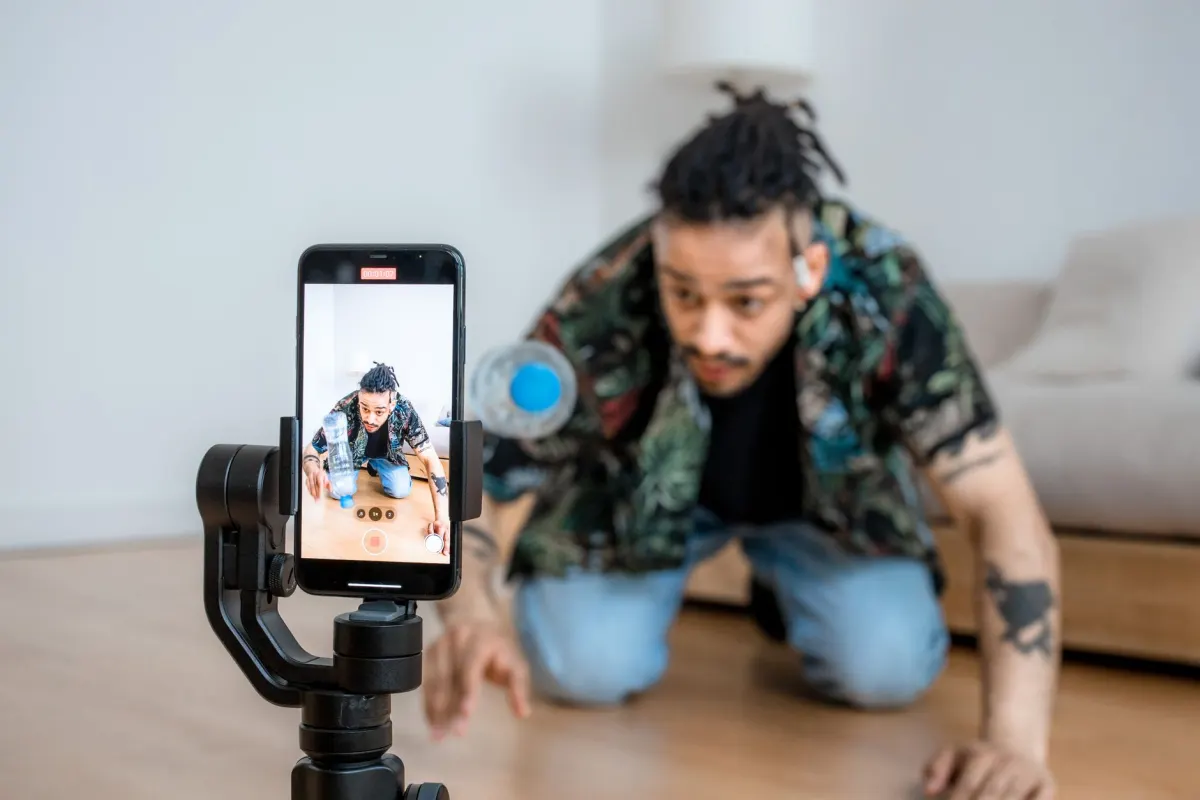
LinkedIn publishes no recommended aspect ratio or pixel size for organic video posts, so the choice depends on where your viewers watch. The help article on Full-screen vertical video on LinkedIn says so directly: "The ideal size for a video viewed in the full-screen vertical video experience depends on various factors, including the size of the device the viewer is using."
The same article explains what happens to shapes that do not match the screen: "Uploaded videos with a larger aspect ratio may be cropped on the sides as well as at the top and bottom. Videos with a wider aspect ratio may be fitted to the screen." Any video posted to LinkedIn "may be eligible to appear in the video feed, tab, or carousel based on relevance and performance," and there is no separate upload path for that feed.
The only pixel sizes LinkedIn prints are in its video ad specs. They are a sound default for organic posts too, because they sit inside the feed range:
- Vertical 9:16. Recommended 720 x 1280, maximum 1080 x 1920.
- Vertical 4:5. Recommended 720 x 900, maximum 1080 x 1350. LinkedIn marks 4:5 as the "Recommended ratio" for ads.
- Square 1:1. Minimum 360 x 360, maximum 1920 x 1920.
- Horizontal 16:9. Recommended 1920 x 1080 or 1200 x 675, minimum 640 x 360.
For a clip aimed at mobile viewers, export 1080 x 1920 or 1080 x 1350. For a screen recording, a webinar cut or a slide walkthrough, keep 1920 x 1080. The article on vertical video dimensions compares the same frames across the other networks.
What size does a LinkedIn video ad need?
A LinkedIn video ad needs an MP4 file between 75 KB and 500 MB, at a resolution inside the per-ratio ranges in the Video ads advertising specifications, and that applies "when sponsoring an existing organic video post as an ad" as well. The ad rules are stricter than the feed rules on file size, container and frame rate.
| Spec | Feed post | Video ad |
|---|---|---|
| File size | 75 KB to 5 GB | 75 KB to 500 MB |
| File format | MP4, MOV, WEBM and more | MP4 |
| Codec | Not listed | H.264 or VP8 |
| Frame rate | 10 to 60 fps | Less than 30 FPS |
| Audio | Not listed | AAC or MPEG4, less than 64KHz |
| Largest frame | 4096 x 2304 | 1920 x 1080 (16:9), 1920 x 1920 (1:1), 1080 x 1920 (9:16) |
| Length | 3 seconds to 15 minutes | 3 seconds to 30 minutes, 90 seconds for in-stream |
The frame rate row is the one that catches people out. A 60 fps clip is a valid organic post and outside the ad spec, and so is a 30 fps clip, since the ad rule is less than 30 FPS. A post you plan to boost later belongs under 30 fps from the start, at 29.97 or 25 fps. The ad page also lists an optional thumbnail as JPG or PNG with a "Maximum file size: 2 MB," and adds that "The aspect ratio and resolution of the video thumbnail and video should match." Apple ProRes is "not supported" for ads either.
Does the LinkedIn API accept a different video size?
The LinkedIn Videos API accepts a file up to 5 GB, the same ceiling as the feed, although its own spec summary repeats the smaller ad figures. Microsoft Learn's Videos API page lists "Length: Three seconds to 30 minutes. File size: Between 75kb and 500MB. File format: MP4," and points to the video ad specs for more. The initializeUploadRequest.fileSizeBytes field on the same page says "Maximum allowed Videos size is 5GB."
The upload itself is split by size. The API returns one upload URL per 4 MB part, with the first part covering bytes 0 to 4194303, and the page tells you to split the file with split -b 4194303 before uploading each part and finalizing the upload with the returned ETags.
The API checks size after the fact as well as before it. A video that fails ends with status set to PROCESSING_FAILED, which the page explains as failure "due to client error such as file size too large, unsupported file format" or an internal error. Once a video is AVAILABLE, a GET returns aspectRatioWidth and aspectRatioHeight, so a 16:9 upload comes back as 16 and 9. LinkedIn also notes that a video uploaded once "can be reused across different video post formats," so one file serves a feed post and a sponsored ad if it meets the ad specs.
The LinkedIn post sizes guide covers the image, document and carousel side of the same API.

AdaptlyPost
Start Your 7-Day Free Trial
All-platform analytics
Social Inbox
AI-powered assistant
How do you export a video at the right LinkedIn size?
Export a LinkedIn video at the right size by fixing the frame first and the encoding second, so the file passes the feed rules and the ad rules at once:
- Pick the frame. Use 1080 x 1920 for 9:16, 1080 x 1350 for 4:5, or 1920 x 1080 for 16:9. All three sit inside the feed range and at the ad maximum.
- Set the frame rate below 30 fps, such as 29.97 or 25 fps. That clears the feed range of 10 to 60 fps and the ad limit of less than 30 FPS.
- Export MP4 with H.264 video and AAC audio. MP4 is the one container both the feed list and the ad specs name.
- Keep the bitrate at 30 Mbps or below. At the feed maximum of 30 Mbps, a 15-minute file is 3.375 GB, so the bitrate rule binds before the 5 GB file cap does.
- Keep the file under 500 MB if you plan to sponsor it. A one-minute clip at 8 Mbps is 60 MB.
- Keep text away from the edges. LinkedIn asks you to keep "the edges (top, bottom, and sides) of your video free of key elements, text, and logos," and the map in social media safe zones shows the covered areas.
How does AdaptlyPost handle LinkedIn video size?
AdaptlyPost publishes native video posts to LinkedIn profiles and company Pages, and it does not resize uploaded media, so each video has to be exported at a size LinkedIn accepts before it goes into the queue. The AdaptlyPost API lists LinkedIn content types as text, image, video, carousel (2 to 20 items) and document, and accepts video uploads as video/mp4 or video/quicktime. A LinkedIn video post can carry its own thumbnail image through platformThumbnails. You plan those posts next to document carousels and text posts in the LinkedIn post scheduler, and the timing side is covered in how to schedule LinkedIn posts.
Frequently asked questions
What is the best video size for LinkedIn?
1080 x 1920 for vertical 9:16, 1080 x 1350 for 4:5, or 1920 x 1080 for horizontal 16:9. LinkedIn publishes no recommended pixel size for organic posts, but all three sit inside its feed range and match the maximums in its ad specs. Export in MP4 at under 30 fps, such as 29.97 or 25 fps.
What is the maximum video file size on LinkedIn?
A feed video can be up to 5 GB, with a minimum of 75 KB. Video ads stop at 500 MB. The Videos API caps fileSizeBytes at 5 GB, while its spec summary repeats the 500 MB ad figure.
What aspect ratio does LinkedIn accept for video?
LinkedIn accepts aspect ratios from 1:2.4 to 2.4:1 for feed video. That covers 9:16, 4:5, 1:1 and 16:9. Video ads list four ratios: 16:9, 1:1, 4:5 and 9:16.
Can I upload a 4K video to LinkedIn?
Yes, for a feed post. LinkedIn's resolution range runs up to 4096x2304, which includes 3840 x 2160. Video ads stop at 1920 x 1080 for 16:9, so a 4K file has to be scaled down before you sponsor it.
What frame rate should a LinkedIn video use?
Feed video accepts 10 to 60 fps. Video ads require less than 30 FPS, so 30 fps itself is outside the ad spec. Export at 29.97 or 25 fps if you plan to boost the post later.
Does AdaptlyPost resize LinkedIn videos?
No. AdaptlyPost does not resize uploaded media, so upload the video at the size and format LinkedIn requires. Its API accepts LinkedIn video as mp4 or quicktime files.
How long can a LinkedIn video be?
A feed video runs from 3 seconds (2 in the mobile app) to 15 minutes. Video ads allow 3 seconds to 30 minutes, and in-stream ads stop at 90 seconds.
Which video formats does LinkedIn accept?
Feed video accepts MP4, MOV, AVI, WEBM, MKV, WMV, VC1, MPEG, DVVIDEO, QTRLE and TSCC2. Video ads take MP4 only. ProRes can upload, but LinkedIn says it will not process.
Why did my LinkedIn video fail to process?
ProRes is one known cause, since LinkedIn says it can upload but will not process. Through the API, a failed video ends with the status PROCESSING_FAILED, caused by a client error such as a file that is too large or an unsupported format. Re-export it as MP4 with H.264 inside the size limits.
What bitrate should a LinkedIn video use?
LinkedIn accepts 192 Kbps to 30 Mbps for feed video and names no single recommended bitrate. Keep it at 30 Mbps or below. A one-minute clip at 8 Mbps is 60 MB, which also fits under the 500 MB ad cap.
Put this into practice with AdaptlyPost
Was This Article Helpful?
Let us know what you think!
See us more often in Google
One click marks AdaptlyPost as a preferred source, so our articles sit higher in your Top Stories, AI Mode, and AI Overviews.
Before you go...
AdaptlyPost
Schedule your content across all platforms
Manage all your social media accounts in one place with AdaptlyPost.
All-platform analytics
Social Inbox
AI-powered assistant
Related Glossary Terms
The LinkedIn Video Length Limits for Profiles, Pages and the API
LinkedIn video length tops out at 15 minutes in the app and 30 minutes in the Videos API. Minimums, file sizes and the ad rules, from LinkedIn's own docs.
The Bluesky Video Size Limits: 300 MB, MP4 and 1920 Pixels
The Bluesky video size cap is 300 MB per MP4 file. The app scales video to 1920 pixels on the long side at 3 Mbps, and no aspect ratio is fixed.
How Many Photos a LinkedIn Multi Image Post Can Hold
A LinkedIn multi image post holds up to 20 photos of 5 MB each, at least 552 x 276. How LinkedIn lays them out, the PDF carousel difference and the API.
Related Articles
The Pinterest Video Size for Organic Pins and Video Ads
The official Pinterest video size is 1080 x 1920 at 9:16 for video Pins. Ads accept 1:2 to 1.91:1 up to 2 GB. Every spec, from Pinterest's own pages.
What Counts Toward the LinkedIn Character Limit on a Post
The LinkedIn character limit for a post is 3,000 characters. Here is where LinkedIn states it, what the API leaves out, and how mentions change the count.
What a LinkedIn Document Post Is and How LinkedIn Processes the File
A LinkedIn document post carries a PDF, PPT or DOC file of up to 100MB and 300 pages. Here is how LinkedIn processes the file and why it is not a carousel.