
TL;DR, Quick Answer
7 min readA YouTube video can run up to 12 hours or 256 GB, whichever is less, once the Google Account is verified. Without verification the limit is 15 minutes. Verifying takes a phone number and a text or voice code, and a video uploaded before verification has to be uploaded again. At high 4K bitrates the 256 GB cap arrives before the 12 hour one. Live streams archive automatically only under 12 hours, and the Data API documents a 256 GB file limit with no duration at all.
How long can a YouTube video be?
The short answer to how long can YouTube video be is 12 hours or 256 GB, whichever is less, for a verified account, and 15 minutes for an account that has not verified. YouTube's help article "Upload videos longer than 15 minutes" gives both limits in two sentences:
By default, you can upload videos that are up to 15 minutes long. Verified accounts can upload videos longer than 15 minutes.
The maximum file size you can upload is 256 GB or 12 hours, whichever is less.
The same article adds a note that explains the odd video you find running 20 hours: "We've changed the limits on uploads in the past, so you may see older videos that are longer than 12 hours." Those are leftovers from older rules. A new upload cannot match them.
So the working answer has two steps. Verify the account if you have not, and then check that your file clears 256 GB at the length you want. The rest of this page covers each step, plus live streams, Shorts and API uploads, which each follow their own rule.
Why does YouTube stop an upload at 15 minutes?
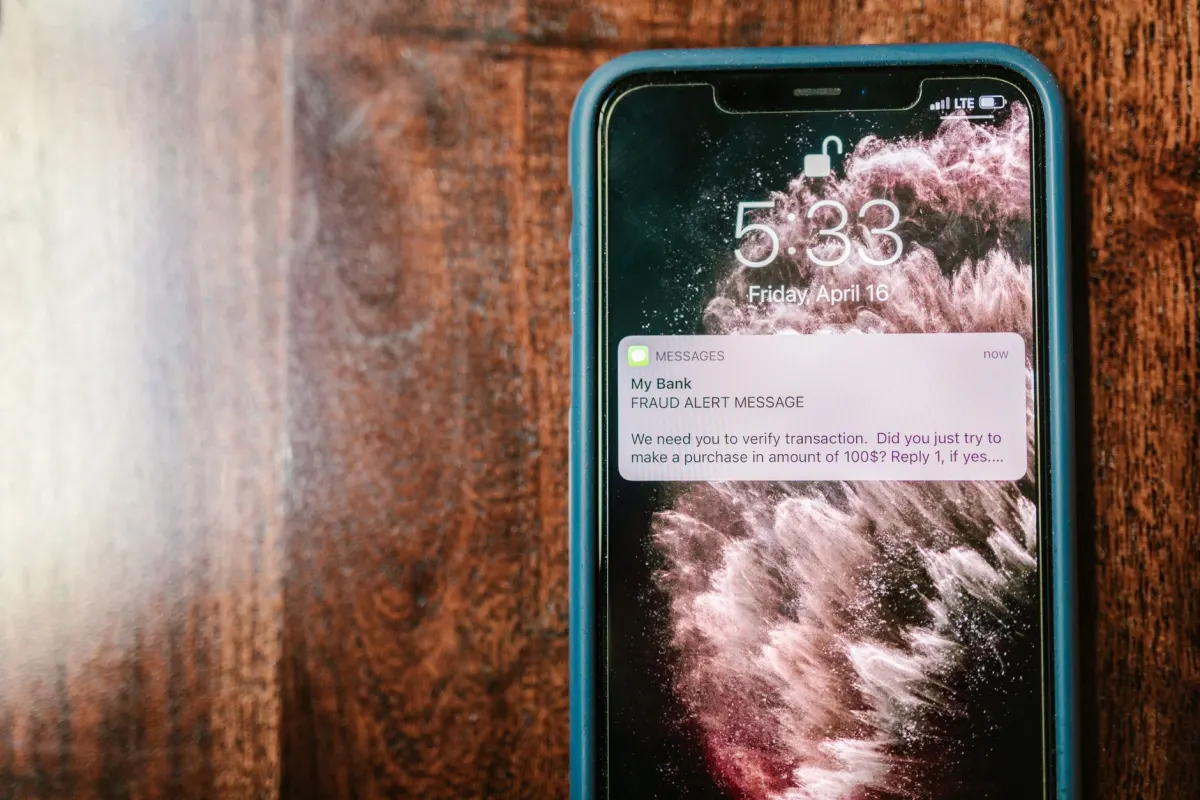
YouTube stops an upload at 15 minutes because the account has not completed phone verification, and verification is the only thing that lifts the cap. YouTube's "Verify your YouTube account" page lists what a verified account unlocks: uploading "videos longer than 15 minutes," custom thumbnails, live streaming and appealing copyright claims.
Verification on a computer takes four steps:
- Go to
https://www.youtube.com/verifywhile signed in to the channel's Google Account. - Enter a phone number.
- Choose a text message or an automated voice call for the code.
- Enter the code, then confirm in YouTube Studio under Settings, Channel, Feature eligibility, where the phone verification box shows "Enabled."
In the mobile app the flow starts from the upload itself. YouTube tells you to tap Create, then Upload a video, and "Select a video longer than 15 minutes," after which the app walks you through the same code.
Two troubleshooting notes on the help page catch people. A video uploaded before you verified does not fix itself: "After you verify your account, you'll need to upload your video again." And an account that loses the ability later has a named cause: "If you could previously upload long videos and no longer can, check your account for copyright claims and strikes."
Phone verification also counts as the first step toward YouTube's advanced features, which need channel history or ID or video verification on top. Length is not one of them. The 12 hour ceiling comes with phone verification alone.
- 15 minute upload cap
- No custom thumbnails
- No live streaming
- Cannot appeal copyright claims
- Up to 12 hours or 256 GB, whichever is less
- Custom thumbnails
- Live streaming
- Can appeal copyright claims
Which comes first, 12 hours or 256 GB?
The 256 GB cap comes first for any 12 hour file with an average video bitrate above 47.4 Mbps, counting a gigabyte as a billion bytes. Below that bitrate you hit 12 hours first. The file size equals bitrate times duration, so the limit that binds depends on the quality you export at.
YouTube's "Recommended upload encoding settings" page lists target bitrates by resolution. Here is what those targets produce over the full 12 hours, counting video bitrate only:
| Export (YouTube's SDR target) | Bitrate | 12 hour file size | Longest upload under 256 GB |
|---|---|---|---|
| 1080p, 24 to 30 fps | 8 Mbps | 43.2 GB | 12 hours, the time cap binds |
| 1080p, 48 to 60 fps | 12 Mbps | 64.8 GB | 12 hours, the time cap binds |
| 1440p, 48 to 60 fps | 24 Mbps | 129.6 GB | 12 hours, the time cap binds |
| 2160p, 24 to 30 fps | 45 Mbps (top of range) | 243 GB | 12 hours, the time cap binds |
| 2160p, 48 to 60 fps | 53 Mbps (bottom of range) | 286.2 GB | 10 hours 44 minutes |
| 2160p, 48 to 60 fps | 68 Mbps (top of range) | 367.2 GB | 8 hours 22 minutes |
A 4K stream recorded at 60 fps therefore stops short of 12 hours at every bitrate YouTube recommends for it. YouTube's own fix for an oversized file is to re-encode: "try compressing your video in a video editing software before uploading it to YouTube. Use the H.264 codec." On a computer, YouTube also asks for "an up-to-date version of your browser to upload files greater than 20 GB."

AdaptlyPost
Start Your 7-Day Free Trial
All-platform analytics
Social Inbox
AI-powered assistant
How long can a YouTube live stream be?
A YouTube live stream archives to your channel automatically only when it runs under 12 hours, so 12 hours is the ceiling for a stream you want to keep. The "Archive live streams" help page puts it plainly: "If your live stream is less than 12 hours, YouTube can automatically archive it for you." The note under it covers longer streams: "If your stream exceeds 12 hours, it may not be captured at all."
The archive page names no limit that ends a stream while it is live. The risk it describes sits with the archive, and YouTube's advice is to record "a local archive as a backup." Plan any marathon stream in blocks under 12 hours, and record locally regardless. Live streaming needs a verified account as well, and going live on YouTube without 1,000 subscribers walks through that setup.
When is a YouTube video a Short instead?
A video becomes a Short when it is square or vertical and three minutes or shorter, so a long video needs either more than three minutes of runtime or a wider aspect ratio. YouTube classifies by the file, with no checkbox, and a 2 minute vertical clip uploaded as a regular video lands in the Shorts feed.
To keep a short vertical video out of Shorts, YouTube's advice is to "use a wider aspect ratio such as 16:9 for long-form videos." The music caps, the copyright block on Shorts over one minute and the upload-date cutoffs are covered in how long a YouTube Short can be. This page deals with everything above three minutes.
How long can a video be through the YouTube API?
The YouTube Data API documents a file limit, not a duration limit. The videos.insert reference lists its constraints as "Maximum file size: 256GB" and "Accepted Media MIME types: video/*, application/octet-stream," and it says nothing about length.
Three other details on the API pages matter for long uploads:
- The
status.rejectionReasonfield includeslengthamong its values, next tocopyright,duplicateand others. Google does not define it, so the API documents that a video can be rejected for length without saying what length. contentDetails.durationreturns ISO 8601, such asPT15M33Sfor "15 minutes and 33 seconds," andPT#H#M#Sonce a video passes an hour. Read it back after processing to confirm YouTube stored the full runtime.- "All videos uploaded via the videos.insert endpoint from unverified API projects created after 28 July 2020 will be restricted to private viewing mode." That audit applies to the API project, which is separate from the channel's phone verification.
The help centre ties the 15 minute cap to the Google Account, and the API reference does not say it lifts that cap. Verify the channel before you upload anything over 15 minutes by API. Quota is the other ceiling: videos.insert allows "100 calls per day" at "1 unit in the Video Uploads quota bucket," which our guide to scheduling a video through the YouTube API breaks down alongside publishAt.
Scheduling long YouTube videos
A long upload has to transfer and process before it can go live, and YouTube's upload page says processing time depends on "quality, video length, video format, and traffic." Queuing the video ahead of its publish time keeps that wait away from the slot. AdaptlyPost uploads, titles and schedules YouTube Shorts and long-form videos in advance, and it publishes to 10 platforms from one dashboard, so the same video can go to other networks from the same post. The YouTube video scheduler page shows the flow.
The limits above belong to YouTube. A scheduler cannot raise the 15 minute cap on an unverified channel or the 256 GB file cap on a verified one, so check both before the file goes into the queue. The metadata limits stay the same whatever the length. The title stops at 100 characters, and the description stops at 5,000, a number YouTube Studio calls characters and the Data API counts in bytes, as the YouTube description character limit explains.
Frequently asked questions
Can I upload a video longer than 12 hours to YouTube?
No. YouTube caps new uploads at 12 hours or 256 GB, whichever is less. Older videos longer than 12 hours still exist because YouTube changed its limits in the past, but a new upload cannot exceed the current cap.
Why can't I upload a video longer than 15 minutes?
Your Google Account is not verified. YouTube sets the default at 15 minutes and lifts it after phone verification at youtube.com/verify. Upload the video again once verification shows "Enabled" under Feature eligibility.
I verified my account, so why does my long video still not play?
YouTube's help page says "After you verify your account, you'll need to upload your video again." Verifying does not change a video that is already on the channel, so upload a fresh copy of the file.
How big can a YouTube video file be?
256 GB is the file size limit, both in YouTube Studio and through the Data API's videos.insert method. A 4K file at 60 fps passes 256 GB before 12 hours at YouTube's recommended bitrates, so re-encode with H.264 if a long file runs over.
How long can a YouTube live stream be?
YouTube archives a live stream automatically only if it runs under 12 hours. YouTube warns that a stream over 12 hours "may not be captured at all," so split long broadcasts and record a local backup.
Is there a minimum length for a YouTube video?
YouTube's upload help pages publish no minimum duration for a regular video. The Data API lists tooSmall among upload failure reasons without saying whether it refers to length or file size. A square or vertical video of three minutes or less becomes a Short.
AdaptlyPost
Start Your 7-Day Free Trial
All-platform analytics
Social Inbox
AI-powered assistant
How long does it take for a long YouTube video to finish processing?
YouTube does not publish a fixed number. The upload page says processing time depends on quality, video length, video format and traffic, so a 12 hour file takes longer to finish than a 15 minute one. Queue the upload ahead of the time you want it live so the wait does not eat into the publish slot.
Can I schedule a 12 hour YouTube video to publish automatically?
The length limit and the scheduling step are separate problems. AdaptlyPost uploads and schedules YouTube long-form videos in advance, but the file still has to clear the 12 hour or 256 GB cap and finish processing before the publish time arrives. Queue it early so processing does not push past the slot you picked.
Do I need a verified YouTube channel to upload long videos through the API?
The Data API documents a 256 GB file limit for videos.insert and says nothing about duration, and it never states that an API upload lifts the 15 minute cap tied to the Google Account. Verify the channel at youtube.com/verify before sending anything over 15 minutes through the API. A separate rule applies to unverified API projects created after 28 July 2020, their uploads land in private viewing mode no matter how the channel itself is verified.
Why do some YouTube videos run longer than 12 hours?
Those are leftovers from before YouTube tightened its rules. The help article notes that upload limits have changed in the past, so older videos can run past the current 12 hour cap. A new upload cannot match them, the 12 hour or 256 GB ceiling applies to every upload today.
Put this into practice with AdaptlyPost
Was This Article Helpful?
Let us know what you think!
See us more often in Google
One click marks AdaptlyPost as a preferred source, so our articles sit higher in your Top Stories, AI Mode, and AI Overviews.
Before you go...
AdaptlyPost
Schedule your content across all platforms
Manage all your social media accounts in one place with AdaptlyPost.
All-platform analytics
Social Inbox
AI-powered assistant
Related Glossary Terms
From 240p to 8K: The YouTube Video Size for Every Long-Form Upload
The standard YouTube video size is 1920x1080 at 16:9, with 8K at 7680x4320 and a cap of 256 GB or 12 hours per file. Here is each resolution and limit.
Three Minutes, Not Sixty Seconds: How Long Can a YouTube Short Be
Most pages say 60 seconds. How long can a YouTube Short be is three minutes, and the music and copyright limits that bite well before that.
What the YouTube Notify Subscribers Setting Does on Each Upload
The YouTube notify subscribers box decides if an upload pings subscribers and reaches their feed. Studio steps, the notifySubscribers API flag and limits.
Related Articles
Square or Vertical: The YouTube Shorts Size Rules YouTube Publishes
The official YouTube Shorts size rules: any square or vertical video up to 3 minutes, 1080p maximum in the app, and no pixel dimensions or Shorts file cap.
Why the YouTube Upload Limit per Day Has No Published Number
The YouTube upload limit per day exists but has no published number. What YouTube Help says, how verification raises it, and the Data API quota.
The Exact YouTube Chapters Rules Google Puts in Writing
Google's YouTube chapters rules run to four sentences: a list in the description, a 00:00 start, three timestamps in ascending order, a 10-second floor.