
TL;DR, Quick Answer
6 min readUser-generated content (UGC) is any content created by your audience rather than your brand. It builds trust, boosts engagement, and provides authentic social proof that outperforms polished brand content in many contexts.
What Is User-Generated Content?
Anything made by real people rather than the brand itself counts as user generated content, from reviews and testimonials to tagged photos and videos. This includes photos, videos, reviews, testimonials, blog posts, social media posts, and any other content where real people share their experiences with a product, service, or brand.
UGC is powerful because it carries an authenticity that branded content cannot replicate. When a real customer shares their honest experience, other potential customers trust that perspective far more than a polished advertisement. This makes UGC one of the most valuable assets in a modern social media strategy.
Why User-Generated Content Matters

Trust and Social Proof
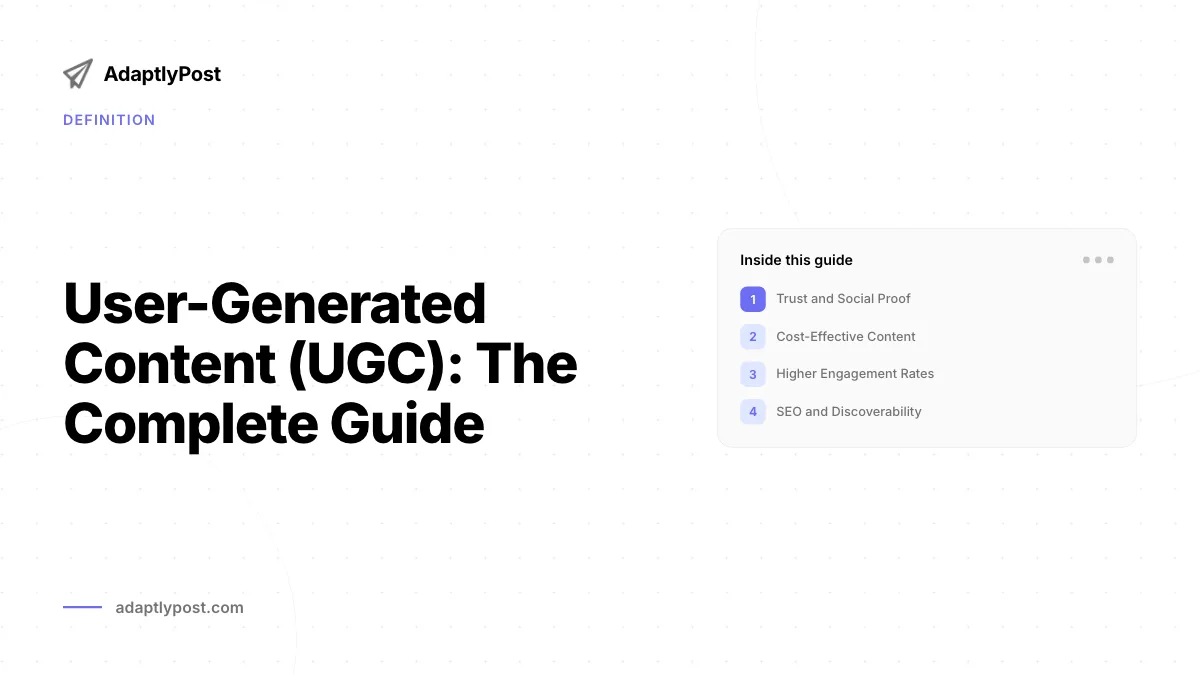
Studies consistently show that consumers trust recommendations from other people over brand messaging. UGC serves as social proof, demonstrating that real people use and enjoy your product. This trust translates directly into higher conversion rates and stronger brand credibility.
Cost-Effective Content
Creating high-quality branded content requires time, money, and creative resources. UGC supplements your content calendar with authentic material that your audience creates for free. While you should always credit and thank creators, UGC significantly reduces the volume of content your team needs to produce internally.
Higher Engagement Rates
Posts featuring user-generated content receive more engagement than standard brand posts. People are naturally drawn to content created by their peers, and UGC sparks conversations, shares, and additional contributions from other community members.
SEO and Discoverability
UGC creates a steady stream of fresh content associated with your brand. Customer reviews, social media mentions, and community discussions all contribute to your online presence and can improve your visibility in search results.
- Carries the trust people extend to a peer's recommendation
- Costs nothing to produce, since customers create it
- Draws more engagement than standard brand posts
- Adds a steady stream of fresh content for search visibility
- Reads as a polished advertisement, which people trust less
- Requires time, money, and creative resources
- Performs at standard engagement levels
- Only stays fresh as fast as the brand can produce it
Types of User-Generated Content
| Type | Description | Platform Examples |
|---|---|---|
| Photos | Customers sharing images with your product | Instagram, Facebook |
| Videos | Unboxing, tutorials, reviews | TikTok, YouTube |
| Reviews | Written feedback on products or services | Google, Amazon, Yelp |
| Testimonials | Personal stories about brand experiences | Website, social media |
| Social media posts | Mentions, tags, stories | All platforms |
| Forum discussions | Community Q&A about your brand | Reddit, community forums |
How to Build a UGC Strategy
Step 1: Create a Branded Hashtag
Develop a unique, memorable hashtag that customers can use when posting about your brand. Make it easy to spell, relevant to your brand identity, and distinct enough that it will not be confused with unrelated content.
Step 2: Actively Encourage Contributions
Ask your customers to share their experiences. Include calls to action on your packaging, in your email marketing, on your website, and in your social media posts. Make it clear that you want to hear from them and that you feature customer content on your channels.
Step 3: Make Participation Easy
Lower the barrier to entry. Not everyone wants to create a polished video. Encourage simple photos, short captions, or quick reviews. The easier you make it to contribute, the more UGC you will receive.

Step 4: Showcase and Credit Creators
When you share UGC on your brand channels, always credit the original creator. Tag them, thank them, and celebrate their contribution. This recognition motivates others to share their own content in hopes of being featured.
Step 5: Curate and Organize
Not all UGC will be suitable for your brand channels. Establish guidelines for what you will share, and organize your UGC library so you can access and repurpose content efficiently. Cross-posting the best UGC across multiple platforms maximizes its reach.
Legal Considerations
Always obtain permission before using someone else's content in your marketing materials. While public social media posts are visible to anyone, using them in ads, on your website, or in other commercial contexts typically requires explicit consent. Many brands use formal UGC agreements or rights management platforms to handle permissions at scale.
UGC Best Practices
- Respond to and engage with UGC even when you do not plan to reshare it. Acknowledging contributions builds community.
- Maintain a balance between UGC and branded content. UGC should complement your strategy, not replace it entirely.
- Set quality guidelines without being so restrictive that you discourage participation.
- Run UGC campaigns or contests to generate a burst of content around a specific theme or product launch.
- Track the performance of UGC posts compared to branded content to quantify its impact on your social media ROI.
How do I ask for permission to use UGC?
Reach out to the creator directly through a comment or direct message. Explain how and where you would like to use their content, and ask for their explicit consent. Many brands use a standard message template to streamline this process.

AdaptlyPost
Start Your 7-Day Free Trial
All-platform analytics
Social Inbox
AI-powered assistant
What if someone posts negative UGC about my brand?
Negative UGC is an opportunity to demonstrate excellent customer service. Respond professionally, address the concern, and work toward a resolution publicly. How you handle criticism often matters more to observers than the original complaint.
Can UGC replace professional content entirely?
No. UGC is most effective when combined with professional branded content. Your brand still needs a consistent visual identity and messaging strategy. UGC adds authenticity and variety to your content mix.
How do I measure the success of UGC campaigns?
Track metrics including the volume of UGC submissions, engagement rates on UGC posts versus branded posts, hashtag usage, website traffic from UGC, and conversion rates attributed to UGC content.
Amplify Your UGC Strategy with AdaptlyPost
AdaptlyPost makes it easy to curate, schedule, and publish user-generated content alongside your branded posts. Build a consistent content calendar that blends authentic customer voices with your brand messaging across every platform.
Frequently Asked Questions
What counts as user-generated content?
Anything a real customer creates rather than the brand itself, including photos, videos, reviews, testimonials, blog posts, and social media posts. It covers any content where people share their experience with a product, service, or brand.
Why do people trust UGC more than branded content?
Consumers trust recommendations from other people more than brand messaging. A polished advertisement cannot carry the same authenticity as a real customer describing their honest experience, and that trust shows up in higher conversion rates and stronger brand credibility.
Does UGC cost anything to produce?
Not in the way branded content does. Customers create it for free, which supplements your content calendar without the time, money, and creative resources a produced campaign requires. You should still credit and thank the people who make it.
Why does UGC get more engagement than brand posts?
People respond to content made by their peers more than to standard brand posts. UGC often starts conversations and draws shares, and it encourages other community members to contribute their own content in turn.
Can user-generated content help my SEO?
Yes. Reviews, social mentions, and community discussions add a steady stream of fresh content tied to your brand, and that ongoing activity can improve your visibility in search results.
What makes a good branded hashtag?
One that's easy to spell, relevant to your brand identity, and specific enough that it won't be confused with unrelated content. It needs to be memorable enough that customers actually use it when they post.
How do I get customers to create content about my brand?
Ask directly, with calls to action on your packaging, in email marketing, on your website, and across your social posts. Make it clear you want to hear from them and that you feature customer content on your channels.
Should I ask for polished content or something simpler?
Keep the bar low. Not every customer wants to produce a polished video, so encouraging a simple photo, a short caption, or a quick review lowers the barrier to entry and brings in more contributions overall.
Do I have to credit the people whose content I share?
Always. Tag the creator, thank them, and celebrate their contribution whenever you share UGC on your own channels. That recognition is also what motivates other customers to share their own content hoping to get featured.
Is it legal to use a customer's social post in my ads without asking?
No. Public visibility on social media doesn't equal consent for commercial use, and putting someone's content in ads, on your website, or in other commercial contexts typically requires their explicit permission. Many brands handle this with formal UGC agreements or rights management platforms.
Was This Article Helpful?
Let us know what you think!
See us more often in Google
One click marks AdaptlyPost as a preferred source, so our articles sit higher in your Top Stories, AI Mode, and AI Overviews.
Before you go...
AdaptlyPost
Schedule your content across all platforms
Manage all your social media accounts in one place with AdaptlyPost.
All-platform analytics
Social Inbox
AI-powered assistant
Related Glossary Terms


Make AI Content Creation Work With Human Judgment
Treat AI content creation as a drafting tool and it saves hours. Where it works for social, the guardrails that protect brand voice, and what to fact-check.
Useful Context - Site Audience Analysis
Guessing who you are talking to wastes budget. What site audience analysis covers, the tools that supply the data, and how it sharpens content.
Explained Clearly - Batching Means
Context switching is the real cost. What batching means in practice, which tasks group well together, and how one session can cover a whole month.
Related Articles
Useful Context - Content Marketing Processes
Earning attention rather than interrupting for it. Which content marketing processes make a strategy repeatable, from planning through to distribution.


Key Insights - Content Pillars Definition Marketing
Three to five recurring themes hold a calendar together. What is a content pillar in practice, how to choose yours, and examples drawn by industry.


Key Insights - Content Management Planning
What gets made, when it ships, and on which channel. Where content management planning sits between strategy and creation, and how to run it weekly.