
TL;DR, Quick Answer
20 min readBuild a seven-stage content workflow from ideation to measurement, assign clear ownership at every step, and automate handoffs to eliminate bottlenecks and scale output.
Here, the topic Step by step workflow in social media is covered with practical examples. A functional step by step workflow in social media has four gates: brief, draft, approve, publish. Skip any one of them and the bottleneck simply relocates somewhere less visible, usually onto whoever ends up pressing publish at 6pm.
Content workflow management brings order to that relay. It defines who runs which leg, when the baton gets handed off, and what the finish line actually looks like. The outcome is content that moves from raw idea to published asset on a predictable timeline, with fewer headaches along the way.
Why Every Content Team Needs a Defined Workflow
Without a documented process, content teams end up improvising their way through every project. That improvisation feels creative, but it results in blown deadlines, inconsistent quality, and a team that runs hot until it burns out. A structured content workflow management system replaces guesswork with a repeatable playbook everyone can follow.
When every team member has a clear understanding of their responsibilities and the sequence of steps, production speeds up naturally. Writers are not waiting around for briefs, designers are not redesigning assets because nobody clarified the specs, and editors are not untangling conflicting feedback from six different email threads.
What Happens When There Is No System
The costs of disorganization go beyond stress. They show up in wasted hours, missed opportunities, and output that fails to meet standards. Here are the most common symptoms:
- Feedback chaos. Comments arrive through email, chat apps, document annotations, and verbal conversations. Reconciling them becomes a project in itself.
- File confusion. Multiple drafts float around with names like "final," "final-v2," and "actually-final." Publishing the wrong version becomes a real risk.
- Approval gridlock. Everything stalls because a single decision-maker is unavailable, and no backup authority has been designated.
- Brand drift. Without standardized checkpoints, tone and messaging vary from one piece to the next, weakening brand identity over time.
These friction points compound. Each one slows the pipeline a little, and together they can make scaling content production nearly impossible.
A strong workflow is not about restricting how people work. It is about removing the administrative confusion that gets in the way of their best creative output.
The broader business world has recognized this. The Business Process Management market is projected to grow from roughly $40 billion to over $84 billion, a clear signal that organizations everywhere are investing in structured processes to stay competitive.
The Payoff: Speed, Visibility, and Growth
A defined workflow does more than reduce chaos. It makes your operation measurable. You gain visibility into how long each stage takes, where tasks consistently stall, and which steps need additional resources. That data becomes the foundation for continuous improvement.
Standardization also accelerates onboarding. New team members can ramp up quickly when there is a clear process to follow rather than a collection of tribal knowledge locked inside veteran employees' heads.
Key Benefits at a Glance
| Benefit | Team Impact | Business Outcome |
|---|---|---|
| Clarity | Everyone understands their role and the next step | Fewer delays and faster turnaround |
| Consistency | Standardized reviews maintain uniform quality | Stronger brand trust |
| Accountability | Clear ownership prevents tasks from slipping | Higher morale and output quality |
| Efficiency | No more hunting for files or chasing approvals | Lower costs and higher productivity |
| Scalability | Repeatable processes support volume increases | Sustainable growth |
Moving from reactive firefighting to a proactive, process-driven approach is the single biggest operational upgrade most content teams can make.
Seven Stages That Turn Ideas Into Published Content
A reliable content workflow is not a monolithic task but a sequence of well-defined stations. Each stage has a specific purpose, clear inputs, and expected outputs. Walking through them in order transforms a vague concept into a polished piece that serves your audience and your business goals.
Stage 1: Strategic Planning and Ideation
Every worthwhile piece of content starts with a reason to exist. This stage is where your team identifies topics that align with business objectives, audience needs, and keyword opportunities. It involves market research, competitive analysis, and collaborative brainstorming aimed at surfacing ideas with genuine potential.
The difference between productive ideation and aimless brainstorming is intent. Each idea should tie back to a measurable goal, whether that is organic traffic, lead generation, or thought leadership.
Stage 2: Drafting and Creation
Once an idea earns approval, a creator takes ownership and begins building the first draft. The quality of this stage hinges almost entirely on the content brief. A thorough brief specifies the target audience, primary keyword, tone, structure, required data points, and the desired call-to-action.

AdaptlyPost
Start Your 7-Day Free Trial
All-platform analytics
Social Inbox
AI-powered assistant
With those guardrails in place, writers and designers can channel their creativity productively rather than guessing at what is expected.

Stage 3: Editorial Review
No first draft is publication-ready. The review stage is where rough material gets sharpened into something clear, accurate, and aligned with brand standards. Effective review goes beyond spelling and grammar to evaluate structure, argument quality, factual accuracy, and adherence to the brief.
The most common workflow bottleneck lives here. Without a structured review process, feedback arrives in fragments from multiple stakeholders, often contradicting itself. Establishing a sequential review chain, where a peer reviewer passes to a copy editor who passes to a subject-matter expert, keeps things moving.
Video makes the same problem worse, because a written note on a moving image means little unless it is pinned to the frame it refers to. Kreatli is a video collaboration and review platform built for this stage, holding media files, team chat, projects, tasks, and client feedback in one workspace so nobody has to jump between a storage app, a chat thread, and a separate proofing tool to comment on a single cut. Reviewers leave comments, drawings, and notes pinned to an exact frame or timestamp, and version history with side-by-side comparison shows what actually changed between revisions instead of leaving the editor to work it out.
The approval half matters as much as the review half. Guest review links let a client or an outside stakeholder open the file in a browser, watch it, and sign off without creating an account, which removes the most common reason approvals stall. Kanban boards track where each deliverable sits against the production milestones, and a free plan covers a first project if you want to test the flow before paying. The tool is aimed at video creators, freelance editors, production agencies, and content marketing teams, which is to say the people currently holding cloud storage, chat, a task tracker, and a review tool together by hand.
Stage 4: Visual Design and Formatting
Approved text needs visual treatment to become genuinely engaging. This stage covers header images, custom graphics, data visualizations, and the formatting choices that make content scannable: subheadings, bullet lists, pull quotes, and mobile-responsive layouts.
Great formatting is invisible. Readers do not notice it, but they feel it. Poorly formatted content, no matter how insightful, struggles to hold attention.
Stage 5: Final Sign-Off
Before anything goes live, a designated approver gives the finished piece one last look. This person checks strategic alignment, brand consistency, and factual accuracy. The final sign-off is a safety net that prevents embarrassing mistakes and ensures everything that carries your brand name meets the standard.
Stage 6: Publishing and Promotion
Publishing is more than pressing a button. It involves scheduling the piece for optimal timing, writing social media copy to promote it, preparing email distribution, and coordinating any paid amplification. A distribution plan ensures the content you worked hard to create actually reaches the audience it was built for.
Stage 7: Performance Measurement
The workflow does not end at publication. Tracking metrics like page views, time on page, conversion rate, and social engagement provides the feedback loop that makes your next piece better. Performance data feeds directly back into Stage 1, informing what topics to pursue and what formats to prioritize.
Building Your Workflow From Scratch
Theory is useful, but execution is where results come from. Building a workflow does not require a massive upfront investment. It requires honesty about your current process and a willingness to improve it incrementally.
Start by documenting what actually happens today, including the messy parts. Map every step from idea to published piece. Identify where work stalls, communication breaks down, and handoffs go sideways. That honest map reveals the bottlenecks you need to fix first.
Assign Roles With Precision
Ambiguity kills productivity. When people are unsure whether a task belongs to them, it either gets duplicated or dropped entirely. Eliminate that uncertainty by assigning explicit ownership for every workflow stage.
- Ideation: Who researches topics, identifies keywords, and proposes ideas?
- Creation: Who drafts the content? Who produces supporting visuals?
- Review: Who gives initial feedback? Who handles copy editing? Who has final approval authority?
- Distribution: Who schedules publication, writes promotional copy, and manages email sends?
Defined roles do not micromanage people. They liberate them by removing the mental overhead of figuring out what they should be doing next.
AdaptlyPost
Start Your 7-Day Free Trial
All-platform analytics
Social Inbox
AI-powered assistant
Pick Tools That Match Your Scale
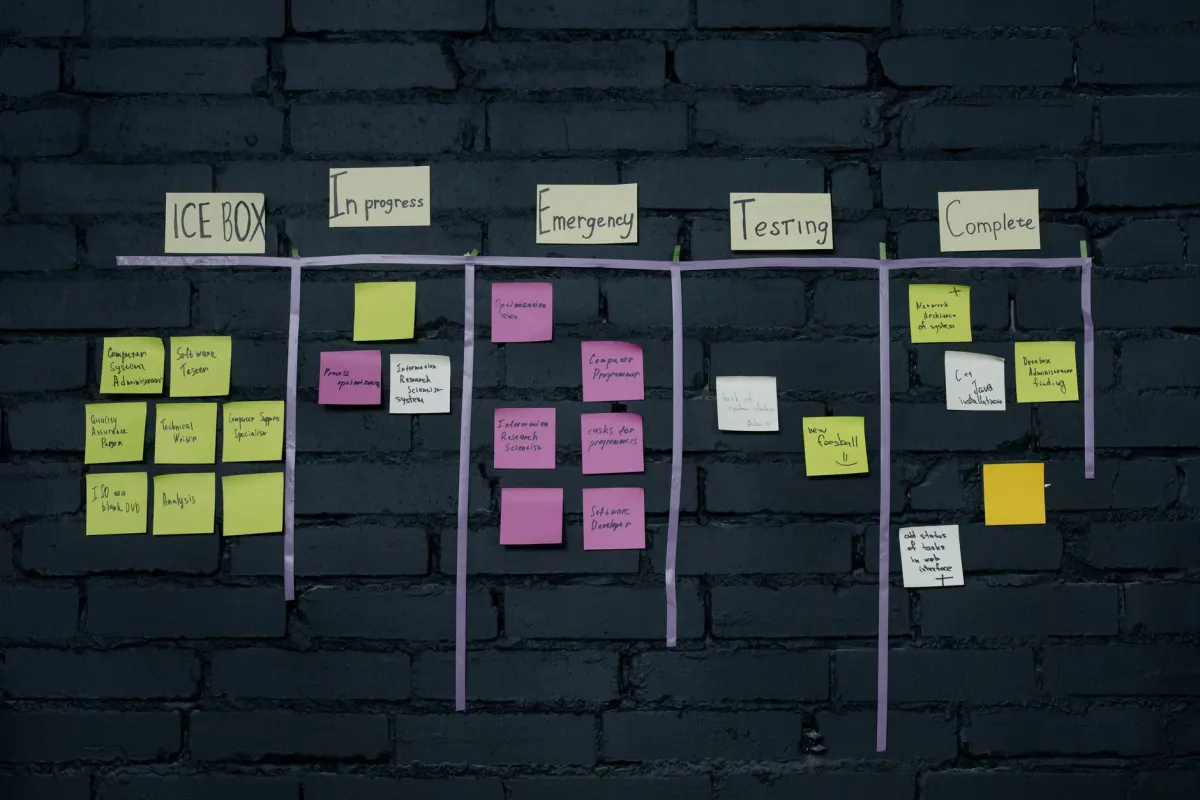
Resist the temptation to adopt enterprise software before you need it. A simple shared spreadsheet or kanban board can serve as your first workflow tool. The process itself matters far more than the platform supporting it.
As your team and content volume grow, you will naturally need more capable tooling. The key is matching the tool to your current complexity rather than the complexity you aspire to.
| Tool Type | Ideal For | Core Features | Examples |
|---|---|---|---|
| Project Management | Small-to-medium teams starting out | Kanban boards, task assignments, due dates | Trello, Asana, Monday.com |
| Content Platforms | Teams focused on content production | Editorial calendars, approval flows, asset libraries | CoSchedule, GatherContent |
| Marketing Suites | Large organizations needing unified data | Integrated analytics, CRM, content management | HubSpot, Marketo |
| Social Schedulers | Teams managing multiple social accounts | Scheduling, AI writing assistance, analytics | AdaptlyPost, Buffer, Sprout Social |
| Video Review | Teams producing video at volume | Frame-accurate annotations, version compare, guest approval links | Kreatli, Frame.io |
The right content workflow management tool should reduce friction, not introduce new layers of complexity. Start lean, refine your process, then scale your tooling alongside your needs.
Habits That Keep Your Workflow Running Smoothly
A workflow on paper is just a plan. The habits your team builds around that plan determine whether it actually works in practice.
Write Thorough Briefs Every Time
The fastest way to reduce revision cycles is to eliminate ambiguity before creation begins. A detailed content brief should specify the goal, audience, core message, SEO targets, tone, and any non-negotiable inclusions. When creators start with clear direction, the first draft lands much closer to the target.
Centralize Everything in One Place
If your team regularly asks "where is the latest version?" you have a centralization problem. Designate a single platform where all drafts, feedback, images, and briefs live. Whether it is a dedicated tool like AdaptlyPost or a well-organized project management board, the point is that everyone knows exactly where to look.
Automate the Repetitive Stuff
Status update pings, deadline reminders, handoff notifications: these small tasks eat into creative time when handled manually. Automating them frees your team to focus on the work that actually requires human judgment and creativity.
Audit Your Process Regularly
No workflow is perfect forever. Schedule quarterly reviews to ask: where do tasks consistently stall? Which stages take longer than expected? Is the feedback loop functioning? Regular audits keep your system evolving alongside your team's needs.
The Role of AI and Automation Going Forward
Content production is evolving rapidly. Manual processes are giving way to intelligent systems where AI handles research, optimization, and reporting while humans focus on strategy and storytelling.
AI as a Force Multiplier
Forward-thinking teams already use AI to scan market trends and suggest topics, provide real-time writing feedback on readability and SEO, and generate performance insights that translate raw data into actionable recommendations. The goal is not to replace creators but to amplify their capabilities by offloading the analytical and repetitive layers of the work.
The Content Service Platform market is projected to grow from roughly $100 billion to nearly $500 billion by 2035, driven by demand for AI-powered tools that manage the full content lifecycle.
End-to-End Workflow Automation
Beyond content creation itself, the future lies in automating the connective tissue between stages. A finished draft routes automatically to the assigned editor. Approval triggers a notification to the design team. Completed assets queue themselves for scheduled publication across every channel.
This kind of seamless automation eliminates manual handoffs, reduces delays, and transforms your content workflow management system into a self-propelling engine.
Bringing It Together With AdaptlyPost
Understanding workflow theory is one thing. Executing it daily is another. AdaptlyPost consolidates ideation, creation, review, scheduling, and analytics into a single workspace, directly addressing the pain points we have covered.
AdaptlyPost
Start Your 7-Day Free Trial
All-platform analytics
Social Inbox
AI-powered assistant
Organized Ideation and Planning
AdaptlyPost provides shared calendars where your team can brainstorm and schedule content from one view. Every approved idea gets a home and a publish date from the start, eliminating the chaos of ideas scattered across chat threads and sticky notes.
Review With Drafts and Roles
AdaptlyPost has no approval workflow. Drafts and roles cover the review step instead. A Contributor creates drafts, and a member with schedule or publish permission reviews each draft and publishes it, so nothing a Contributor writes goes live on its own.
Asset Management and Performance Tracking
A centralized library keeps all images, videos, and approved copy accessible in one place. Built-in analytics close the loop by showing how content performs across channels, feeding insights back into planning so every future piece improves on the last.
Common Questions About Content Workflows
What separates a content strategy from a content workflow?
Strategy defines what you are building and why. It answers questions about audience, goals, and content themes. The workflow defines how you build it, laying out the step-by-step process from ideation through publication. Strategy without workflow produces great plans that never ship. Workflow without strategy produces busy work that lacks direction. You need both.
How do I get buy-in from a resistant team?
Skip the top-down mandate. Instead, ask your team what frustrates them most about the current process. Frame the workflow as the solution to their specific pain points. Start with a small pilot project, demonstrate the improvement, and let the results sell the system for you. When people experience less friction firsthand, adoption follows naturally.
Is a workflow necessary for solo creators?
Especially for solo creators. When you handle every role yourself, a workflow acts as your personal project manager, ensuring nothing falls through the cracks. Even a basic checklist or kanban board keeps you accountable, prevents missed deadlines, and maintains consistent quality across everything you publish.
Tired of stitching together spreadsheets, messaging apps, and scattered documents? AdaptlyPost unifies your entire content workflow management process in one collaborative platform. See how it can simplify your operation today.
Where does the workflow bottleneck usually show up first?
Editorial review. Feedback arrives from multiple stakeholders through different channels, and without a sequential review chain it contradicts itself and stalls the whole pipeline. A peer reviewer passing to a copy editor who passes to a subject-matter expert keeps the piece moving instead of sitting in an inbox.
What tools work best for a small content team just getting started?
Start with a simple shared spreadsheet or a kanban board like Trello or Asana. The process matters more than the platform at this stage, and a lightweight tool avoids adding complexity you do not need yet. As volume grows, teams typically move to content platforms like CoSchedule or GatherContent, then to marketing suites like HubSpot once they need unified analytics.
How often should a team audit its content workflow?
Quarterly. Regular audits catch where tasks consistently stall, which stages run long, and whether the feedback loop is actually functioning. Skipping this step lets a workflow that worked at one volume quietly break down as output scales.
What should a content brief include?
Target audience, primary keyword, tone, structure, required data points, and the desired call-to-action, according to the workflow's drafting stage. A thorough brief is what lets writers and designers work from guardrails instead of guessing, and it is the fastest way to cut down on revision cycles.
Why is the Business Process Management market relevant to content teams?
The Business Process Management market is projected to grow from roughly $40 billion to over $84 billion. That growth is a sign that organizations across industries are formalizing processes rather than running on improvisation. Content teams are part of that shift. A documented workflow is the content-specific version of the same investment other departments are already making.
How does AI fit into a content workflow without replacing the team?
AI scans market trends and suggests topics, gives real-time feedback on readability and SEO, and turns performance data into recommendations, while people keep ownership of strategy and storytelling. The Content Service Platform market is projected to grow from roughly $100 billion to nearly $500 billion by 2035, largely on demand for these AI-powered tools. The workflow gain comes from automating the handoffs between stages, not from replacing the stages themselves.
What happens to content quality once performance data feeds back into planning?
Stage seven measurements, page views, time on page, conversion rate, social engagement, feed directly into Stage 1 ideation. That loop is what turns a one-off workflow into a system that improves with each piece, informing which topics and formats to prioritize next. Teams that skip measurement keep repeating the same guesses instead of refining them.
What does skipping a workflow stage actually cost a team?
The bottleneck does not disappear. It moves to whoever is left holding the piece at the end, often the person pressing publish at 6pm. Disorganization shows up as wasted hours and missed opportunities, and each friction point compounds until scaling production becomes nearly impossible.
AdaptlyPost
Start Your 7-Day Free Trial
All-platform analytics
Social Inbox
AI-powered assistant
How does a defined workflow speed up onboarding for new team members?
New hires ramp up faster when they can follow a documented process instead of relying on tribal knowledge locked inside veteran employees' heads. A clear playbook replaces guesswork with repeatable steps anyone can pick up. That standardization is part of what makes a workflow measurable and easier to improve over time.
What is the purpose of the final sign-off stage?
Stage 5 is the last check before anything goes live. A designated approver reviews strategic alignment, brand consistency, and factual accuracy one more time. It works as a safety net that catches embarrassing mistakes before they carry the brand's name out into public.
Why does visual formatting matter for content that is already well written?
Approved text still needs header images, graphics, and layout choices like subheadings, bullet lists, and pull quotes to hold a reader's attention. Good formatting works quietly. Readers rarely notice it, but they feel it when it's missing, and content that skips this step struggles to hold attention no matter how strong the writing underneath is.
When should a team move beyond a spreadsheet to dedicated content tools?
A shared spreadsheet or kanban board works fine as a first workflow tool, and the process matters more than the platform early on. As team size and content volume grow, more capable tooling becomes necessary to keep pace. The right time to upgrade is when the current tool starts adding friction instead of removing it, not when a bigger platform simply looks appealing.
What happens when nobody owns a workflow stage?
Ambiguity kills productivity. When people are unsure whether a task belongs to them, it either gets duplicated because two people work on it separately or dropped entirely because everyone assumed someone else had it. Assigning explicit ownership for every stage, from ideation through distribution, removes that mental overhead instead of micromanaging anyone.
What does end-to-end automation eliminate in a content workflow?
When a finished draft routes automatically to the assigned editor and approval triggers a notification to the design team, nobody has to chase the next step manually. That kind of automation eliminates manual handoffs and reduces delays between stages. It turns the content workflow into a system that keeps itself moving instead of one that needs someone nudging it forward at every step.
What is the difference between a content platform and a marketing suite?
Content platforms like CoSchedule and GatherContent are built for teams focused purely on content production, with editorial calendars, approval flows, and asset libraries as core features. Marketing suites like HubSpot and Marketo serve large organizations that need unified data across departments, bundling integrated analytics and CRM alongside content management. A small content team rarely needs the second tier until multiple departments start pulling from the same data.
What causes file confusion in a content workflow?
Multiple drafts circulate under names like "final," "final-v2," and "actually-final," and nobody can tell at a glance which one is actually ready to publish. That ambiguity turns into a real risk: someone eventually posts the wrong version because the naming gave them no way to know better. Centralizing drafts in one platform removes the guesswork entirely.
Video is the worst case, since two cuts can look identical in a file browser and only differ by a few seconds of footage. Platforms like Kreatli handle it with version history and side-by-side comparison, so the difference between revisions is something you can see rather than something you infer from a filename.
Which repetitive tasks should a content team automate first?
Status update pings, deadline reminders, and handoff notifications are the easiest wins, since they eat into creative time without requiring any real judgment to send. Automating them frees the team to spend that time on work that actually needs a human, like editing or strategy. These are also the first tasks to get skipped when someone is busy, so automation closes a gap the manual process was already leaving open.
What does centralizing a content workflow into one platform solve?
Centralizing a content workflow ends the "where is the latest version" problem. Drafts, feedback, images, and briefs all live in a single designated place instead of scattered across email, chat, and shared drives. Everyone on the team knows exactly where to look instead of hunting through five different tools. Whether that place is a dedicated tool like AdaptlyPost or a well-organized project board matters less than the fact that there is only one.
What is approval gridlock and why does it stall a workflow?
Approval gridlock happens when a single decision-maker is unavailable and no backup authority has been designated. The entire pipeline then waits on one person who is on vacation or simply behind on email. Nothing moves until they resurface, regardless of how ready the content actually is. Assigning a backup approver during the role-assignment stage prevents one person's calendar from becoming the whole team's bottleneck.
What is brand drift and how does a workflow prevent it?
Brand drift is what happens when tone and messaging vary from one piece to the next because there are no standardized checkpoints catching the inconsistency. It weakens brand identity gradually, piece by piece, until the inconsistency becomes obvious to readers. The editorial review and final sign-off stages exist specifically to catch this before it reaches an audience.
How does AdaptlyPost handle asset management and performance tracking?
AdaptlyPost keeps a centralized library where images, videos, and approved copy stay accessible in one place instead of scattered across devices and folders. Built-in analytics then close the loop by showing how the published content performs across channels. Those performance insights feed back into planning, so each new piece builds on what the last one actually achieved.
Why should a team map its existing process before designing a new workflow?
Building a workflow starts with documenting what actually happens today, including the messy parts, then mapping every step from idea to published piece. That honest map shows exactly where work stalls, where communication breaks down, and where handoffs go sideways. Those trouble spots become the priorities to fix first, instead of guesses about what is broken.
AdaptlyPost
Start Your 7-Day Free Trial
All-platform analytics
Social Inbox
AI-powered assistant
What separates productive ideation from random brainstorming?
Intent. Productive ideation ties every idea back to a measurable goal, whether that is organic traffic, lead generation, or thought leadership, instead of generating ideas for their own sake. Stage 1 also draws on market research, competitive analysis, and collaborative brainstorming to surface ideas with genuine potential, so what reaches a brief already has a business reason behind it.
What does the publishing stage involve beyond hitting the publish button?
Stage 6 covers scheduling the piece for optimal timing, writing social copy to promote it, preparing email distribution, and coordinating any paid amplification. A distribution plan is what makes sure the content a team worked hard to create actually reaches the audience it was built for.
What does AdaptlyPost give every approved idea in its ideation and planning view?
Every idea your team approves gets a home and a publish date in AdaptlyPost's shared calendars from the start. Teams brainstorm and schedule content from one view instead of tracking ideas across chat threads and sticky notes.
How does AdaptlyPost streamline review and approval?
AdaptlyPost has no approval workflow. It uses drafts and roles instead. A Contributor creates drafts, and a member with schedule or publish permission reviews each draft and publishes it, so nothing a Contributor writes goes live on its own.
How does workflow consistency affect brand trust?
Standardized reviews keep quality and tone uniform piece after piece instead of drifting. In the workflow's benefits breakdown, that consistency is what produces stronger brand trust, one of the direct business outcomes of running a repeatable process.
How does a repeatable workflow support scaling content volume?
Repeatable processes are what let a workflow absorb volume increases without breaking, which the benefits breakdown calls sustainable growth. Skip that repeatability and the friction points from disorganization compound instead, until scaling production becomes nearly impossible.
What is feedback chaos, and why does it slow a content team down?
Feedback chaos happens when comments on a piece arrive through email, chat apps, document annotations, and verbal conversations all at once. Reconciling those scattered threads into one clear direction becomes a project of its own, on top of the actual edit. It is one of the clearest symptoms of a team working without a defined workflow, alongside file confusion and approval gridlock.
What happens to a content team that never documents its workflow?
Without a documented process, the team ends up improvising through every project. That feels creative, but it produces blown deadlines, inconsistent quality, and a team that runs hot until it burns out. A structured workflow replaces that guesswork with a repeatable playbook everyone can follow.
Does a structured workflow limit creative freedom?
Not by design. A strong workflow is not about restricting how people work, it is about removing the administrative confusion that gets in the way of their best creative output. Assigning explicit ownership at every stage works the same way: it removes the mental overhead of figuring out what to do next rather than micromanaging anyone.
What visibility does a defined content workflow give a team?
A defined content workflow shows how long each stage actually takes, where tasks consistently stall, and which steps need more resources. That data becomes the foundation for continuous improvement instead of guesswork about what is slowing production down.
What are the main benefits of a defined content workflow?
Clarity gives everyone a clear next step, which cuts delays and speeds up turnaround. Consistency keeps quality uniform and builds brand trust, while clear ownership prevents tasks from slipping and lifts morale. Together with lower costs and support for volume growth, these gains turn a chaotic process into a scalable one.
What do social media schedulers add to a content workflow that other tools do not?
Tools built for teams managing multiple social accounts, like AdaptlyPost, Buffer, and Sprout Social, combine scheduling with AI writing assistance and analytics in one place. That pairing lets a team plan, draft, and measure content without switching platforms for each task. They sit at the more specialized end of the tool table, past general project management boards and content platforms.
What does content workflow management actually define for a team?
Content workflow management defines who runs which leg of the process and when the baton gets handed off between people. The finish line it points at is a published, on-brand piece. That structure is what turns content production into a predictable, repeatable relay instead of ad hoc effort.
What are the four gates in a functional content workflow?
A functional workflow runs through four gates: brief, draft, approve, publish. Skip any one of them and the bottleneck does not disappear, it just relocates to whoever ends up pressing publish late. Each gate needs an owner and a clear definition of what passing through it actually means.
Who should own the distribution stage of a content workflow?
One person should schedule publication, write the promotional copy, and manage the email sends for each piece. Splitting those tasks across whoever is free that day is how promotion gets forgotten right after the content itself is done. Naming a single distribution owner keeps the piece from stalling right before it reaches an audience.
AdaptlyPost
Start Your 7-Day Free Trial
All-platform analytics
Social Inbox
AI-powered assistant
Who is responsible for drafting content versus producing supporting visuals?
A workflow should name a creator who owns the draft and a separate owner for the visuals that go with it. Both roles work from the same content brief, so the writing and the imagery stay aligned instead of drifting apart. Leaving both jobs to whoever picks them up is how mismatched drafts and graphics happen.
What kind of tool fits a large organization that needs unified content and CRM data?
Marketing suites like HubSpot and Marketo are built for that scale. They combine integrated analytics, CRM, and content management in one platform, which smaller teams do not need and larger ones struggle to run without. Adopting that tier before the volume justifies it just adds complexity nobody asked for.
What is the single biggest operational upgrade a content team can make?
Moving from reactive firefighting to a proactive, process-driven approach. Teams that document their workflow trade constant improvisation for a repeatable playbook, and that shift shows up in fewer blown deadlines and less burnout. It is a change in how the team operates, not a new tool.
How large is the market for AI-powered content platforms expected to become by 2035?
The Content Service Platform market is projected to grow from roughly $100 billion to nearly $500 billion by 2035. That growth is driven by demand for AI-powered tools that manage the full content lifecycle, from research through reporting. It reflects how fast AI is moving from an experiment to standard tooling in content operations.
What business outcome comes from clear accountability in a content workflow?
Higher morale and output quality. When ownership is explicit for every stage, tasks stop slipping through the cracks, and the team spends less energy chasing who was supposed to do what. That clarity is what turns accountability into something that actually helps people work, instead of a policing measure.
Put this into practice with AdaptlyPost
Was This Article Helpful?
Let us know what you think!
See us more often in Google
One click marks AdaptlyPost as a preferred source, so our articles sit higher in your Top Stories, AI Mode, and AI Overviews.
Before you go...
AdaptlyPost
Schedule your content across all platforms
Manage all your social media accounts in one place with AdaptlyPost.
All-platform analytics
Social Inbox
AI-powered assistant
Related Articles


How to Efficiently Schedule Instagram Posts in 2026
A seven-step system to schedule Instagram posts: pick a tool, connect the account properly, batch captions, then let analytics move your posting windows.


Understand What Happens When You Restrict Someone on Instagram
Curious what happens when you restrict someone on Instagram? Their comments hide, DMs move to requests, no alert fires. Plus when blocking is the better call.


Build a Reddit Appeal That Owns the Mistake
One Modmail decides it. What a Reddit appeal should say, the tone moderators respond to, and the mistakes that turn a temporary ban into a permanent one.