
TL;DR, Quick Answer
22 min readSchedule YouTube Shorts via YouTube Studio or third-party tools like AdaptlyPost to publish at peak viewer times. Batch-produce content, use your Analytics to find optimal windows, and maintain a consistent cadence for algorithmic favor.
Most creators already know Studio will queue a vertical clip; the harder question is when, which is what YouTube Shorts posting schedule recommendations are really about. Your own Analytics tab holds better peak windows than any generic chart published online.
But the real question is: how does scheduling transform your entire content strategy?
How to Schedule a Short on Youtube: key strategies
Posting Shorts on a whim might work once or twice, but sustained channel growth demands regularity. The YouTube algorithm rewards creators who show up predictably, and scheduling is how you make that happen without chaining yourself to your desk every single day.
Consider a freelancer or a small marketing team managing multiple clients. There is no realistic way to pause everything mid-afternoon to publish a Short at the optimal moment. Scheduling eliminates that pressure entirely.
The real unlock is batch production. Set aside a single session to record and edit several Shorts, then queue them up across the week. This approach delivers several advantages:
-
Algorithmic Consistency: A steady publishing cadence signals reliability to YouTube, which often translates into improved recommendations and broader distribution.
-
Precision Timing: Your analytics might show that your viewers peak at 8 PM on weeknights, but you might be offline by then. Scheduling bridges that gap so your content arrives exactly when your audience is scrolling.
-
Higher Production Value: Removing the daily scramble gives you space to refine your edits, test different hooks, and experiment with formats. Content quality almost always rises when the deadline pressure drops.
-
Mental Clarity: Instead of worrying about today's upload, you can invest your energy in community engagement, trend research, and long-term channel planning.
Scheduling shifts your mindset from reactive posting to deliberate strategy. Rather than putting out fires daily, you architect a content pipeline designed for growth. This kind of intentional planning sits at the heart of every successful social media marketing strategy. For additional ideas on producing content that captures attention, explore our guide on https://adaptlypost.com/blog/how-to-create-viral-content.
How to Schedule Shorts Using YouTube Studio on Desktop
YouTube Studio provides everything you need to schedule Shorts without installing anything extra. Whether you launched your channel yesterday or years ago, the native tools handle the job reliably.
The workflow mirrors a standard video upload with a couple of specifics worth noting.
Preparing Your Video File
Before uploading, confirm that your clip qualifies as a Short by YouTube's standards. Two criteria matter:
-
Duration: 60 seconds or shorter. There is no flexibility here.
-
Orientation: Vertical or square aspect ratio, with 9:16 being the ideal choice.

AdaptlyPost
Start Your 7-Day Free Trial
All-platform analytics
Social Inbox
AI-powered assistant
Nail those two requirements and YouTube will automatically categorize your upload as a Short. Having your title, description, and relevant tags drafted ahead of time also speeds up the process considerably.
Walking Through the Upload Steps
After initiating the upload, you land on the Details page where you enter your title and description. Treat this seriously even for Shorts. A compelling title is what separates a scroll-stopper from something viewers skip right past.
The critical moment arrives on the Visibility page. Rather than selecting "Public" for immediate release, choose "Schedule." A date and time picker appears, letting you define the exact publication moment.
Important Reminder: Verify your time zone in YouTube Studio settings before scheduling. A misconfigured time zone is one of the most common reasons a Short publishes at 3 AM instead of 3 PM, completely missing your target audience window.
Here is what each visibility setting actually means:
-
Private: Restricted to you and anyone you specifically grant access.
-
Unlisted: Accessible via direct link only. It will not surface in search or on your public channel page.
-
Scheduled: Remains private until the designated time, then automatically switches to public.
This workflow is more than a convenience feature. It is the foundation of a repeatable content system. By producing Shorts in batches and scheduling them strategically, you keep your channel active without daily manual intervention.
The opportunity is enormous. YouTube Shorts usage has climbed from 1.5 billion monthly viewers in 2022 to a projected 2.3 billion in 2025, generating over 70 billion daily views. With 6.5 million creators uploading monthly, relying on random publish times puts you at a disadvantage. A disciplined scheduling approach is what separates growing channels from stagnant ones. For deeper data on these trends, visit Voomo.ai.
Scheduling Shorts Directly From Your Mobile Device
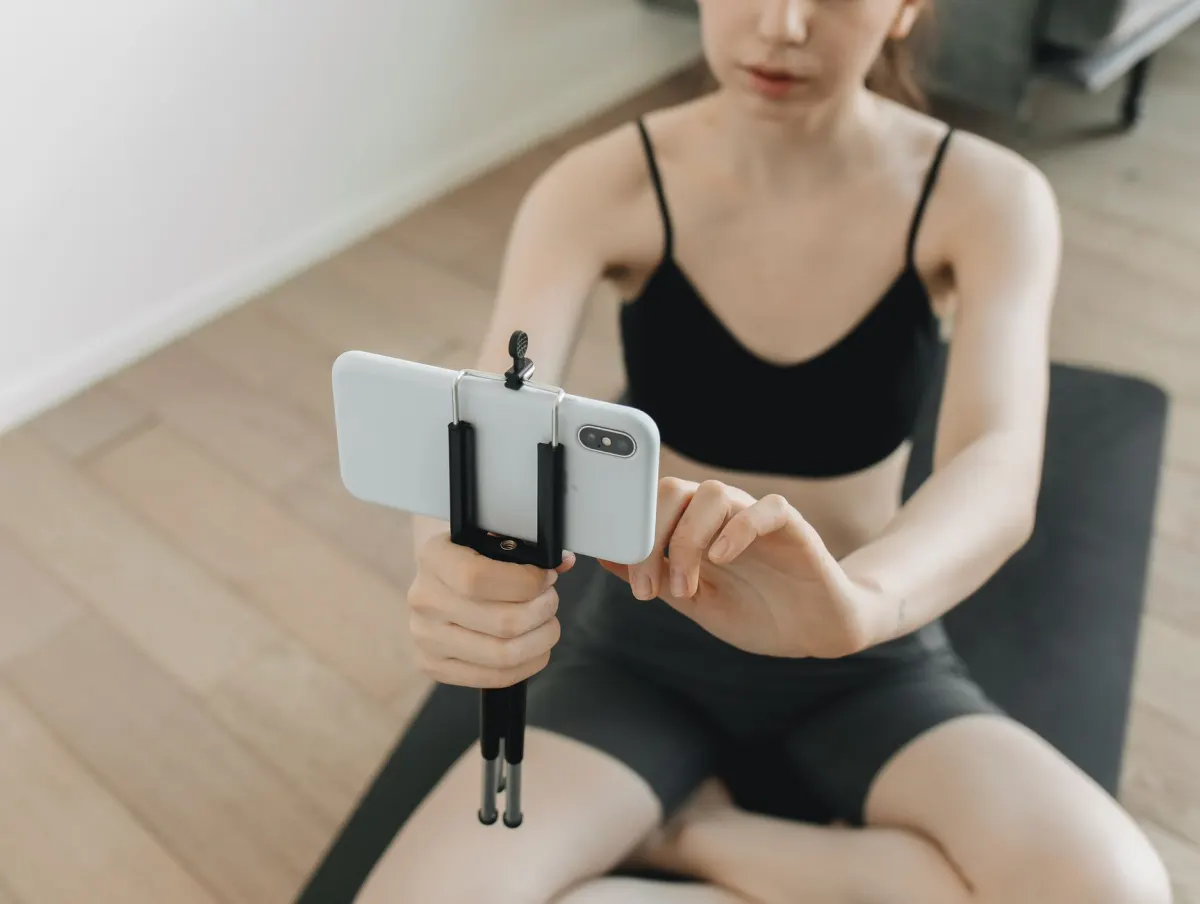
For many creators, a phone handles the entire production cycle from filming through publishing. The good news is that mobile scheduling works just as well, with only minor interface differences compared to desktop.
Open the YouTube app and tap the plus (+) button at the bottom of the screen. Choose "Create a Short" to record something fresh, or select "Upload a video" to use a pre-edited clip from your camera roll.
Once you have selected your content and applied any music, text, or effects, tap "Next" to reach the final configuration screen.
Locating the Schedule Toggle on Mobile
This is where many creators get confused. After entering your title, look for the "Visibility" setting, which typically defaults to Public. Tap on it.
AdaptlyPost
Start Your 7-Day Free Trial
All-platform analytics
Social Inbox
AI-powered assistant
A compact menu appears with your options. Here is the sequence:
-
Select "Schedule" from the available choices.
-
A date and time selector will appear on screen.
-
Confirm your chosen time and tap Done.
The app returns you to the details screen. Hit "Upload Short" and your video enters the queue, waiting silently until its scheduled moment arrives.
Practical Note: Unstable internet connections are the leading cause of failed mobile uploads. If your connection is spotty, hold off on starting the upload until you are on reliable Wi-Fi. A failed upload that was supposed to go live on schedule can disrupt your entire content calendar.
Tips Specific to Mobile Scheduling
A few small habits make the mobile experience smoother. Copy your title and a set of standard hashtags to your clipboard before starting the upload. This saves time and avoids the frustration of typing everything out on a small screen.
Also, double-check the calendar selection before confirming. Tapping the wrong date on a compact mobile calendar is surprisingly easy to do. Once you have this mobile workflow dialed in, you can batch-upload and schedule an entire week of Shorts from virtually anywhere.
Leveling Up With Third-Party Scheduling Platforms
YouTube Studio handles basic scheduling well, but creators managing content across multiple platforms quickly hit its limitations. When you are publishing Shorts alongside Reels, TikToks, and other social content, logging into separate dashboards for each platform wastes hours every week. Dedicated scheduling platforms like AdaptlyPost solve this by centralizing everything.
These tools function as a unified control center for your entire social media presence. You connect your accounts, upload your content, and manage your calendar from a single interface. For creators, brands, and agencies, the efficiency gains are substantial.
A Streamlined Multi-Platform Workflow
Connect your YouTube channel alongside your other social accounts, bulk-upload your video assets, and visually arrange your publishing calendar. Picture an entire week of Shorts displayed alongside your planned Instagram posts and TikTok uploads, all in one view.
This overview transforms scheduling from a tedious chore into a strategic exercise. You can immediately identify content gaps, avoid publishing similar videos on consecutive days, and maintain a coherent narrative across every platform.
Beyond the calendar view, third-party tools offer capabilities that YouTube Studio simply lacks:
-
AI-Driven Suggestions: Receive intelligent recommendations for titles, descriptions, and hashtags that improve discoverability.
-
Batch Uploading: Drag an entire folder of videos into the platform and schedule them within minutes rather than uploading one at a time.
AdaptlyPost
Start Your 7-Day Free Trial
All-platform analytics
Social Inbox
AI-powered assistant
Unified Analytics: Compare how the same piece of content performs on YouTube versus Instagram versus TikTok from a single reporting dashboard, giving you clearer insight into what resonates with each audience.
The core advantage of a third-party tool extends beyond scheduling alone. It centralizes your entire short-form video operation. When you can repurpose a high-performing video across TikTok, Reels, and Shorts from one dashboard, you multiply your reach without multiplying your workload.
Deciding Between Native and Third-Party Tools
For creators focused exclusively on a single YouTube channel, the built-in scheduler may be sufficient. But if you manage multiple channels or maintain a presence across several social platforms, a dedicated tool pays for itself quickly.
Here is how YouTube's native scheduler compares to a full-featured platform like AdaptlyPost:
| Feature | YouTube Native Scheduler | Third-Party Tool (e.g., AdaptlyPost) |
|---|---|---|
| Cost | Free | Paid subscription (often with a free tier) |
| Platform Support | YouTube only | Multiple platforms (YouTube, Instagram, TikTok, etc.) |
| Bulk Uploading | One video at a time | Upload dozens of videos at once |
| Content Calendar | Basic list view | Visual, drag-and-drop calendar |
| AI Suggestions | No | Yes (titles, descriptions, hashtags) |
| Cross-Platform Analytics | No | Yes, consolidated performance reports |
| Team Collaboration | Limited roles | Workspaces and team roles |
The native scheduler is perfectly adequate for getting started. A dedicated platform becomes an investment in operational efficiency as your content operation scales.
Short-form video continues to dominate, with 70% of YouTube channels that upload monthly now including Shorts, and daily views projected to reach 200 billion in 2025. For anyone exploring advanced options, this social media management tools comparison provides a solid starting point.
Choosing a more capable scheduling platform is ultimately about working more efficiently. If you are ready to evaluate your options, explore this guide to the best social media scheduling tools available today.

Identifying the Best Times to Publish Your Shorts
Understanding how to schedule YouTube Shorts is one piece of the puzzle. Knowing when to schedule them is equally important.
Publishing an excellent Short while your audience is offline is wasted potential. Moving beyond guesswork and into data-driven timing decisions is what separates good results from great ones.
Your most valuable resource here is YouTube Analytics, specifically the data about your own viewers rather than generic industry benchmarks.
Mining Your Analytics for Peak Activity Windows
Navigate to YouTube Studio and select the Analytics tab from the left sidebar. Switch to the Audience tab and locate the chart labeled "When your viewers are on YouTube."
This visualization maps your audience's activity patterns across the week. Darker shading indicates higher viewer concentration. Focus on the deepest clusters because those represent your personal prime-time windows.
You might discover, for example, that your viewers are heavily active between 7 PM and 10 PM on weekdays but shift to mid-afternoon on weekends. This data becomes your personalized scheduling blueprint.
Strategic Tip: Schedule your Shorts to publish roughly 45 to 60 minutes before peak activity begins. This gives the algorithm time to index and begin distributing your video just as viewer traffic ramps up.
AdaptlyPost
Start Your 7-Day Free Trial
All-platform analytics
Social Inbox
AI-powered assistant
Broad Timing Patterns and International Audiences
While channel-specific data should always take priority, general traffic patterns offer useful starting points for newer channels with limited analytics history.
Across the US market, Shorts engagement typically peaks between 2 PM and 4 PM EST on weekdays. Globally, evenings in high-traffic regions like India (7-10 PM IST) often see significant algorithm boosts for fresh content. Channels that align their Shorts schedule with these peak windows observe engagement rates roughly 5.91% higher than long-form content. Additional data on these patterns is available at AllOutSEO.com.
If your analytics reveal a significant international audience, consider a split publishing approach:
-
Dedicate some Shorts to your primary audience's peak hours.
-
Schedule others targeting the evening hours of your secondary audience's time zone.
This prevents you from neglecting a substantial portion of your viewership. For a comprehensive breakdown of optimal posting windows, see our complete guide on finding the best time to post on YouTube Shorts. The essential practice is to experiment across different time slots, track your first-hour view counts, and refine your schedule based on actual performance data.
Frequently Asked Questions About Scheduling YouTube Shorts
Even experienced creators encounter questions when refining their scheduling workflow. Here are the most common concerns and their straightforward answers.
Is It Possible to Modify a Scheduled Short Before Publication?
Absolutely. This flexibility is one of the best aspects of scheduling.
Perhaps you finalize a Short, schedule it, and then think of a stronger title an hour later. Or you notice a typo in the description. As long as the video has not yet gone public, you can make changes.
Here is how:
-
Open YouTube Studio.
-
Navigate to the Content tab in the left menu.
-
Locate your video with the "Scheduled" status label.
-
Hover over it and click the pencil (Details) icon.
From there, adjust the title, description, tags, or scheduled time as needed. Just remember to save your changes before navigating away.
AdaptlyPost
Start Your 7-Day Free Trial
All-platform analytics
Social Inbox
AI-powered assistant
One Limitation: You cannot swap the video file itself. If you uploaded the wrong version, you will need to delete the scheduled entry and start a fresh upload.
What Occurs If a Scheduled Upload Does Not Process Successfully?
Upload failures happen occasionally, particularly on unstable mobile connections. If a video fails to process before its scheduled time, YouTube will not publish a broken or incomplete video. It will simply remain in your content library with a failed status.
The recommended response is to delete the failed upload promptly, establish a stable connection, and re-upload immediately. Publishing slightly behind schedule is far preferable to missing the post entirely. A minor delay will not meaningfully impact performance, but breaking your established posting rhythm can affect the consistency signals both your audience and the algorithm rely on.
Does Scheduling Negatively Affect View Counts?
No. Scheduling a Short does not affect its view count, despite being one of the most persistent misconceptions among creators. The YouTube algorithm makes no distinction between a manually published video and a scheduled one. Both receive identical treatment.
What the algorithm evaluates is whether people are watching, engaging, and whether you publish consistently. Scheduling is simply a mechanism that helps you optimize for both of those factors.
By scheduling, you ensure your content drops precisely when your audience is most active, which can generate a stronger initial engagement wave. More importantly, it helps you maintain a reliable publishing cadence, signaling to YouTube that your channel delivers content dependably. The actual risk to your views is not scheduling; it is publishing irregularly or at times when your target audience is unavailable.
Ready to centralize your entire social media operation? With AdaptlyPost, you can manage everything from scheduling Shorts to monitoring analytics from a single dashboard. Bulk upload your videos, leverage AI-powered title suggestions, and coordinate all your channels in one place. Get started with AdaptlyPost today.
- Whether you published manually or let a schedule do it
- What time of day you personally tapped upload
- Whether people watch and engage once the Short is live
- Whether you publish on a consistent cadence
- Whether the video lands when your audience is active
What Counts as a YouTube Short?
YouTube defines a Short by two criteria: 60 seconds or shorter, and a vertical or square frame, with 9:16 as the ideal ratio. Meet both and YouTube automatically categorizes the upload as a Short. Draft your title, description, and tags before uploading so the process moves faster.
How Far in Advance Should You Schedule a YouTube Short?
Aim to schedule about 45 to 60 minutes before your audience's peak activity window. That gap gives the algorithm time to index the video and start distributing it right as viewer traffic ramps up. Check the "When your viewers are on YouTube" chart in Analytics to find that window for your own channel.
Can Third-Party Tools Like AdaptlyPost Schedule Shorts Alongside Other Platforms?
Yes. AdaptlyPost connects your YouTube channel with your other social accounts, so you can bulk-upload and arrange Shorts, Reels, and TikToks on one visual calendar. It also adds AI-driven title and hashtag suggestions and consolidated analytics across platforms, features the native YouTube scheduler does not offer.
What Is the Best Time to Post YouTube Shorts in the US?
Across the US market, Shorts engagement typically peaks between 2 PM and 4 PM EST on weekdays. That is a reasonable starting point for newer channels without enough Analytics history yet, though your own "When your viewers are on YouTube" chart should take priority once you have the data. Channels that align with peak windows see engagement rates roughly 5.91% higher than long-form content.
Do You Need Wi-Fi to Schedule a Short From Your Phone?
A stable connection matters more on mobile than on desktop, since unstable internet is the leading cause of failed mobile uploads. Hold off on starting the upload until you are on reliable Wi-Fi rather than risking a failure right before your scheduled time. A failed upload can throw off your entire content calendar if it was meant to go live on schedule.
What Is the Difference Between Private, Unlisted, and Scheduled Visibility?
Private restricts the video to you and anyone you specifically grant access to. Unlisted makes it accessible only via direct link, so it will not surface in search or on your channel page. Scheduled keeps the video private until the moment you set, then switches it to public automatically.
How Do You Find When Your Audience Is Most Active on YouTube?
Open YouTube Studio, select the Analytics tab, then switch to the Audience tab and find the chart labeled "When your viewers are on YouTube." Darker shading marks higher viewer concentration, and the deepest clusters are your personal prime-time windows. Use those clusters, not generic industry benchmarks, as your scheduling blueprint.
Why Should You Batch-Produce Shorts Instead of Filming One at a Time?
Setting aside one session to record and edit several Shorts lets you queue them across the whole week instead of scrambling daily. Freelancers and small teams managing multiple clients rarely have room to pause and publish at the exact right moment, so batching removes that pressure. It also gives you space to refine edits and test different hooks, and content quality tends to rise once the deadline pressure drops.
AdaptlyPost
Start Your 7-Day Free Trial
All-platform analytics
Social Inbox
AI-powered assistant
How Big Is the YouTube Shorts Audience Right Now?
Monthly Shorts viewers grew from 1.5 billion in 2022 to a projected 2.3 billion in 2025, generating over 70 billion daily views from 6.5 million creators uploading each month. Daily views are projected to reach 200 billion in 2025, and 70% of channels that upload monthly now include Shorts. That scale is why relying on random publish times puts a channel at a disadvantage against creators who schedule with intent.
What Should I Weigh When Choosing Between YouTube's Native Scheduler and a Tool Like AdaptlyPost?
YouTube's native scheduler is free and uploads one video at a time through a basic list view, which is enough for a creator focused on a single channel. AdaptlyPost and similar paid tools add bulk uploading, a visual drag-and-drop calendar, AI suggestions for titles and hashtags, and cross-platform analytics covering YouTube, Instagram, and TikTok. Managing multiple channels or several platforms is usually the point where that added capability pays for itself.
How Should I Schedule Shorts for an Audience Spread Across Multiple Time Zones?
If your Analytics show a significant international audience, split your publishing instead of picking a single slot. Dedicate some Shorts to your primary audience's peak hours and schedule others for a secondary audience's evening window, such as 7 to 10 PM IST for viewers in India. This split keeps you from neglecting a large part of your viewership just because it lives in a different time zone.
What Should I Have Ready Before Uploading and Scheduling a Short on Mobile?
Copy your title and a set of standard hashtags to your clipboard before you start the upload, since typing them out on a small screen slows you down. Confirm you are on a stable Wi-Fi connection first, because unstable internet is the leading cause of failed mobile uploads. Double-check the calendar date you select too, as tapping the wrong day on a compact mobile calendar is easy to do.
Does Scheduling Shorts at Peak Times Actually Improve Engagement?
Channels that align their Shorts schedule with peak audience windows see engagement rates roughly 5.91% higher than long-form content. Broad benchmarks like the 2 to 4 PM EST US peak or the 7 to 10 PM IST India peak are useful starting points for newer channels. Your own "When your viewers are on YouTube" chart in Analytics should take priority once you have enough data to read it.
Does Posting on a Predictable Schedule Actually Help the Algorithm Favor My Channel?
The YouTube algorithm rewards creators who show up predictably, and a steady publishing cadence signals reliability that often translates into improved recommendations and broader distribution. Posting Shorts on a whim might work once or twice, but sustained channel growth depends on regularity rather than sporadic bursts. Scheduling is what makes that consistency achievable without chaining yourself to your desk every day.
Why Does Time Zone Setup Matter Before Scheduling a Short?
YouTube Studio publishes scheduled videos according to whatever time zone is set in your account, not your local clock. A misconfigured zone is one of the most common reasons a Short goes live at 3 AM instead of 3 PM, missing the audience window it was scheduled for entirely. Check your time zone in Studio settings before you queue your first batch.
Do You Still Need a Strong Title for a 60-Second Short?
You do. Even on the Details page for a Short, the title is what separates a scroll-stopper from something a viewer skips past. Draft it ahead of time instead of typing it under pressure on the Visibility page.
How Does Scheduling Help Freelancers and Small Agencies Managing Multiple Clients?
A freelancer or small marketing team juggling several client channels has no realistic way to pause mid-afternoon and publish a Short at the exact right moment. Scheduling removes that pressure. One batch session can cover a full week of content across every client channel without anyone touching a desk on the day it goes live.
What's the Difference Between Recording a Short and Uploading One on Mobile?
Tapping the plus button in the YouTube app opens two paths. "Create a Short" launches the in-app camera to film something fresh, while "Upload a video" pulls a pre-edited clip from your camera roll. Both paths lead to the same Visibility screen, where you set the schedule the same way either time.
How Can a Content Calendar Prevent You From Posting Similar Shorts Too Close Together?
Viewing a full week of Shorts alongside your Instagram and TikTok posts on one calendar makes content gaps and duplicate topics easy to spot before anything goes live. That overview lets you space out similar videos and keep a coherent narrative running across every platform, instead of guessing at what already posted where.
Can One Video Be Repurposed Across YouTube, TikTok, and Instagram From a Single Dashboard?
A third-party tool that connects all three platforms lets a high-performing video get scheduled across TikTok, Reels, and Shorts without re-uploading it separately on each one. That repurposing multiplies your reach without multiplying the production workload behind it.
What Team Features Do Third-Party Scheduling Tools Add That YouTube Studio Lacks?
YouTube Studio offers only limited roles for collaborators. A platform like AdaptlyPost adds workspaces and team roles that control who can publish: a Contributor creates drafts, and a member with schedule or publish permission publishes them. That distinction matters most for agencies where multiple people touch a client's content before it goes live.
How Can You Tell If Your Shorts Posting Schedule Is Actually Working?
Track your first-hour view counts after each Short goes live and compare them across different time slots. Generic starting points, like the 2 PM to 4 PM EST window for US audiences, are useful only until your own Analytics history builds up. Once you have enough data, let the actual performance numbers, not the benchmark, tell you which slots to keep.
What Should You Do When Your Audience's Peak Viewing Time Doesn't Match When You're Free to Post?
Scheduling solves exactly this. If your Analytics show viewers peaking at 8 PM on weeknights but you are offline by then, queue the Short in advance so it still lands right when your audience is scrolling. The gap between your availability and their activity stops being a problem once publishing no longer requires you at your desk.
AdaptlyPost
Start Your 7-Day Free Trial
All-platform analytics
Social Inbox
AI-powered assistant
How Does Scheduling Change the Way Creators Approach Their Overall Content Strategy?
Scheduling moves you from reacting to today's upload deadline to building a content pipeline aimed at growth. Instead of worrying about what goes out this afternoon, you can spend that energy on community engagement, trend research, and planning further ahead. The daily scramble turns into a deliberate, repeatable system.
Can You Compare How the Same Short Performs on YouTube, Instagram, and TikTok in One Place?
With a third-party platform, yes. Tools like AdaptlyPost offer unified analytics that show how one piece of content performs across YouTube, Instagram, and TikTok from a single reporting dashboard. YouTube Studio's native analytics only cover your YouTube channel, so this kind of side-by-side comparison requires a dedicated multi-platform tool.
Is Scheduling Shorts With a Third-Party Tool Like AdaptlyPost Free?
YouTube's native scheduler costs nothing, since it is built directly into Studio. A tool like AdaptlyPost runs on a paid subscription from $19/month, with a 7-day free trial to start on. The cost tends to pay for itself once you are managing multiple channels or juggling several social platforms at once.
How Does Bulk Uploading Differ Between YouTube Studio and a Tool Like AdaptlyPost?
YouTube Studio processes uploads one video at a time, so scheduling a full week of Shorts means repeating the same steps for each clip. A platform like AdaptlyPost lets you drag an entire folder of videos in and schedule all of them within minutes. That difference matters most once you are batch-producing content regularly.
Can You Add Music, Text, or Effects to a Short Before Scheduling It on Mobile?
Yes, the mobile app lets you apply music, text, and effects to your clip before you move on to scheduling it. Once those edits are done, tap "Next" to reach the final configuration screen where visibility and scheduling options live. This keeps the "Create a Short" option a full editing pass rather than treating scheduling as a separate step from production.
What Is the Best Time to Post Shorts for an Audience in India?
For Indian viewers, evenings between 7 and 10 PM IST tend to bring a notable algorithm boost for fresh content. Treat that window as a starting point the same way the 2 to 4 PM EST window works for the US market, not as a fixed rule. If a meaningful share of your audience is based in India, check that pattern against your own "When your viewers are on YouTube" chart before committing to it.
Is It Better to Post Shorts on a Predictable Schedule Than as Often as Possible?
A predictable schedule beats posting whenever a video happens to be ready. The algorithm rewards creators who show up reliably, and the real risk to your view counts comes from irregular publishing or posting when your audience is offline, not from scheduling itself. Batching a week of Shorts and spacing them out keeps that regularity intact even on days you have no time to sit down and post.
Do Newer Channels Without Much Analytics History Need to Worry About Finding the Perfect Time?
Not much, at least not right away. General timing patterns like the 2 to 4 PM EST US window give a reasonable starting point when you don't yet have enough viewer history. Once your channel builds up Analytics data, switch to your own "When your viewers are on YouTube" chart, since channel-specific data should always take priority over broad benchmarks.
What Do Creators Actually Do With the Time Scheduling Frees Up?
Once you're not scrambling to publish something today, that time shifts toward community engagement, trend research, and longer-term channel planning. Scheduling removes the daily production task from your mental load, not just the technical one of hitting upload at the right moment.
Can You Swap Out the Video File of a Short That's Already Scheduled?
Not through the edit screen. YouTube Studio lets you update the title, description, tags, or scheduled time on a queued Short, but the video file itself stays locked once uploaded. If you catch the wrong version after scheduling, delete that scheduled entry and upload the correct file as a fresh entry.
How Much Time Does Juggling Separate Dashboards for Each Platform Actually Cost?
Logging into a separate dashboard for every platform wastes hours every week once you're managing YouTube alongside Reels, TikToks, and other social content. That time cost is the main reason centralizing everything in one tool like AdaptlyPost pays off once you're juggling more than a single channel.
Does a Shared Content Calendar Do More Than Just Prevent Duplicate Posts?
Yes. Seeing a full week of Shorts laid out next to your Instagram and TikTok posts in one view lets you spot content gaps and keep a coherent narrative running across every platform, not just avoid publishing near-duplicates back to back. That's what turns scheduling from a tedious chore into a strategic exercise.
How Many Shorts Should You Batch-Produce in One Sitting?
The post doesn't pin down an exact number, just "a single session" to record and edit "several Shorts" that then get queued "across the week." Freelancers and small teams use that block of time to fill an entire week of posts, since batching removes the need to publish the moment something is ready. Size the session to whatever gets you comfortably to your next planning day, a few Shorts or a full week's worth.
Why Should You Track First-Hour View Counts After a Short Goes Live?
The post's advice is to experiment across different time slots and watch your first-hour view counts to see which schedule actually works. That early window shows whether your publish time landed inside your audience's real activity, the darkest clusters on the "When your viewers are on YouTube" chart. Refining your schedule from that data, instead of sticking with a generic benchmark, is what turns Analytics into an actual posting plan.
How Does Scheduling Give Creators More Room to Refine Editing and Test Hooks?
Once nothing needs to go out the same day it's shot, editing stops racing a deadline. The post calls this "Higher Production Value": the time that used to go toward the daily scramble instead goes toward refining edits, testing different hooks, and experimenting with formats. Quality tends to rise as soon as that pressure drops.
AdaptlyPost
Start Your 7-Day Free Trial
All-platform analytics
Social Inbox
AI-powered assistant
Does YouTube Studio Charge Anything to Schedule Shorts?
No, YouTube's native scheduler is free. Third-party platforms like AdaptlyPost run on a paid subscription (AdaptlyPost from $19/month after a 7-day free trial), which is the tradeoff for centralizing multiple platforms and channels in one place. For a creator focused on a single YouTube channel, the built-in scheduler is enough on its own.
What's the Most Common Mistake Creators Make on the Mobile Scheduling Calendar?
Tapping the wrong date is the easy mistake, since the mobile calendar is compact and a stray tap lands on the wrong day. The fix is a habit, not a tool: double-check the date you selected before confirming, right alongside verifying your title and hashtags are ready. That extra second catches an error that would otherwise misdate a Short you meant to queue for a specific day.
Does AdaptlyPost Suggest Titles and Hashtags Automatically, or Do You Still Have to Write Them Yourself?
AdaptlyPost's AI-driven suggestions offer recommendations for titles, descriptions, and hashtags meant to improve discoverability. The post describes them as suggestions you can use, not a replacement for writing your own; you stay in control of what actually gets published. That's one of the capabilities the table lists as something the native YouTube scheduler simply doesn't offer.
Why Do You Have to Manually Switch Visibility to Schedule Instead of Letting It Default?
Both the desktop and mobile upload flows land on a Visibility setting that defaults to Public, meant for creators who want to publish right away. Scheduling only happens if you actively select "Schedule" from that menu instead of leaving the default in place. Skip that step and your Short goes live immediately rather than waiting for your chosen time.
Put this into practice with AdaptlyPost
Was This Article Helpful?
Let us know what you think!
See us more often in Google
One click marks AdaptlyPost as a preferred source, so our articles sit higher in your Top Stories, AI Mode, and AI Overviews.
Before you go...
AdaptlyPost
Schedule your content across all platforms
Manage all your social media accounts in one place with AdaptlyPost.
All-platform analytics
Social Inbox
AI-powered assistant
Related Articles
How to Schedule Social Media Posts: Full Guide (2026)
Learn how to schedule social media posts with a step-by-step workflow. Build a content engine, find peak times, and master scheduling tools in 2026.
Useful Context - Instagram Story Post Planner
Meta Business Suite queues Stories free, but only with a Page attached. What an Instagram story post planner has to handle, and the third-party options.
What Reddit Post Removal Reasons Reveal About the Fix
Four moderation layers cover every one of the Reddit post removal reasons: admins, subreddit rules, AutoModerator, and human mods. How to tell which hit you.