
TL;DR, Quick Answer
10 min readOpen x.ai/bot/1GpK7CoPs4e_M__9rb3uR, tap Add to Grok Bot, paste an AdaptlyPost API token into the credential field, and Grok schedules posts to eleven networks from chat. Template sharing shipped 28 August 2026 and needs an eligible SuperGrok or Cursor plan.
Installing a Grok bot template for social media posting takes one tap and one API token. SpaceXAI turned on template sharing on 28 August 2026, and the AdaptlyPost template has been live since. This walks through what is actually inside it, what happens when you press the button, and the parts nobody mentions until they bite you.
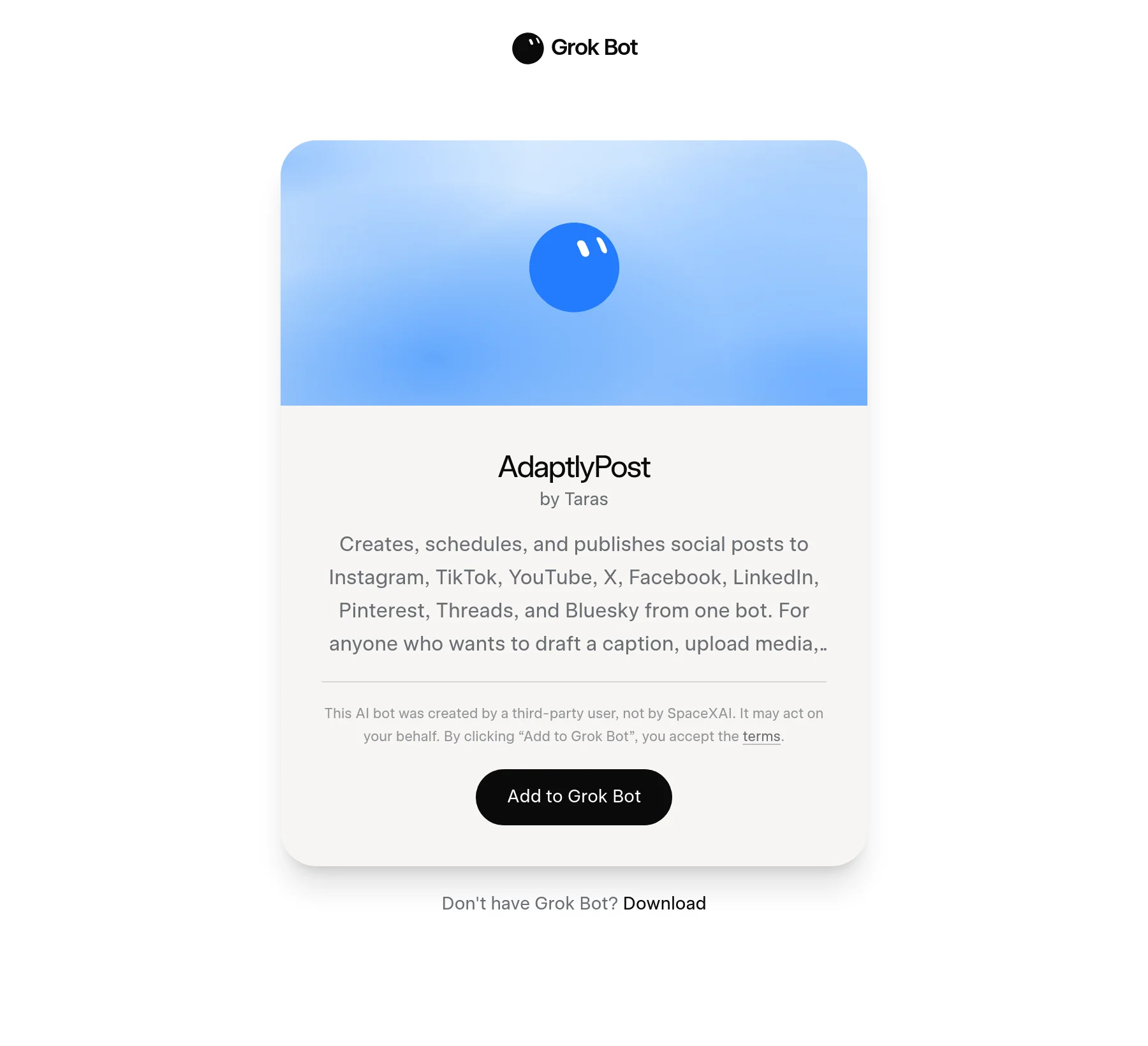
The short version: open x.ai/bot/1GpK7CoPs4e_M__9rb3uR, press "Add to Grok Bot", paste an AdaptlyPost API token into the bot's credential field, then ask it to list your connected accounts. From there you post by typing a sentence.
What is a Grok bot template?
A Grok bot template is a share link that copies one person's configured Bot into your own Grok Bot app. The Grok Bot account announced the feature on X on 28 August 2026 with one line: "You can now share templates of your Bots with others." Every template lives at an x.ai/bot/ URL followed by a 21-character token, and the "Add to Grok Bot" button is a deep link into the desktop or mobile app, in the form grokbot://app/v1/bot-template?id=<id>.
The share page itself is plain. Cover art, the bot's name, "by" and the creator's first name, the description, and then a disclaimer in xAI's own words: "This AI bot was created by a third-party user, not by SpaceXAI. It may act on your behalf." Break the id and you get "This template could not be found. The share link may have expired or been deleted."
One detail from the paperwork is worth noticing. xAI's third-party bot terms took effect on 22 August, six days before anyone was told sharing existed. The machinery was live before the announcement.
What is Grok Bot, and how is it different from Grok?
Grok Bot is a separate desktop and iOS app that gives each Bot its own cloud computer, launched on 11 August 2026 in early beta. xAI's framing is blunt: "AI teammates you can give real work to. Bots can sign in to your tools, use them just like you do, and come back with finished work." The launch post adds that Bots "can sign in and work across apps, tools, and websites, including platforms with no clean API or MCP."
That last clause is the whole product. A Bot drives a browser. It does not need an integration to exist, because it will click through your admin panel like a contractor would.
Access is tied to a paid plan. At launch Grok Bot was available for SuperGrok, SuperGrok Plus and SuperGrok Heavy, plus Cursor Pro, Pro+ and Ultra, and Cursor Teams Standard and Premium. The entry prices shown on x.ai/bot are $20 a month for Cursor, $30 a month for SuperGrok, and $40 per seat per month for Cursor Teams. Enterprise sits on a waitlist.
The Cursor names are not a typo. SpaceX and xAI merged in February 2026, the combined company rebranded to SpaceXAI LLC in July, and the $60B acquisition of Cursor's maker Anysphere closed on 14 August. Grok Bot downloads still come off api2.cursor.sh.
One line from the pricing page matters more than the price: "Grok Bot comes with its own usage, separate from your Grok and Cursor plans, so anything you hand off to a Bot won't count against your existing usage."
Why use an API skill instead of letting the Bot click your scheduler?
An API skill gives the Bot a fixed contract, so a UI change cannot silently break your posting. Grok Bot can drive AdaptlyPost's web app through the browser, and for a one-off that is fine. For anything on a schedule it is the wrong tool, and here is the honest comparison.
- Breaks when a button moves
- Burns Bot compute on every click
- Failures look like "the page didn't load"
- No per-platform error to retry against
- Needs your dashboard password
- Contract is the OpenAPI spec, not the DOM
- One call schedules to eleven networks
- Failures come back per platform, with a retry endpoint
- Revoke the token and access ends
- Never sees your account password
What is inside the AdaptlyPost Grok bot template?
The AdaptlyPost template contains three things: a bot profile, a skill that documents the AdaptlyPost REST API, and one optional routine. Nothing else travels with it, and that includes credentials.
The profile is the part users see on the share card.
Name:        AdaptlyPost
Title:       Post everywhere from one bot
Description: Creates, schedules and publishes posts to Instagram, TikTok,
             YouTube, X, Facebook, LinkedIn, Pinterest, Threads, Bluesky and
             Mastodon through AdaptlyPost. Give it a topic or a draft and it writes the
             caption, uploads the media, and schedules to every connected
             account.
The skill is the working part. It is plain prose, not JSON, because that is what a Bot reads best. This is the text saved as a skill named adaptlypost-api:
Purpose: publish and schedule social media posts through the AdaptlyPost REST API.

Auth: every request needs the header "Authorization: Bearer <token>". The owner
creates the token at https://adaptlypost.com/api-tokens (it starts with
adaptly_). Keep it in the connector credential field, never in the conversation.

Base URL: https://post.adaptlypost.com/post/api/v1
Full spec: GET /openapi.json on the same base URL, no auth needed.

Workflow:
1. GET /social-accounts to learn which platforms are connected and to get the
   connection IDs. Facebook pages use pageId instead of a connection ID.
2. For media, POST /upload-urls with {files:[{fileName, mimeType}]}, PUT the
   bytes to each uploadUrl, then pass the returned publicUrl values as mediaUrls.
3. POST /social-posts with text, platforms, contentType (TEXT | IMAGE | VIDEO |
   CAROUSEL), the connection ID arrays, and scheduledAt + timezone. Omit
   scheduledAt to publish now, or set saveAsDraft: true to hold it. Per-platform
   captions go in platformTexts. TikTok needs privacyLevel in tiktokConfigs.
   Pinterest takes a boardId in pinterestConfigs, from
   GET /social-accounts/{id}/pinterest-boards. Without one the pin goes to a
   public board named AdaptlyPost.
4. POST /social-posts/bulk to schedule up to 100 posts in one call.
5. GET /social-posts/{id}/results after publishing. Retry failures with
   POST /social-posts/{id}/retry.

Validation: confirm the target platforms, the exact text and the schedule time
with the owner before any POST that publishes. Never post to a platform the
owner did not name.

Failure: if a platform fails, report the per-platform error from /results and
offer a retry. Do not silently retry more than once.
Two lines in there do the heavy lifting. The spec pointer means the Bot can fetch GET /openapi.json and read the full contract itself instead of trusting a summary that drifts. The validation rule means it asks before it publishes, which you want the first week and can relax later.

AdaptlyPost
Start Your 7-Day Free Trial
All-platform analytics
Social Inbox
AI-powered assistant
How do I install the template?
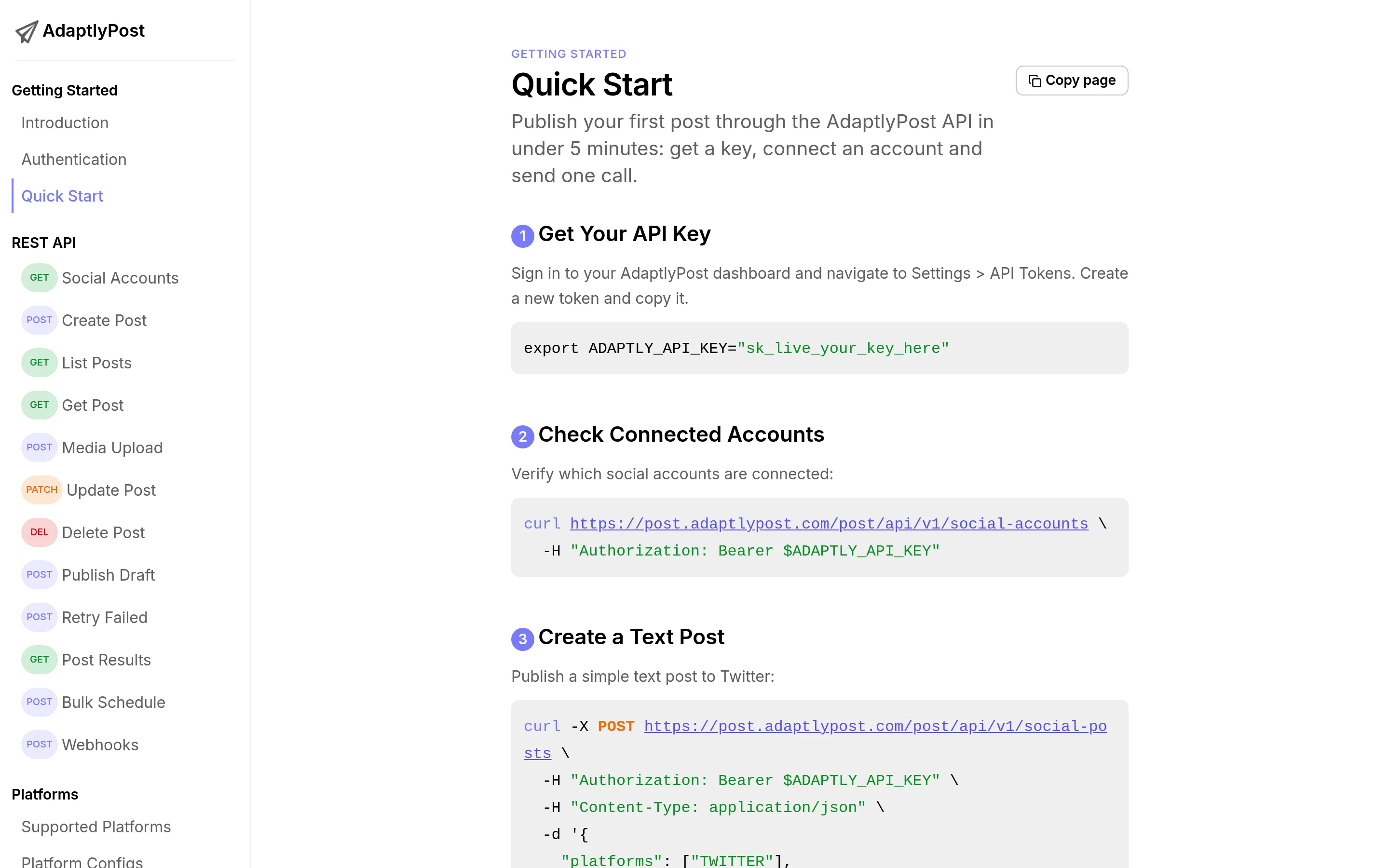
Installing the AdaptlyPost Grok bot template takes about three minutes. Open the share link in Grok Bot, create an adaptly_ API token, paste it into the credential field, and ask the bot to list your connected accounts.
adaptly_.GET /social-accounts and reads back the platforms it can publish to. If that returns nothing, connect the accounts in AdaptlyPost first.Step 2 is the one people skip. Connecting a social account and creating an API token are separate jobs, and the Bot can only see accounts you have already connected in AdaptlyPost. The quick start guide covers the token and the first call.
What can the bot actually do once it is installed?
The bot can list accounts, upload media, schedule posts, bulk-schedule up to 100 at a time, read per-platform results, and retry failures. Those six calls are the entire surface the skill uses, out of 41 in the public API.
| Call | What it does | When the bot uses it |
|---|---|---|
GET /social-accounts | Lists connected platforms and connection IDs | First, every session |
POST /upload-urls | Returns presigned upload URLs for media | Before any image or video post |
POST /social-posts | Creates a post: now, scheduled, or draft | The main one |
POST /social-posts/bulk | Schedules up to 100 posts in one call | Filling a week of content |
GET /social-posts/{id}/results | Per-platform publishing outcome | After anything goes out |
POST /social-posts/{id}/retry | Retries only the platforms that failed | When one network rejects a post |
The eleven supported networks come from the spec itself: Facebook, Instagram, Threads, TikTok, X, Bluesky, Mastodon, Google Business Profile, LinkedIn, Pinterest and YouTube. You can read the whole contract without an account at https://post.adaptlypost.com/post/api/v1/openapi.json.
Should I add the routine?
Add the routine only after the skill works on manual requests for a few days. Grok Bot routines are usually taught by demonstration. xAI describes it as "Ask a Bot to follow along as you complete a workflow once. It saves it as a routine and runs it on its own next time." A written routine works too, and for API-driven work it is more precise.
This is the one shipped with the template:
Name:      Repost my X posts everywhere
Schedule:  every hour
What:      Check my X profile for new original posts, not replies and not
           reposts. For each new one since the last run, cross-post the text
           through AdaptlyPost to LinkedIn, Threads, Facebook and Bluesky.
           Skip posts that are only a link or a poll. Never repost the same
           post twice: keep the mirrored post IDs in working memory.
Approval:  the first three runs need my approval per post, then post
           automatically.
If empty:  do nothing, send no notification.
The "never repost the same post twice" line is not optional. An hourly routine with no idempotency check will mirror the same post every hour until someone notices. The approval ramp is there for the same reason: three supervised runs are enough to see whether the Bot's idea of "original post" matches yours.
What does a template not carry?
A template carries configuration, not credentials, not conversations, and not your connected accounts. When you add the AdaptlyPost template you get the profile, the skill text and the routine. You do not get the creator's API token, their AdaptlyPost account, their social connections, or anything either of us said in a chat. Your Bot starts empty and posts to your accounts only.
That cuts both ways, and it is why the install has a step 2. There is no shortcut where a template arrives pre-authenticated.
- Name, title, description, avatar
- The skill text
- The routine definition
- API tokens or passwords
- The creator's chat history
- Connected social accounts
- Anything the creator's Bot remembered
That last point is the practical safety advice. xAI's own disclaimer says a shared bot "may act on your behalf", and it is right to. A skill is instructions, and instructions can tell a Bot to send your data somewhere. The skill text is readable English, so read it.
What breaks in the first week?
Facebook, TikTok, Pinterest and timezones cause almost every first-week failure with the AdaptlyPost Grok bot template, because each one needs a field the others do not.
Facebook pages use pageId, not a connection ID, so a bot that treats every platform identically will fail on Facebook alone and succeed everywhere else. TikTok rejects posts without privacyLevel. A Pinterest post without boardId lands on a public board named AdaptlyPost, so pass an id from GET /social-accounts/{id}/pinterest-boards when the board matters. Timezones are the quiet one: scheduledAt without a matching timezone schedules against the server's idea of time, not yours. And the retry endpoint only retries the platforms that failed, so calling it twice does not double-post the ones that worked.
Frequently asked questions
Do I need a paid plan to use a Grok bot template?
Yes. Grok Bot requires an eligible subscription, which at launch meant SuperGrok, SuperGrok Plus or SuperGrok Heavy, or Cursor Pro, Pro+ or Ultra, or Cursor Teams Standard or Premium. Entry pricing on x.ai/bot is $20 a month for Cursor and $30 a month for SuperGrok. The template itself is free.
Does the Grok bot post without asking me?
No. The AdaptlyPost skill instructs the bot to confirm the target platforms, the exact text and the schedule time before any call that publishes, and to never post to a platform you did not name. The shipped routine also requires per-post approval for its first three runs.
Can I edit the template after installing it?
Yes. Once a template is added it is your Bot. You can rewrite the skill text, change the routine schedule, drop the routine entirely, or point the skill at different endpoints. Edits stay local to your copy and never reach the original.
AdaptlyPost
Start Your 7-Day Free Trial
All-platform analytics
Social Inbox
AI-powered assistant
What happens if I revoke the API token?
Every call the bot makes returns 401 and publishing stops immediately. Revoking the token in AdaptlyPost is the fastest way to cut a bot off, and it leaves your social account connections untouched.
How many posts can the bot schedule at once?
The bot can schedule 100 posts in a single POST /social-posts/bulk call. For larger batches it splits them across calls. Per-platform limits still apply after that, because each network enforces its own posting rate.
Is there an official directory of Grok bot templates?
No. SpaceXAI has not announced a marketplace. Independent directories appeared within about a week of the 28 August announcement, including rankmybot.com, which states outright that it is independent of SpaceXAI. Treat all of them as unvetted.
Which platform should I set up first?
Start with the network you post to most, because the template covers all eleven and the platform-specific fields are where the time goes. There are step-by-step guides for Instagram, Facebook, LinkedIn, X and TikTok. For templates beyond AdaptlyPost, groktemplates.dev indexes them by use case. Meta's agent takes a different route entirely, covered in the Meta Muse connector guide.
OpenAI's always-on agent reaches the same eleven networks through an OpenAI dots plugin for social media posting, and Cue, the Manus app, through a Manus Cue connector for social media posting.
Install the AdaptlyPost Grok bot template and post to eleven networks from a chat, or read the API docs first.
Sources: x.ai/bot, Introducing Grok Bot (11 August 2026), @bot on X (28 August 2026), and the AdaptlyPost OpenAPI spec. Checked 30 August 2026.
Put this into practice with AdaptlyPost
Was This Article Helpful?
Let us know what you think!
See us more often in Google
One click marks AdaptlyPost as a preferred source, so our articles sit higher in your Top Stories, AI Mode, and AI Overviews.
Before you go...
AdaptlyPost
Schedule your content across all platforms
Manage all your social media accounts in one place with AdaptlyPost.
All-platform analytics
Social Inbox
AI-powered assistant
Related Articles
Publish to Pages With a Grok Bot Template for Facebook Posting
A Grok bot template for Facebook posting publishes to Pages from a chat message. Facebook is the one network that uses pageId instead of a connection ID, and that single difference breaks most first attempts.
Post Reels and Carousels With a Grok Bot Template for Instagram Posting
A Grok bot template for Instagram posting schedules Feed posts, Reels and Stories from one chat message. What postType does, why Reels need a video URL, and the three fields people forget.
Ship Weekly Updates With a Grok Bot Template for LinkedIn Posting
A Grok bot template for LinkedIn posting needs almost no platform config, which makes it the fastest of the eleven networks to automate. What that means in practice, and how to run a weekly routine.