
TL;DR, Quick Answer
8 min readFacebook phone number search depends on individual privacy settings. Most users can only be found by friends or contacts. Adjust your own settings to control visibility.
Typing a number into the search bar and getting nothing back is the normal outcome of a Facebook phone number search now. Whether it works at all rests on privacy settings the other person controls, and Meta has narrowed those options year after year.
How it works now
Facebook permits users to locate others via phone numbers, but only when the target individual's privacy preferences allow it. When you enter a phone number into Facebook's search, the platform verifies whether that person has opted in to phone-based lookups through their account settings.
Present-Day Search Restrictions
Facebook has progressively tightened phone number search functionality in response to privacy concerns:
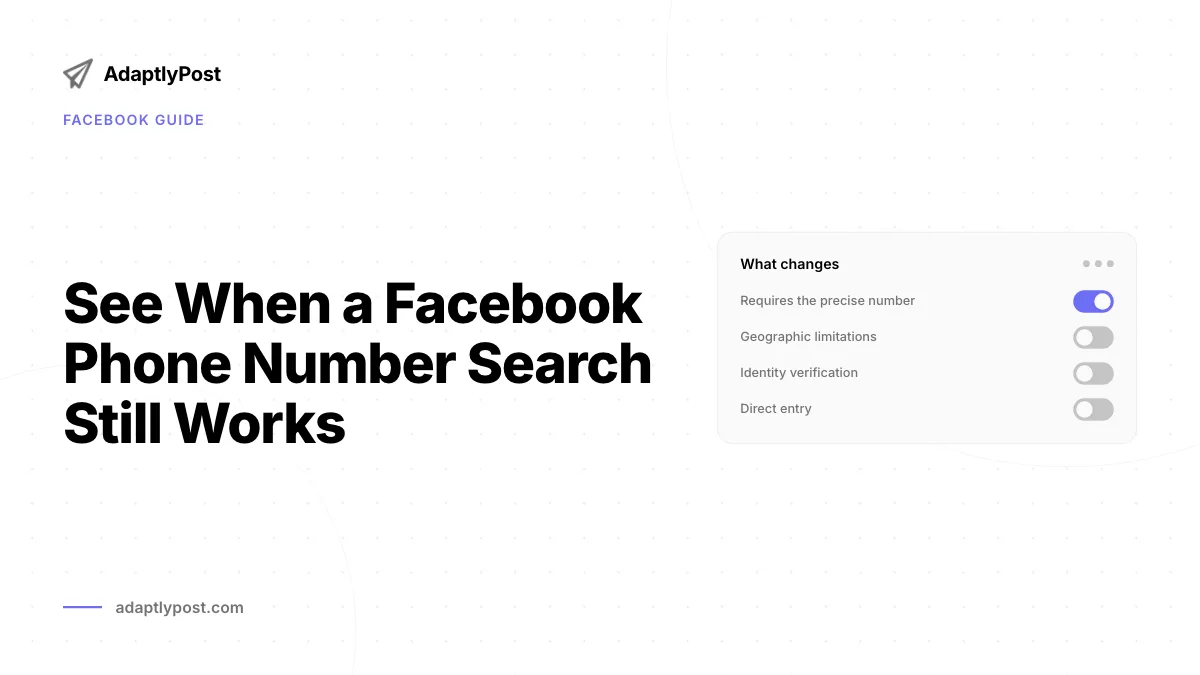
- Typically restricted to friends and existing contacts
- Requires the precise number as stored in your contact list
- Governed by each user's privacy configuration
- Geographic limitations may further restrict results
- Identity verification may be required before searching
- Fewer privacy layers between a number and a profile
- Search reached more of the user base
- Fewer format and identity checks
- Restricted to friends and existing contacts
- Requires the precise number as saved in your contacts
- Governed by each user's own privacy configuration
- Geographic limits and identity verification may apply
Searching by Phone Number: Three Approaches
Approach 1: Direct Search Bar Entry
- Launch Facebook
- Navigate to Facebook.com or open the mobile application
- Confirm you are logged into your account
- Enter the Number in the Search Field
- Click or tap the search bar at the top of the screen
- Type the phone number in the same format you have saved
- Experiment with formats: (555) 123-4567, 555-123-4567, +1 555 123 4567
- Evaluate the Results
- Matching profiles will appear if their privacy settings permit
- Results may be limited or absent based on the other person's configuration
- A "No results" response is common even when the person has an account
Approach 2: Contact Synchronization
- Upload Your Contacts
- Open Facebook Settings
- Navigate to "Mobile" or "Upload Contacts"
- Grant Facebook permission to access your phone's address book
- Browse Friend Suggestions
- Go to the "Find Friends" area
- Facebook will surface recommendations based on your uploaded contacts
- Scan the suggestions for the person you are trying to reach
- Privacy Consideration
- This process works in both directions
- People in your contact list can discover you through the same mechanism
- Weigh the privacy trade-off before uploading your address book
Approach 3: Indirect Discovery
- Review Your Suggested Connections
- Examine Facebook's "People You May Know" suggestions
- Individuals you have communicated with may appear here
- Recommendations factor in shared contacts and phone data
- Explore Mutual Connections
- When you identify shared friends
- Browse their friends lists
- Search for the specific person among those connections
Privacy Settings That Control Phone-Based Discovery
Understanding Your Own Controls
These settings determine who can locate your profile using your number:
| Configuration | Navigation Path | Function |
|---|---|---|
| Phone Number Visibility | Settings > Privacy > Phone | Determines who can view your number on your profile |
| Phone-Based Lookup | Settings > Privacy > How People Find You | Determines who can find you through your phone number |
| Contact Sync Access | Settings > Privacy > Apps and Websites | Controls whether your data surfaces in other people's contact imports |
Modifying Your Settings
- Restrict Phone Number Lookups
- Navigate to Settings & Privacy > Settings
- Select "Privacy" from the sidebar
- Open "How people can find and contact you"
- Change "Who can look you up using the phone number you provided?" to "Friends" or "Only me"
- Manage Phone Number Display
- Visit your Profile
- Open "About" > "Contact and Basic Info"
- Adjust the privacy level for your phone number
- Options include: Public, Friends, Only me
- Control Contact Synchronization
- Go to Settings > Privacy > Apps and Websites
- Disable "Apps others use" to limit how your data is shared
- Audit which applications can access your contact information
Other Ways to Locate Someone
When phone number searches come up empty, consider these alternatives:
Email Address Search
- Try entering their email instead
- Subject to the same privacy restrictions
- Frequently yields better results than phone lookups
Name Combined with Location Details
- Search using their full name
- Add a city, employer, or school to narrow results
- Take advantage of Facebook's advanced search filters
Shared Connections
- Browse the friend lists of people you both know
- Look through tagged photos of mutual acquaintances
- Search through overlapping social circles
Cross-Platform Connections
- Check LinkedIn for professional profiles
- Determine whether they have linked accounts across platforms
- Look for connected profiles between services
Protecting Your Own Phone Number
Ongoing Privacy Maintenance
- Audit Your Settings Periodically
- Review privacy configurations at least once a month
- Update settings after any Facebook policy changes
- Verify who has the ability to discover your profile
- Be Selective About Sharing
- Avoid posting phone numbers publicly
- Think carefully before granting contact upload permissions
- Regularly review application permissions
- Strengthen Account Security
- Enable two-factor authentication
- Use an authenticator app rather than SMS verification when possible
- Do not depend solely on text message codes for security
How Facebook Collects Phone Data
Facebook obtains your phone information through these channels:
- Direct entry when you manually add your number to your profile
- Contact imports performed by your friends and acquaintances
- Third-party application integrations you have authorized
- Partner data from affiliated companies
- WhatsApp and Instagram cross-platform connections
Resolving Search Problems
Reasons a Search Might Fail
- Privacy Configurations
- The person has disabled phone number searches
- Their account is configured for maximum privacy
- They have specifically blocked phone-based lookups
- Number Format Issues
- Try entering the number in different formats
- Add or remove the country code
- Double-check for input errors
- Account Status Problems
- The profile may be deactivated or suspended
- The phone number on file may be outdated
- The person may maintain multiple accounts
Interpreting Error Responses
| Message | Explanation | Recommended Action |
|---|---|---|
| "No results found" | Either no match exists or privacy settings block the result | Attempt alternative search methods |
| "Please verify your account" | Facebook requires additional identity confirmation | Complete the verification process |
| "Search unavailable" | The feature is experiencing a temporary disruption | Retry after some time |
Ethical and Legal Dimensions

Honoring Other People's Privacy
- Seek Consent
- Request permission before actively searching for someone
- Accept and respect their privacy decisions
- Never misuse any information you obtain
- Maintain Legitimate Intent
- Use the feature to reconnect with friends or family
- Professional networking is appropriate when consent exists
- Family reunion efforts are a natural use case
- Avoid Harmful Behavior
- Never use search capabilities for stalking or harassment
- Honor explicit requests for no contact
- Comply with all applicable local privacy regulations
Applicable Data Protection Frameworks
Privacy protections differ by jurisdiction:
- GDPR (European Union): Requires explicit consent for data processing
- CCPA (California): Grants consumers control over personal data
- Other jurisdictions: Local privacy statutes apply and may impose additional requirements
Applications for Businesses and Professionals
Appropriate Business Applications
- Customer Support
- Directing customers to your official business page
- Offering assistance through social media channels
- Strengthening customer relationships through direct engagement
- Professional Networking
- Connecting with contacts after meetings or events
- Following up on business conversations
- Developing ongoing professional relationships
- Event Coordination
- Identifying attendees for event invitations
- Forming event-specific community groups
- Connecting participants before, during, and after events
Professional Best Practices
- Always Obtain Permission
- Build opt-in mechanisms for social media connections
- Clearly explain how contact data will be used
- Offer straightforward opt-out pathways
- Rely on Professional Tools
- Facebook Business Manager for business-related outreach
- LinkedIn for professional networking needs
- Proper CRM platforms for contact management
- Maintain Appropriate Boundaries
- Avoid sending mass friend requests
- Preserve a clear line between business and personal profiles
- Follow all platform-specific usage guidelines
Summary
While Facebook's phone number search capability can help reconnect people, responsible and respectful use is essential. The platform has implemented safeguards to protect user privacy, which means phone-based searches frequently produce limited or no results.
The core takeaway is understanding how privacy settings operate and configuring your own account to match your personal comfort level. Whether you prefer to be easily discoverable or want maximum privacy, Facebook provides the necessary controls.
Often, the most reliable way to connect with someone remains simply asking them directly or leveraging mutual acquaintances.
Privacy Quick-Reference Checklist
To safeguard your phone number:
- Configure phone number lookup to "Friends only" or "Only me"
- Remove your phone number from public profile display
- Review and adjust contact import permissions
- Activate two-factor authentication
- Revisit these settings monthly
Before searching for someone else:
- Consider requesting their permission first
- Accept their privacy preferences without attempting workarounds
- Conduct searches only for genuine, legitimate reasons
- Explore other connection methods before resorting to phone lookups
Frequently Asked Questions
Why does a Facebook phone number search return no results?
Most searches fail because the person's privacy settings block phone-based lookup, not because Facebook can't find a match. A "No results" message appears even when the account is active and the phone number is correct. Try a different format, add or remove the country code, or use another search method described in this guide.

AdaptlyPost
Start Your 7-Day Free Trial
All-platform analytics
Social Inbox
AI-powered assistant
Can people find my profile using my phone number?
Only if your privacy setting for "Who can look you up using the phone number you provided?" allows it. Go to Settings & Privacy > Settings > Privacy > How people can find and contact you and change that option to Friends or Only me. This is the setting that controls phone-based discovery of your account.
What phone number format works best for a Facebook search?
Enter the number the same way it is saved in your contact list, since Facebook matches against that exact format. If nothing turns up, experiment with formats like (555) 123-4567, 555-123-4567, or +1 555 123 4567. Adding or removing the country code sometimes changes the result.
Is uploading my contacts the same as searching by phone number?
Not quite. Contact synchronization uploads your address book so Facebook can suggest friends, rather than searching for one specific number. Keep in mind the process works both ways, so anyone with your number in their contacts can discover you through the same feature.
Why do I get "Please verify your account" instead of search results?
The verification prompt means Facebook wants additional identity confirmation before it runs the phone-based lookup. Complete the verification steps Facebook presents, then repeat the search. This check exists alongside the recipient's own privacy settings, so verification alone will not guarantee a match.
Does searching by email work better than searching by phone number?
Email search is subject to the same privacy restrictions as phone search, but it frequently yields better results. If a phone number search comes up empty, try the person's email address, or add their city, employer, or school to a name search instead.
How do I stop others from finding me by phone number?
Set "Who can look you up using the phone number you provided?" to Friends or Only me. Then adjust the phone number visibility on your profile under About > Contact and Basic Info. Reviewing app and contact-sync permissions under Settings > Privacy > Apps and Websites closes another path people use to find you.
Is it legal to search for someone by their phone number on Facebook?
Facebook's own lookup feature respects the target's privacy settings, so any search you run stays within what that person has already permitted. Broader data protection rules still apply depending on where you and the other person are located, including GDPR in the European Union and the CCPA in California. Use the feature for legitimate reasons and respect a "no contact" request if you receive one.
Why does "People You May Know" suggest someone I only have a phone number for?
Facebook builds that suggestion list from shared contacts and phone data it has collected, including numbers uploaded during contact sync. It's a form of indirect discovery rather than a direct search, so it can surface a match even when a direct phone number search returns nothing.
What should I do before searching for someone's profile by phone number?
Consider asking permission first, since the whole point of the privacy settings this guide covers is letting people control their own discoverability. If you search anyway and find nothing, respect that outcome as their choice rather than trying workarounds. Mutual friends or a direct message are often more reliable anyway.
Put this into practice with AdaptlyPost
Was This Article Helpful?
Let us know what you think!
See us more often in Google
One click marks AdaptlyPost as a preferred source, so our articles sit higher in your Top Stories, AI Mode, and AI Overviews.
Before you go...
AdaptlyPost
Schedule your content across all platforms
Manage all your social media accounts in one place with AdaptlyPost.
All-platform analytics
Social Inbox
AI-powered assistant
Related Articles
Understand What Happens When You Restrict Someone on Instagram
Curious what happens when you restrict someone on Instagram? Their comments hide, DMs move to requests, no alert fires. Plus when blocking is the better call.

Answered in Context - How Do You Introduce Someone on LinkedIn Example
Ask both sides first, then write the message: who each person is, why they should meet, and what happens next. Templates and common missteps included.


Learn How to Share a Video on Facebook Without Friction
Where a Facebook video share lands changes who sees it. Feed, Stories, Messenger, and Groups compared, with step-by-step routes for desktop and mobile.