
TL;DR, Resposta Rápida
8 min de leituraTikTok Live Studio é um aplicativo gratuito para desktop que permite transmitir ao vivo no TikTok pelo seu computador com recursos profissionais como compartilhamento de tela, múltiplas cenas e sobreposições de câmera.
O Que É o TikTok Live Studio?
Os criadores que transmitem a partir de um computador em vez de um celular perguntam o que é o TikTok Live Studio, e a resposta é um aplicativo gratuito de transmissão para desktop do TikTok. Diferente de transmitir ao vivo pelo aplicativo móvel, o TikTok Live Studio oferece ferramentas de transmissão de nível profissional, incluindo suporte a múltiplas câmeras, compartilhamento de tela, cenas personalizadas, sobreposições de texto e imagem e gerenciamento de chat.
O aplicativo foi criado para criadores que querem produzir transmissões ao vivo de qualidade superior ao que é possível apenas com um smartphone. Ele funciona como a resposta do TikTok a ferramentas de transmissão de terceiros como o OBS Studio, mas totalmente integrado à plataforma TikTok.
- Ângulo de câmera único
- Sem troca de cenas
- Opções limitadas de sobreposição
- Suporte a múltiplas câmeras
- Compartilhamento de tela
- Cenas e sobreposições personalizadas
Principais Recursos do TikTok Live Studio
| Recurso | Descrição |
|---|---|
| Múltiplas cenas | Alterne entre diferentes layouts durante uma transmissão |
| Compartilhamento de tela | Compartilhe sua área de trabalho, janelas específicas ou aplicativos |
| Integração de câmera | Use webcams externas e placas de captura |
| Sobreposições de texto e imagem | Adicione gráficos, logos e texto à sua transmissão |
| Gerenciamento de chat | Veja e modere o chat ao vivo dentro do aplicativo |
| Mixer de áudio | Controle os níveis de áudio de múltiplas fontes |
| Modos paisagem e retrato | Transmita no formato horizontal ou vertical |
| Integração direta com o TikTok | Vá ao vivo sem stream key ou configuração de terceiros |
Requisitos para Usar o TikTok Live Studio
Requisitos de Conta
- Você deve ter pelo menos 18 anos.
- Sua conta precisa de pelo menos 1.000 seguidores para acessar a transmissão ao vivo no TikTok.
- Sua conta deve estar em boa situação, sem violações recentes das diretrizes da comunidade.
Requisitos do Sistema
- Sistema Operacional: Windows 10 ou posterior (o suporte ao macOS pode variar por região)
- Processador: Intel i5 ou equivalente
- RAM: 8 GB no mínimo, 16 GB recomendado
- Internet: Velocidade de upload estável de pelo menos 5 Mbps, recomendado 10+ Mbps
- Câmera: Webcam interna ou externa
- Microfone: Microfone interno ou externo
- Windows 10
- Intel i5 ou equivalente
- 8 GB de RAM
- Upload de 5 Mbps
- Windows 10 ou posterior
- Intel i5 ou superior
- 16 GB de RAM
- Upload de 10+ Mbps
Como Configurar o TikTok Live Studio
Passo 1: Baixe o Aplicativo
Acesse o site oficial do TikTok ou a loja de aplicativos para baixar o TikTok Live Studio. Instale-o no seu computador seguindo o processo de instalação padrão.
Passo 2: Faça Login na Sua Conta TikTok
Abra o aplicativo e faça login com suas credenciais do TikTok. O TikTok pode pedir que você verifique sua identidade escaneando um código QR com o aplicativo móvel do TikTok.
Passo 3: Configure Sua Cena
Monte sua cena de transmissão adicionando fontes. Clique no botão "+" no painel de fontes para adicionar sua câmera, compartilhamento de tela, imagens, texto ou outra mídia. Organize esses elementos na janela de pré-visualização para criar o layout desejado.
Passo 4: Ajuste as Configurações de Áudio
Configure seu microfone e outras fontes de áudio no mixer de áudio. Defina os níveis de volume adequados e teste seu áudio antes de ir ao vivo.
Passo 5: Defina os Detalhes da Sua Transmissão
Adicione um título para sua transmissão ao vivo, selecione uma categoria e configure preferências adicionais, como moderação de chat. Um título atraente ajuda a atrair espectadores quando sua transmissão aparece no feed do TikTok.
Passo 6: Vá ao Vivo
Quando tudo estiver configurado, clique no botão "Go Live". Sua transmissão começará a ser exibida para seus seguidores no TikTok e pode aparecer na página Para Você para novos espectadores.
Dicas para Transmissões ao Vivo Profissionais
A Qualidade do Áudio é o que Mais Importa
Os espectadores toleram um vídeo imperfeito, mas um áudio ruim afasta as pessoas rapidamente. Invista em um microfone externo, mesmo que seja um microfone condensador USB acessível, e teste os níveis antes de cada transmissão.
A Iluminação Faz Diferença
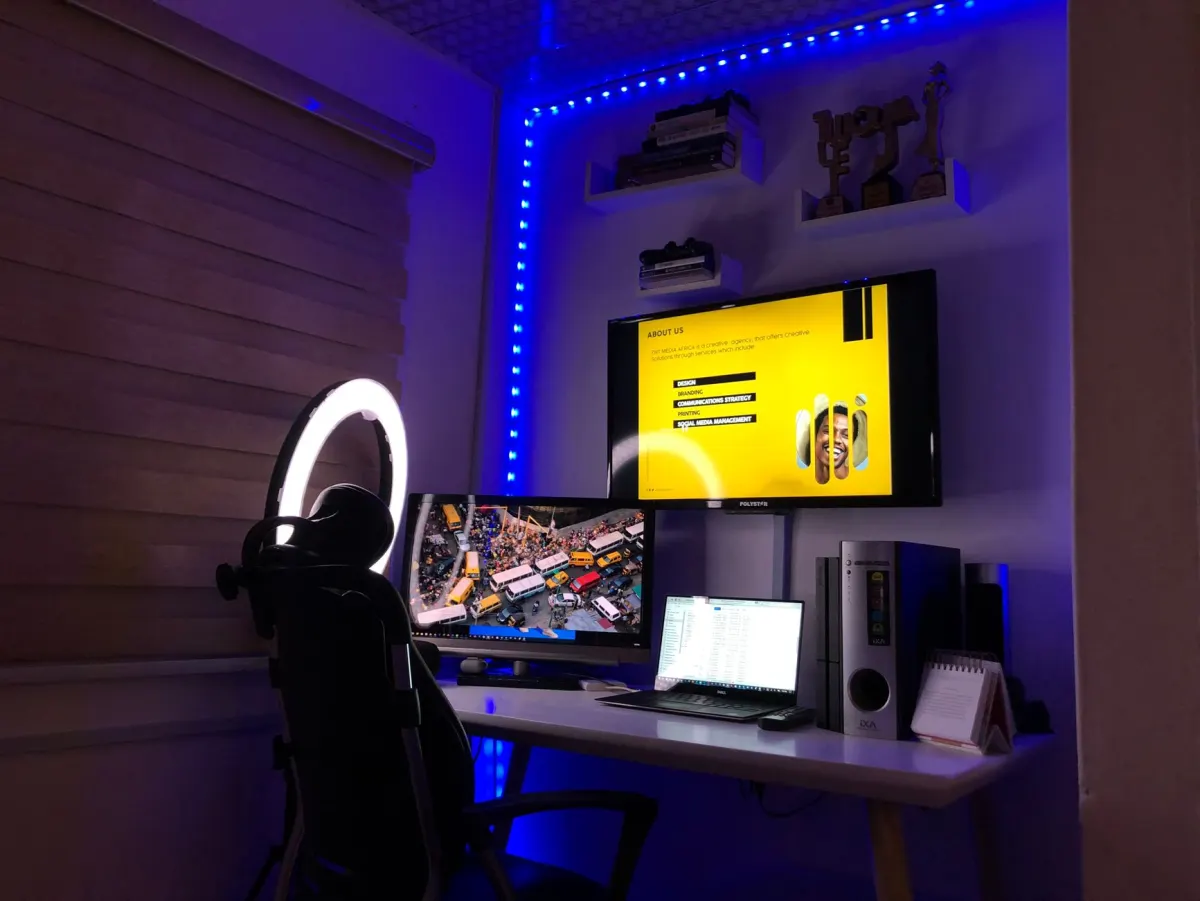
Posicione uma fonte de luz na sua frente, não atrás de você. Um ring light ou uma luminária de mesa na altura dos olhos cria uma iluminação favorecedora e uniforme, com aspecto profissional sem a necessidade de equipamento caro.

Interaja Ativamente com o Chat
O sucesso de uma transmissão ao vivo depende da interação. Leia e responda aos comentários, chame os espectadores pelo nome e faça perguntas que incentivem a participação. Espectadores engajados ficam mais tempo e voltam.
Planeje o Seu Conteúdo
Entrar ao vivo sem um plano leva a divagações, pausas desconfortáveis e abandono precoce dos espectadores. Esboce os tópicos que deseja abordar, prepare com antecedência qualquer demonstração ou compartilhamento de tela e tenha uma estrutura clara para a sua transmissão.
Use Múltiplas Cenas
Pré-configure diferentes layouts de cena para diferentes momentos da sua transmissão. Alterne entre uma visão de câmera completa, uma visão de compartilhamento de tela e um layout lado a lado para manter a experiência visual dinâmica e envolvente.

AdaptlyPost
Comece seu teste grátis de 7 dias
Análises multiplataforma
Caixa Social
Assistente com IA
Transmita com Consistência
Construa uma audiência transmitindo em um horário regular. Avise seus seguidores quando esperar suas transmissões para que eles possam se organizar para assistir. A consistência cria hábito e fidelidade.
TikTok Live Studio vs. OBS Studio
| Recurso | TikTok Live Studio | OBS Studio |
|---|---|---|
| Preço | Gratuito | Gratuito |
| Integração com o TikTok | Nativa, sem atritos | Requer configuração de chave de stream |
| Transmissão multiplataforma | Somente TikTok | Qualquer plataforma |
| Ecossistema de plugins | Limitado | Extenso |
| Curva de aprendizado | Baixa | Moderada a alta |
| Recursos avançados | Básicos a moderados | Nível profissional |
O TikTok Live Studio é ideal para criadores que transmitem exclusivamente no TikTok e querem uma configuração simples. O OBS Studio oferece recursos mais avançados e capacidade de transmissão multiplataforma para criadores com necessidades mais complexas.
Monetização Durante Transmissões ao Vivo
O TikTok Live permite que os criadores ganhem dinheiro por meio de presentes virtuais que os espectadores compram e enviam durante as transmissões. Esses presentes podem ser convertidos em ganhos reais. Para maximizar a receita com presentes, crie momentos envolventes que inspirem generosidade, reconheça quem envia presentes e construa uma comunidade que valorize apoiar os criadores.
As transmissões ao vivo também funcionam como ferramentas poderosas para promover produtos, direcionar tráfego para outros conteúdos e construir o tipo de audiência engajada que sustenta o ROI de redes sociais a longo prazo.
Posso usar o TikTok Live Studio em um Mac?
O suporte para Mac no TikTok Live Studio varia por região e é menos disponível do que o suporte para Windows. Consulte os recursos oficiais do TikTok para obter as informações mais recentes sobre compatibilidade. Se não estiver disponível, o OBS Studio com uma chave de stream do TikTok é a alternativa mais comum.
Preciso de 1.000 seguidores para usar o TikTok Live Studio?
Você precisa de 1.000 seguidores para entrar ao vivo no TikTok por qualquer método, incluindo o TikTok Live Studio. É possível baixar e configurar o aplicativo antes de atingir esse limite, mas você não poderá transmitir até cumprir o requisito de seguidores.
Posso salvar minhas transmissões ao vivo do TikTok?
Sim. O TikTok Live Studio grava sua transmissão localmente enquanto ela está no ar. Você também pode salvar transmissões pelas configurações da plataforma do TikTok. Transmissões salvas podem ser reaproveitadas como conteúdo em vídeo para outras plataformas.
Como aumento o número de espectadores no TikTok Live?
Divulgue sua próxima transmissão no seu perfil do TikTok e em outras redes sociais com antecedência. Comece a transmitir nos horários em que seu público está mais ativo. Use um título atrativo, interaja constantemente com o chat e crie momentos compartilháveis que incentivem os espectadores a convidar amigos.
Complemente Sua Estratégia de Lives com o AdaptlyPost
Enquanto o TikTok Live Studio cuida da sua transmissão em tempo real, o AdaptlyPost constrói a presença de conteúdo consistente que faz sua audiência crescer entre as transmissões ao vivo. Agende posts, planeje seu calendário de conteúdo e garanta que sua estratégia no TikTok funcione o tempo todo.
Perguntas Frequentes
O TikTok Live Studio é gratuito?
O TikTok Live Studio é um aplicativo de desktop gratuito do TikTok. Não há custo de compra ou assinatura para baixar e usar, embora você ainda precise atender aos requisitos de conta e sistema para transmitir.
Preciso de uma chave de transmissão para usar o TikTok Live Studio?
O TikTok Live Studio se conecta diretamente à sua conta do TikTok, então você não precisa de uma chave de transmissão nem de uma configuração de terceiros como no OBS Studio. Essa integração direta é um dos principais motivos pelos quais criadores o escolhem em vez de uma ferramenta de streaming genérica.
Posso usar uma webcam externa com o TikTok Live Studio?
O TikTok Live Studio suporta webcams externas e placas de captura por meio de seu recurso de integração de câmera. Isso permite trazer vídeo de qualidade superior à câmera embutida de um notebook ou adicionar vários ângulos de câmera à transmissão.
Como faço login no TikTok Live Studio?
Abra o aplicativo e entre com suas credenciais do TikTok. O TikTok pode pedir que você verifique sua identidade escaneando um código QR com o aplicativo móvel do TikTok.
O TikTok Live Studio transmite em formato vertical?
O TikTok Live Studio suporta os modos paisagem e retrato, então você pode transmitir na horizontal ou na vertical conforme o formato desejado. O modo retrato combina com a forma como a maioria dos espectadores segura o celular ao assistir no TikTok.
Quais especificações de computador o TikTok Live Studio exige?
O TikTok Live Studio roda no Windows 10 ou superior com processador Intel i5 ou equivalente. Requer pelo menos 8 GB de RAM, embora 16 GB sejam recomendados para um desempenho mais fluido em transmissões mais longas.
AdaptlyPost
Comece seu teste grátis de 7 dias
Análises multiplataforma
Caixa Social
Assistente com IA
Posso transmitir para outras plataformas com o TikTok Live Studio?
O TikTok Live Studio transmite apenas para o TikTok. Se você quiser transmitir para várias plataformas ao mesmo tempo, o OBS Studio com uma chave de transmissão é a ferramenta certa para isso, já que pode transmitir para qualquer plataforma.
Qual velocidade de upload preciso para o TikTok Live Studio?
O TikTok Live Studio precisa de uma velocidade de upload estável de pelo menos 5 Mbps, com 10 Mbps ou mais recomendados para melhor qualidade de transmissão. Uma conexão mais lenta pode causar quedas de quadros ou travamentos para os espectadores.
Posso moderar o chat de dentro do TikTok Live Studio?
O TikTok Live Studio inclui ferramentas de gerenciamento de chat que permitem visualizar e moderar o chat ao vivo sem sair do aplicativo. Isso evita que você fique alternando entre janelas enquanto também gerencia câmera, cenas e áudio.
Como funcionam os presentes virtuais durante uma transmissão do TikTok Live?
Os espectadores compram presentes virtuais e os enviam durante a transmissão, e esses presentes podem ser convertidos em ganhos reais. Reconhecer quem enviou presentes ao vivo e construir uma comunidade em torno do apoio a criadores aumenta o quanto os espectadores doam.
Coloque isso em prática com o AdaptlyPost
Este artigo foi útil para você?
Conte-nos o que você achou!
Veja-nos mais no Google
Um clique marca a AdaptlyPost como fonte preferida e nossos artigos passam a aparecer mais acima nas suas Principais notícias, no modo IA e nas visões gerais com IA.
Antes de ir...
AdaptlyPost
Agende seu conteúdo em todas as plataformas
Gerencie todas as suas contas de redes sociais em um só lugar com o AdaptlyPost.
Análises multiplataforma
Caixa Social
Assistente com IA
Termos relacionados do glossário
Requisitos do Fundo de Criadores do TikTok: Elegibilidade e Como se Inscrever
Mínimo de seguidores, volume de visualizações e conta em dia: o que o Fundo de Criadores do TikTok exige, quanto costuma pagar e quais alternativas existem.


Por que o limite de caracteres da legenda do TikTok é medido em runas UTF-16
O limite de caracteres da legenda do TikTok é de 2200 runas UTF-16 no vídeo e 90 no título de uma foto. Um único emoji pode custar onze runas.


Combine IA e Criação de Conteúdo Sem Perder a Voz
Texto, imagem, vídeo e edição entram no mesmo fluxo: como combinar IA e criação de conteúdo para redes sociais sem perder a voz da marca.
Artigos Relacionados


Resposta clara - O que significa batching de conteúdo
Agrupar tarefas iguais em um bloco reduz troca de contexto: o significado de batching, os tipos que funcionam para criadores e como começar.


Resposta em contexto - O que é body copy
O bloco de texto que sustenta o argumento e leva à ação: o que é body copy, quais elementos ele precisa ter e como encurtar tudo para uma legenda.
Resposta em contexto - O que significa Boomerang nas redes sociais
Um segundo de movimento em loop contínuo: o significado de boomerang, como gravar um e em que tipo de conteúdo ele ainda rende.