
TL;DR, Resposta Rápida
6 min de leituraAutomação de redes sociais usa ferramentas de software para lidar com tarefas repetitivas de redes sociais como agendamento de publicações, curadoria de conteúdo e geração de relatórios, liberando tempo para estratégia e engajamento.
O Que É Automação de Redes Sociais?
Esta visão geral coloca o tema Automatizar postagens de rede social em um contexto útil. Nem toda tarefa merece piloto automático, e automatizar postagens nas redes sociais funciona melhor quando o repetitivo sai e o humano fica. Isso inclui agendar publicações com antecedência, republicar automaticamente conteúdo evergreen, gerar relatórios de análise, monitorar menções e encaminhar consultas de clientes.
Automação não significa remover o elemento humano das redes sociais. Em vez disso, ela lida com as tarefas operacionais previsíveis e demoradas para que as equipes de marketing possam focar em estratégia, trabalho criativo e engajamento genuíno com o público.
Por Que a Automação de Redes Sociais Importa
Gerenciar uma presença nas redes sociais em múltiplas plataformas é inerentemente intensivo em tempo. Entre criação de conteúdo, publicação, monitoramento, respostas e análise, a gestão de redes sociais pode facilmente consumir um dia inteiro de trabalho. A automação resolve esse desafio simplificando fluxos de trabalho sem sacrificar qualidade ou consistência.
Os principais benefícios incluem:
- Economia de tempo em tarefas rotineiras como agendamento e relatórios
- Publicação consistente mesmo durante finais de semana, feriados e fora do horário comercial
- Redução de erro humano no timing e agendamento de publicação
- Escalabilidade para gerenciar mais plataformas e conteúdo sem aumentar proporcionalmente a equipe
- Melhores dados através de rastreamento e relatórios automatizados
- Criação de conteúdo, publicação, monitoramento, resposta e análise preenchem um dia inteiro de trabalho
- Surgem falhas nas publicações aos fins de semana e feriados
- Erros de horário se infiltram no agendamento manual
- Agendamento e relatórios funcionam sem trabalho manual diário
- Publicações saem no horário certo mesmo aos fins de semana e feriados
- O horário de publicação permanece consistente
O Que Automatizar (e o Que Não)
| Automatize | Não Automatize |
|---|---|
| Agendamento de publicações | Respostas em tempo real a clientes |
| Relatórios de análise | Comunicações de crise |
| Republicação de conteúdo | Tópicos sensíveis ou controversos |
| Alertas de monitoramento de menções | Engajamento personalizado |
| Rastreamento de links (UTMs) | Conversas de gestão de comunidade |
| Fluxos de aprovação de conteúdo | Decisões de estratégia criativa |
Capacidades Principais de Automação
Agendamento de Publicações
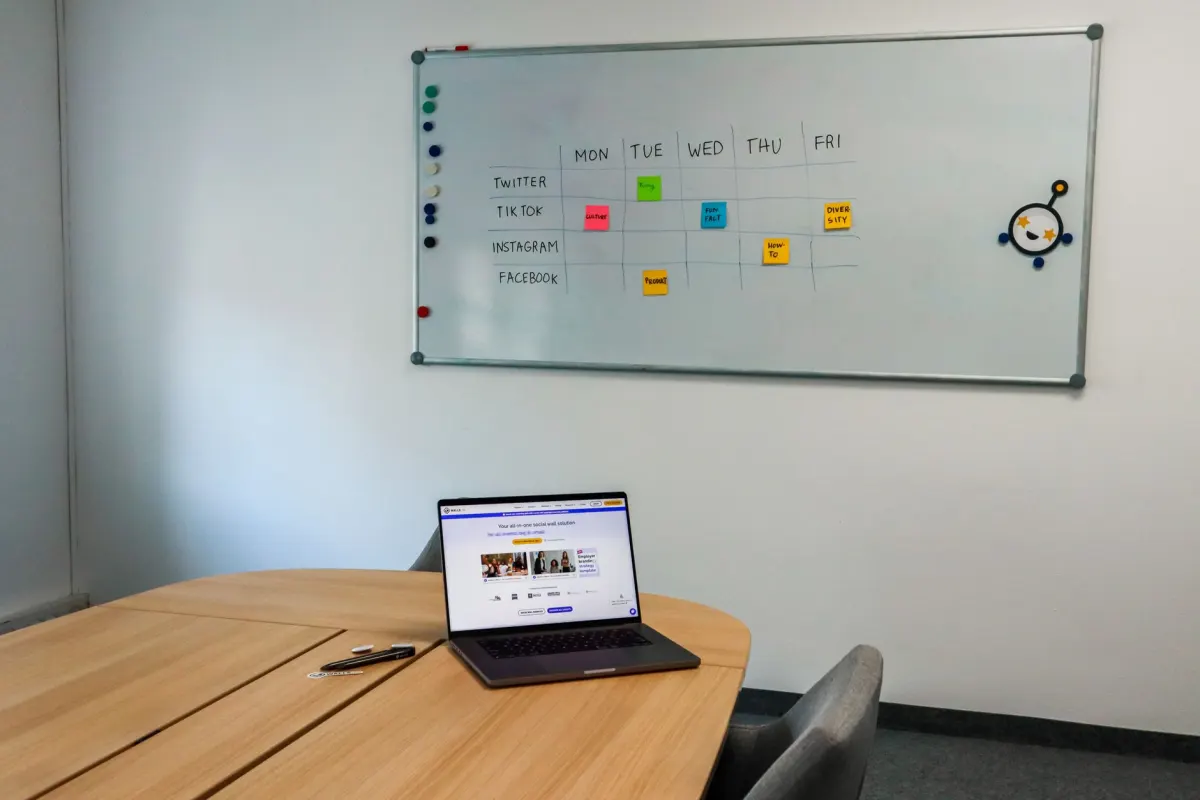
A forma mais fundamental de automação de redes sociais. Ferramentas de agendamento permitem planejar e enfileirar conteúdo com dias, semanas ou até meses de antecedência. As publicações são publicadas automaticamente nos horários especificados, garantindo consistência sem exigir que alguém esteja online a cada momento de publicação.
Curadoria de Conteúdo
Ferramentas de automação podem agregar e sugerir conteúdo relevante de toda a web com base nos seus tópicos e palavras-chave escolhidos. Isso ajuda a manter um pipeline de conteúdo constante enquanto reduz a carga de pesquisa da sua equipe.
Social Listening
Monitoramento automatizado rastreia menções à marca, atividade de concorrentes, palavras-chave do setor e sentimento nas plataformas. Alertas notificam quando atenção é necessária, para que você não precise buscar menções manualmente.
Relatórios e Análises
Relatórios automatizados compilam dados de desempenho em um cronograma programado, economizando horas de coleta manual de dados. Esses relatórios podem ser personalizados para focar nas métricas que mais importam para sua equipe e stakeholders.
Chatbots e Respostas Automáticas
Chatbots com IA lidam com consultas comuns de clientes nas plataformas sociais, fornecendo respostas instantâneas a perguntas frequentes enquanto encaminham questões complexas para membros humanos da equipe.
Como Implementar Automação de Redes Sociais
Passo 1: Audite Seu Fluxo de Trabalho Atual
Identifique quais tarefas consomem mais tempo e quais são mais repetitivas. Estas são suas candidatas principais para automação.
Passo 2: Escolha as Ferramentas Certas
Selecione ferramentas de automação que se integrem com suas plataformas e atendam às necessidades da sua equipe. Considere facilidade de uso, compatibilidade com plataformas, preço e recursos disponíveis.
Passo 3: Monte Sua Fila de Conteúdo
Crie uma biblioteca de conteúdo que possa ser agendado com antecedência. Inclua uma mistura de conteúdo promocional, educacional, de entretenimento e curado para manter a variedade.
Passo 4: Configure Monitoramento e Alertas
Configure monitoramento automatizado para menções à marca, palavras-chave relevantes e atividade de concorrentes. Estabeleça limites de alerta para ser notificado sobre picos ou problemas que requerem atenção.
Passo 5: Crie Fluxos de Aprovação
Se múltiplos membros da equipe contribuem para as redes sociais, configure processos de aprovação dentro da sua ferramenta de automação. Isso garante controle de qualidade enquanto mantém publicação eficiente.

AdaptlyPost
Comece seu teste grátis de 7 dias
Análises multiplataforma
Caixa Social
Assistente com IA
Passo 6: Monitore e Refine
Automação não é configurar e esquecer. Revise regularmente o desempenho automatizado, ajuste horários de publicação com base em dados de engajamento, atualize filas de conteúdo e refine seus fluxos de trabalho.

Melhores Práticas
- Mantenha o toque humano. A automação lida com a logística, mas engajamento genuíno requer pessoas reais. Sempre responda pessoalmente a comentários, perguntas e mensagens.
- Revise conteúdo agendado antes de ir ao ar. Eventos mundiais podem tornar conteúdo pré-agendado inadequado. Inclua pontos de verificação, especialmente durante períodos sensíveis.
- Personalize conteúdo para cada plataforma. Evite publicar automaticamente conteúdo idêntico em todas as plataformas. Cada plataforma tem sua própria cultura, requisitos de formato e expectativas do público.
- Use automação para melhorar, não substituir, sua estratégia. A automação deve liberar tempo para pensamento criativo e construção de relacionamentos, não eliminar essas atividades.
- Comece pequeno e escale. Comece com agendamento básico e gradualmente adicione mais automação à medida que se familiariza com as ferramentas e ganha confiança nos seus processos.
Perguntas Frequentes
Automação de redes sociais prejudica o engajamento?
Não quando feita corretamente. Automação que mantém cronogramas de publicação consistentes e libera tempo para engajamento genuíno pode realmente melhorar o engajamento geral. O risco vem da automação excessiva que faz sua presença parecer robótica.
É aceitável automatizar publicações em todas as plataformas?
Agendar publicações é aceitável em todas as plataformas. No entanto, cada plataforma deve receber conteúdo adaptado ao seu formato e público específicos. Publicar cegamente conteúdo idêntico em todas as plataformas é ineficaz independentemente de ser feito manualmente ou automaticamente.
Com quanta antecedência devo agendar conteúdo?
A maioria das marcas agenda 1-2 semanas de antecedência para conteúdo regular e mais adiante para campanhas planejadas. Evite agendar muito à frente sem pontos de revisão, pois a relevância pode mudar rapidamente.
A automação pode fazer minha conta ser marcada ou banida?
Ferramentas legítimas de agendamento e monitoramento que usam APIs oficiais das plataformas não arriscam penalidades na conta. No entanto, ferramentas que automatizam ações como seguir em massa, curtir ou comentar podem violar os termos de serviço das plataformas.
Qual é a melhor ferramenta de automação de redes sociais?
A melhor ferramenta depende das suas necessidades específicas, plataformas, tamanho da equipe e orçamento. O AdaptlyPost oferece recursos abrangentes de agendamento, análise e gestão em múltiplas plataformas.
Quais tarefas nunca devem ser automatizadas nas redes sociais?
Respostas a clientes em tempo real, comunicação de crise e temas sensíveis ou controversos ficam fora da lista de automação. O mesmo vale para engajamento personalizado, conversas de gestão de comunidade e decisões de estratégia criativa. A automação absorve o trabalho repetitivo para que alguém tenha tempo de cuidar disso.
Ainda preciso de uma pessoa cuidando das redes sociais se eu automatizar?
A automação não substitui uma pessoa. Ela cuida do agendamento, dos relatórios e de outras tarefas operacionais, enquanto o engajamento genuíno continua precisando de pessoas reais. O ideal é continuar respondendo pessoalmente a comentários, perguntas e mensagens mesmo com a logística rodando sozinha.
Como decido o que automatizar primeiro?
Comece auditando seu fluxo de trabalho atual: anote quais tarefas consomem mais tempo e quais se repetem mais. Esses são os melhores candidatos para automação. Agendamento de publicações e relatórios de análise costumam ser o ponto de partida, seguidos de curadoria de conteúdo e monitoramento.
O que o social listening faz em uma ferramenta de automação?
O social listening rastreia automaticamente menções à marca, atividade da concorrência, palavras-chave do setor e sentimento em todas as plataformas. Ele envia alertas quando algo precisa de atenção, então ninguém precisa procurar menções manualmente o dia todo. Isso faz parte dos alertas de monitoramento de menções que as ferramentas de automação cobrem bem.
Devo revisar as publicações agendadas antes de irem ao ar?
Revisar o conteúdo agendado antes da publicação é uma das melhores práticas da automação. Eventos do mundo podem tornar uma publicação agendada com antecedência inadequada, por isso vale a pena criar pontos de revisão, especialmente em períodos sensíveis. Fluxos de aprovação dentro da ferramenta de automação garantem esse controle de qualidade sem atrasar a publicação.
Automatize de Forma Inteligente com o AdaptlyPost
O AdaptlyPost fornece os recursos de automação que você precisa sem sacrificar a autenticidade. Agende publicações, monitore menções, analise desempenho e gerencie todo o seu fluxo de trabalho de redes sociais a partir de um painel intuitivo. Gaste menos tempo com logística e mais tempo conectando-se com seu público.
Coloque isso em prática com o AdaptlyPost
Este artigo foi útil para você?
Conte-nos o que você achou!
Veja-nos mais no Google
Um clique marca a AdaptlyPost como fonte preferida e nossos artigos passam a aparecer mais acima nas suas Principais notícias, no modo IA e nas visões gerais com IA.
Antes de ir...
AdaptlyPost
Agende seu conteúdo em todas as plataformas
Gerencie todas as suas contas de redes sociais em um só lugar com o AdaptlyPost.
Análises multiplataforma
Caixa Social
Assistente com IA
Termos relacionados do glossário
Aprenda a agendar posts com consistência
Preparar antes e publicar sozinho muda a consistência: o que é agendamento de conteúdo, o que considerar por plataforma e os erros mais comuns.
O Que É Cross-Posting? Como Compartilhar Conteúdo Entre Plataformas
Multiplicar alcance sem multiplicar trabalho tem regras: o que é cross-posting, quando ele ajuda e como adaptar a peça para cada rede sem parecer preguiça.
Resposta clara - O que significa batching de conteúdo
Agrupar tarefas iguais em um bloco reduz troca de contexto: o significado de batching, os tipos que funcionam para criadores e como começar.
Artigos Relacionados
Resposta em contexto - O que são respostas prontas
Modelos reutilizáveis que economizam tempo sem engessar o atendimento: o significado de respostas prontas, onde usar e como personalizar cada envio.
Explicação prática - Calendário de conteúdo
Um documento central resolve metade dos atrasos: o que incluir em um calendário de conteúdo, como montar o seu e os erros que travam a equipe.


Resposta em contexto - Como fazer planejamento de conteúdo
O que publicar, quando e onde, com propósito declarado: o que é planejamento de conteúdo e quais frameworks evitam a publicação reativa.