
TL;DR, Quick Answer
8 min readStarting a YouTube channel for kids requires COPPA compliance, age-appropriate content planning, and consistent uploads. Follow this step-by-step guide to launch safely and grow your audience.
Here is a practical answer to the query: How to start a YouTube channel for kids 2026. Building a channel for young viewers means signing up to the YouTube kids content creation guidelines 2026, which reach further than most creators expect: COPPA compliance, the Made for Kids flag, comments switched off, and personalised ads removed from the equation.
This guide covers the full picture: the legal requirements you need to satisfy before your first upload, how to configure your channel correctly, strategies for producing content that resonates with kids while earning the trust of parents, and tactics for growing your audience over time.
How to Start a Youtube Channel for Kids: key strategies
Before creating any content, familiarize yourself with the Children's Online Privacy Protection Act (COPPA). This federal law in the United States regulates the collection of data from children younger than 13. YouTube takes COPPA enforcement seriously, and failing to comply can lead to substantial financial penalties.
How COPPA Affects Your Channel
Marking your channel or individual videos as "Made for Kids" triggers these automatic restrictions:
- Personalized advertising is replaced by contextual ads (which generally earn less revenue)
- Comments are completely disabled
- The notification bell and community posts become unavailable
- Stories and live chat features are turned off
- Viewers cannot save your videos to their own playlists
- The miniplayer is deactivated
This is mandatory, not optional. If your content targets children, you are required to label it accordingly. YouTube also employs machine learning algorithms to detect children's content and can override your classification if it determines you have mislabeled your videos.
Configuring the "Made for Kids" Setting
- Open YouTube Studio
- Go to Settings using the left-hand menu
- Navigate to Channel then Advanced Settings
- In the "Audience" section, select "Yes, set this channel as made for kids"
If your channel produces a mix of children's and general content, you can apply this setting on a video-by-video basis instead. But when every video you produce is intended for kids, applying the setting at the channel level is the most straightforward and safest option.
- Apply the setting at the channel level
- The simplest and safest option
- One setting covers every upload
- Apply the setting video by video
- Needed when only some uploads target children
- Requires checking the box on each upload
Laying the Groundwork for Your Channel
Selecting a Content Focus
The world of kids' content on YouTube is vast. Defining a specific focus early on makes your channel stand out:
- Learning-based content -- Hands-on science demonstrations, math lessons, foreign language instruction
- Pure entertainment -- Animated stories, puppet shows, humorous sketches
- Product reviews and unboxings -- A perennially popular category, though competition is intense
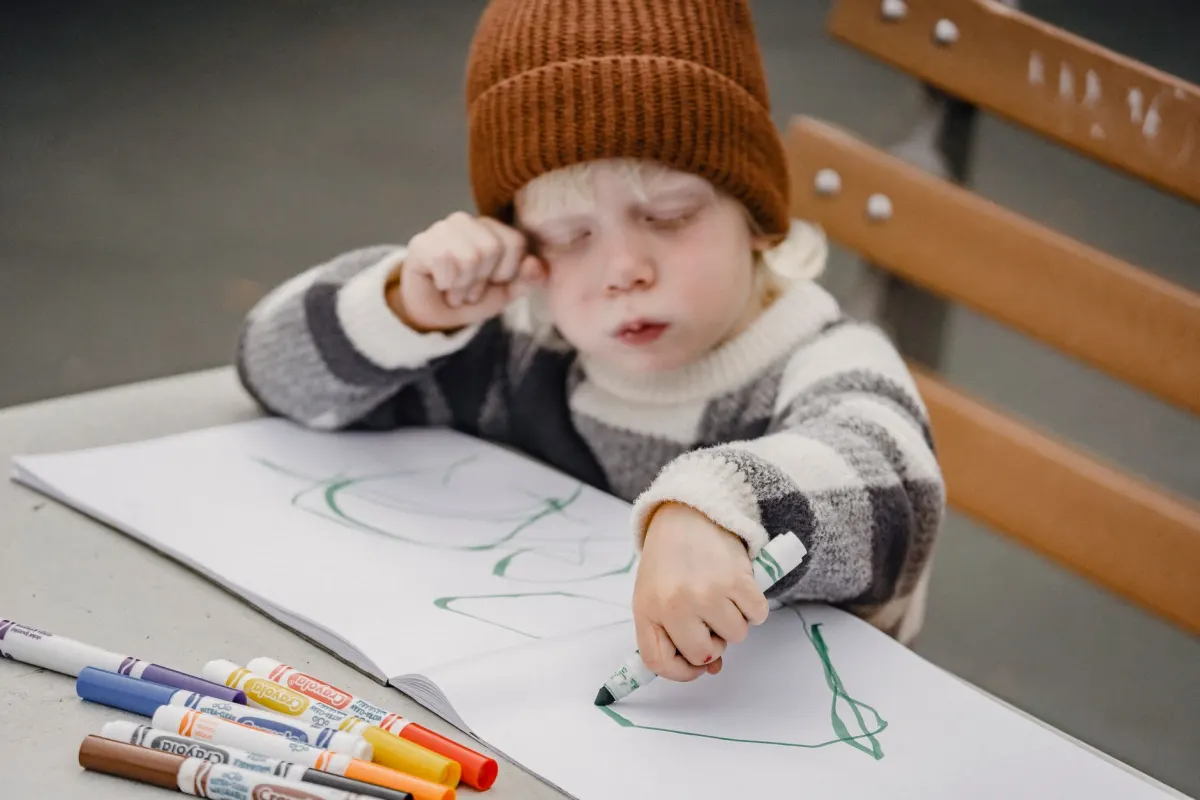
- Arts and crafts -- Drawing projects, slime tutorials, paper folding
- Kid-friendly gaming -- Walkthroughs of age-appropriate games like Minecraft or Roblox
- Songs and nursery rhymes -- Animated musical content for younger viewers
Select a focus area that aligns with what you enjoy and what you are good at. Staying consistent with your theme makes it easier for YouTube's recommendation system to identify the right audience for your videos.
Building Your Channel's Brand Identity
A kids' channel needs to be visually engaging and easy to recognize at a glance:
- Channel name: Make it short, playful, and simple to spell. Stay away from complicated words.
- Visual identity: Opt for vibrant colors and welcoming, friendly designs. Consider hiring a designer if your budget allows.
- Channel description: Write this with parents in mind. Clearly explain what your channel offers and why it provides a safe viewing experience for children.
- Thumbnails: Develop a consistent visual template using large text, vivid colors, and animated or expressive imagery.
Gear and Software Requirements
Professional-grade equipment is not necessary to start, but audio and visual quality do matter:
- Camera: A modern smartphone (iPhone 14 or newer, Samsung Galaxy S23+ or comparable) is perfectly adequate for your first videos. Transition to a DSLR or mirrorless camera as your channel grows.
- Audio: An external microphone is a must. Young viewers lose attention quickly when audio is unclear. A clip-on lavalier mic ($20-50) or a USB condenser microphone ($50-100) will dramatically improve your sound.
- Lighting: Natural light is workable, but an inexpensive ring light ($25-40) delivers even, professional-looking illumination.
- Video editing: iMovie (free on Mac), CapCut (free on mobile), and DaVinci Resolve (free on desktop) are all capable starting points.
Producing Content That Captivates Young Viewers
Core Principles for Kids' Videos
- Hook them immediately. Children decide within roughly 3 seconds whether to keep watching. Lead with something visually striking, a direct question, or an unexpected moment.
- Maintain a fast pace. Attention spans are short at younger ages. Shift visuals, camera angles, or topics every 15-30 seconds to keep engagement high.
- Bring high energy. Enthusiasm translates directly through the screen. When the host is genuinely excited, young viewers mirror that energy.
- Lean into repetition. Kids gravitate toward patterns, catchphrases, and recurring segments. Repetition also reinforces learning.
- Always prioritize age-appropriateness. Before publishing, view every piece of content through the filter: "Would I be comfortable letting a five-year-old watch this with no supervision?"
Planning Your Content Pipeline
Regular uploads are the most critical growth lever for a children's YouTube channel. YouTube's algorithm rewards channels that publish on a predictable schedule, and young audiences quickly develop routines around channels they enjoy.
- Publishing frequency: Target at least 2-3 new videos per week. Daily publishing accelerates growth substantially but demands a much larger production capacity.
- Optimal video length: For toddlers (ages 2-5), stay under 5 minutes. For school-age viewers (6-12), 8-15 minutes tends to perform best.
- Batch recording sessions: Film several videos in a single sitting. This reduces repetitive setup work and ensures you always have a backlog of content ready for release.
Optimizing Videos for YouTube Search
As the second most-used search engine in the world, YouTube search optimization is essential for discoverability:
- Titles: Write clear, keyword-rich titles that reflect what parents and children actually search for. Example: "Fun Science Experiments for Kids | Make a Baking Soda Volcano"
- Descriptions: Compose thorough descriptions of at least 200 words, weaving in relevant search terms organically.
- Tags: Combine broad category tags with more specific, long-tail keywords. Include common spelling variations.
- Closed captions: Always provide captions. They boost accessibility and give YouTube additional text to analyze for search ranking purposes.
Scaling Your Channel
Reaching Your First 1,000 Subscribers
The initial push to 1,000 subscribers -- a prerequisite for the YouTube Partner Program -- is the steepest climb. These strategies get you there faster:
- Leverage other platforms. Post clips and teasers on Instagram Reels, TikTok, and Facebook. Parents often discover children's content through multiple channels.
- Partner with similar creators. Seek out channels at a comparable size and arrange guest features, collaborative videos, or mutual shout-outs.
- Build community off-platform. Since comments are disabled on "Made for Kids" videos, consider cultivating a parent-facing community through a dedicated Instagram account or Facebook group.
- Organize content into playlists. Group related videos into themed playlists to encourage longer viewing sessions and increase cumulative watch time.
Revenue Streams Beyond Ad Income
After reaching 1,000 subscribers and 4,000 hours of watch time, you qualify for the YouTube Partner Program. But advertising is just one part of the monetization picture:

AdaptlyPost
Start Your 7-Day Free Trial
All-platform analytics
Social Inbox
AI-powered assistant
- Advertising revenue: Expect lower CPMs compared to adult-oriented content because COPPA limits ads to contextual rather than personalized targeting. Typical kids' content CPMs range from $1-4.
- Branded merchandise: T-shirts, plush toys, and products featuring your channel's characters or branding can become a major income source for popular channels.
- Content licensing: If you develop original characters, songs, or formats, licensing agreements with toy manufacturers, streaming platforms, or educational companies become viable.
- Brand partnerships: Companies marketing to parents -- think educational toys, children's apps, and family products -- may sponsor your videos. Transparency is essential: always disclose paid partnerships clearly.
Key Metrics to Monitor
- Watch time: YouTube's most heavily weighted metric. The algorithm favors videos that sustain viewer attention.
- Click-through rate (CTR): The percentage of people who click your thumbnail after seeing it. A healthy target is 5-10%.
- Audience retention: Shows exactly where viewers stop watching. Use these drop-off points to refine your pacing and content structure.
- Traffic sources: Reveals whether your audience is finding you through search results, the suggested videos sidebar, or links from external websites and social platforms.
Safeguarding Children and Responsible Production
Keeping Kids Safe On Camera
When real children appear in your content (whether your own or someone else's):
- Guard personal details. Never disclose full names, schools, home addresses, or recognizable daily routines.
- Obtain proper authorization. If featuring another family's child, secure written consent from their parents or guardians.
- Stay vigilant after publishing. Even though comments are turned off, children's content can occasionally attract unwanted attention. Report anything suspicious to YouTube without delay.
- Consider alternatives to real children. Animation, puppets, and illustrated characters sidestep many safety concerns entirely.
Looking After Well-Being
Producing content on a regular cadence is demanding. If you appear on camera, burnout is a real risk. If children participate in the production process, their well-being must come first:
- Never pressure a child to perform or film when they are not in the mood.
- Keep recording sessions brief and enjoyable.
- Maintain a clear boundary between "content work" and free play -- children should never perceive content creation as an obligation.
FAQ
Is a business account necessary for a kids' YouTube channel?
No, not strictly, though a Brand Account is advisable. A Brand Account allows multiple people to manage the channel, keeps your personal Google account separate, and presents a more polished image when you approach sponsors or collaborators.
Can a "Made for Kids" channel earn money?
Yes, though with some constraints. Contextual ads (not personalized ones) still run on your videos, but they typically generate lower CPMs. Many thriving kids' channels offset this with merchandise sales, content licensing deals, and sponsorship revenue.
What is the ideal upload frequency?
At minimum, aim for 2-3 uploads per week. The top-performing children's channels publish daily. Above all, consistency trumps volume -- choose a pace you can realistically sustain over the long term.
What video duration works best for children?
For toddlers (ages 2-5): keep videos under 5 minutes. For elementary-age kids (6-12): 8-15 minutes is the sweet spot. For tweens (10-13): videos up to 20 minutes can work, provided the content is compelling enough to hold attention throughout.
Is 2026 too late to launch a kids' YouTube channel?
Not at all. The landscape is more crowded than it once was, but the appetite for quality children's content continues to expand. Success in this space now depends on carving out a well-defined niche, maintaining high production standards, uploading consistently, and exercising patience during the initial growth phase.
What YouTube Features Are Disabled When a Channel Is Made for Kids?
Marking a channel as Made for Kids turns off comments, the notification bell, community posts, stories, and live chat. Viewers can't save your videos to playlists, and the miniplayer gets deactivated too. These restrictions are automatic and apply the moment you flip the setting, whether you choose it at the channel level or per video.
How Many Subscribers and Watch Hours Do I Need for the YouTube Partner Program?
You need 1,000 subscribers and 4,000 hours of watch time to join the YouTube Partner Program. Reaching that first threshold is often the hardest part of building a kids' channel, since comments are off and cross-platform promotion becomes your main growth lever. Once you clear both numbers, ad revenue and other monetization options open up.
What Counts as a Good Click-Through Rate for a Kids' Channel?
A healthy click-through rate for a kids' channel thumbnail sits between 5% and 10%. Track it in YouTube Studio alongside watch time and audience retention, since a thumbnail that gets clicks but loses viewers fast still hurts your channel's overall performance.
What Personal Details Should I Never Reveal About Kids on Camera?
Never disclose a child's full name, school, home address, or details that reveal their daily routine, whether it's your own child or someone else's. If another family's child appears in your videos, get written consent from their parents first. Animation, puppets, and illustrated characters sidestep these risks entirely if you'd rather not put real kids on camera.
Can YouTube Override My "Made for Kids" Label?
YouTube can override your "Made for Kids" label. It runs machine learning models that detect children's content automatically, and getting this wrong isn't a minor slip, since COPPA violations can lead to substantial financial penalties.
Put this into practice with AdaptlyPost
Was This Article Helpful?
Let us know what you think!
See us more often in Google
One click marks AdaptlyPost as a preferred source, so our articles sit higher in your Top Stories, AI Mode, and AI Overviews.
Before you go...
AdaptlyPost
Schedule your content across all platforms
Manage all your social media accounts in one place with AdaptlyPost.
All-platform analytics
Social Inbox
AI-powered assistant
Related Articles
A Practical Answer - How to Format Text in YouTube Comments
Descriptions and comments take asterisks and underscores; titles need Unicode. Where YouTube text formatting works, and where it silently fails.
Clever Captions for Instagram: 8 Formulas That Boost Engagement
Eight caption formulas that make an ordinary photo sound intentional, from behind-the-scenes honesty to expectation-versus-reality contrasts.

Learn to Upload High-Quality Video to X in 2026
MP4 or MOV, 512 MB and 2:20 ceilings, custom thumbnails, and captions, plus the upload errors that quietly kill playback.