


TL;DR, Quick Answer
8 min readTwitter videos generate roughly 10x the engagement of text-only tweets; upload in MP4 or MOV at up to 512 MB and 140 seconds, and always add a custom thumbnail and captions for maximum reach.
Video holds attention where plain text scrolls past, so learning to upload high-quality video to X in 2026 starts with the platform's file and aspect-ratio limits. Staying within spec keeps a clip from being cropped, compressed, or refused.
Key strategies
The Twitter (now X) timeline moves relentlessly fast. Plain text tweets disappear almost instantly, while video content commands attention in a way that words and static images cannot. Video lets you convey personality, walk through a product demonstration, or tell a story with emotional depth that resonates with viewers.
To appreciate why video performs so well on Twitter specifically, consider how the platform's real-time nature amplifies the strengths of video marketing in the digital age. Every advantage video holds elsewhere is magnified on a feed built around immediacy.
What the Engagement Data Shows
The numbers paint a clear picture. As of 2025, tweets containing video generate roughly 10 times the engagement of text-only tweets. That translates to approximately 5 times more replies and nearly double the likes. These figures confirm that video motivates active participation rather than passive consumption. Additional Twitter statistics reinforce these patterns.
This goes beyond accumulating likes and retweets. Video creates genuine conversations and fosters community around your content. Its capacity to convey nuance and personality makes it the strongest tool available for humanizing a brand or personal profile, converting casual followers into committed advocates.
Whether you operate a small business showcasing new products or you are a creator sharing updates, video offers the most direct channel for delivering your message. Mastering how to post a video on Twitter unlocks one of the platform's most effective growth mechanisms, turning passive scrollers into an attentive audience.
Preparing Your Video File for Twitter
Investing a few minutes in file preparation prevents upload failures and ensures your content appears polished in the feed. Think of Twitter's video requirements as a checklist: meet every specification, and the process runs smoothly.
Twitter Video Specifications
Twitter accepts the most common video formats: MP4 and MOV. Modern smartphones and cameras produce files in these formats by default.
Key technical limits include:
- Duration: Maximum 2 minutes and 20 seconds (140 seconds)
- File Size: 512 MB ceiling
- Codec Preferences: For desktop uploads, MP4 using H264 video encoding with AAC audio is preferred
Aspect ratio choices significantly impact how much screen space your video occupies:
- Landscape: The traditional format, though it appears relatively small on vertically-scrolling mobile feeds.
- Square (1:1): A balanced option that displays well on both desktop and mobile interfaces.
- Portrait (Vertical): The dominant format for mobile viewing. A vertical video fills the entire phone screen, creating a far more immersive experience. Our vertical video dimensions guide covers the specifics.
A properly formatted video is not just about successful uploading. It delivers a professional viewing experience that stops the scroll and holds attention.
Quick Reference: Upload Specifications
| Specification | Requirement |
|---|---|
| Recommended Formats | MP4, MOV |
| Maximum File Size | 512 MB |
| Maximum Video Length | 2 minutes 20 seconds (140 seconds) |
| Maximum Resolution | 1920x1200 or 1200x1900 |
| Minimum Resolution | 32x32 |
| Aspect Ratio Range | 1:2.39 to 2.39:1 |
| Maximum Frame Rate | 40 fps |
| Maximum Bitrate | 25 Mbps |
Keep this table bookmarked for reference whenever you prepare a new upload.
Posting a Video from Desktop
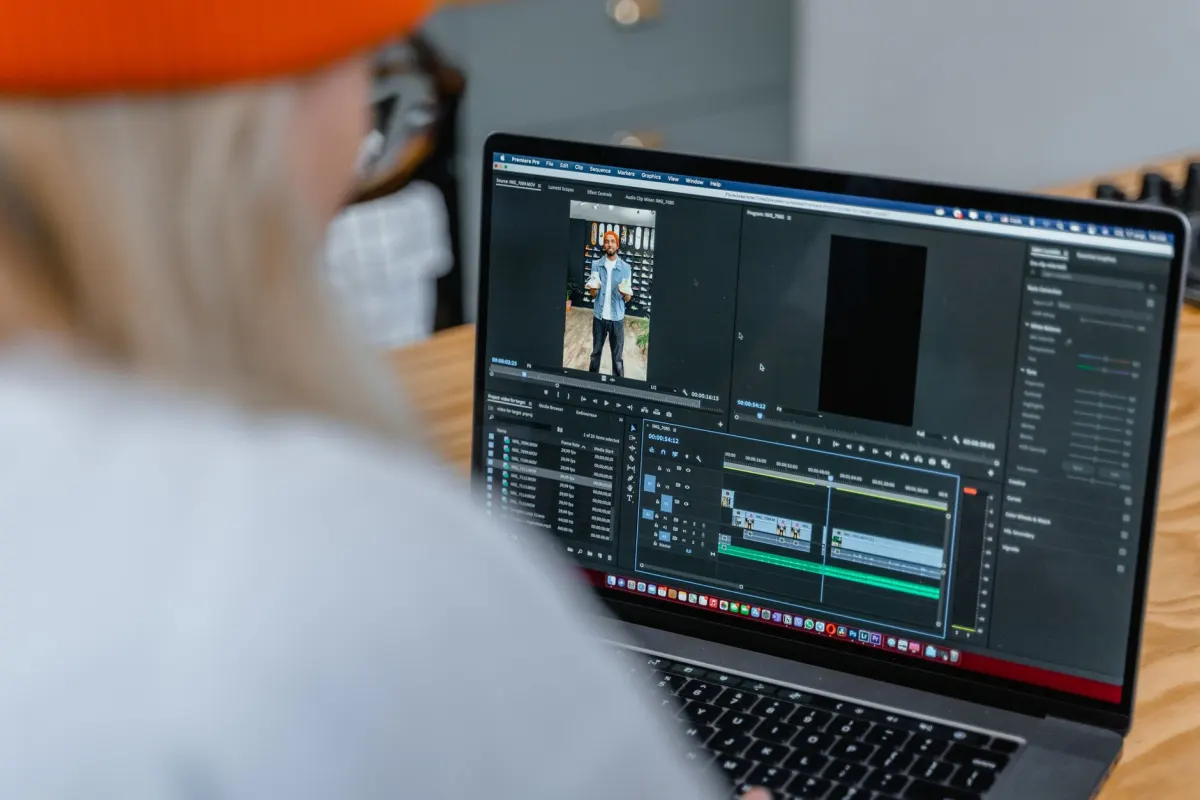
Uploading from a computer provides additional control and access to features not available on mobile. If you want your video content to stand out, becoming comfortable with the desktop workflow is worthwhile.
Navigate to your Twitter homepage and click the "What is happening?!" compose box. At the bottom of the tweet window, locate the Media icon, which resembles a small landscape image. Clicking it opens your file manager for video selection. Alternatively, drag and drop a video file directly from a folder into the compose box.

AdaptlyPost
Start Your 7-Day Free Trial
All-platform analytics
Social Inbox
AI-powered assistant
Editing and Polishing Before Publishing
The desktop composer includes built-in tools for refining your video before it goes live. You can trim the clip to remove unnecessary footage at the beginning or end, keeping only the strongest material.
A desktop-exclusive feature is the ability to upload a custom thumbnail. Rather than letting Twitter select an arbitrary frame, you can provide a designed image that entices viewers to press play.
You can also attach an SRT file for subtitles. Given that a large percentage of users scroll with sound muted, captions dramatically increase the chance your message lands with every viewer.
Pro Tip: A compelling thumbnail can improve click-through rates by over 25 percent, and subtitles ensure your video reaches a substantially larger audience. Do not skip either.
Before posting, consider scheduling your tweet by clicking the calendar icon and selecting the ideal publication time. This ensures your video reaches followers during their most active hours.
Posting a Video from Mobile
Most video posting happens on the go. The mobile process is quick and straightforward on both iPhone and Android.
Open the Twitter app and tap the blue compose button (the plus icon) to start a new tweet. In the bottom toolbar, tap the media icon (the mountain landscape image) to access your phone's photo library and select a video. To capture fresh footage instead, tap the camera icon adjacent to it.
Mobile Editing Tools
The app includes a basic but useful editor. After selecting a video, Twitter presents an editing screen where you can drag handles at the start and end of the timeline to trim the clip. Removing awkward beginnings or shaky endings improves viewer retention.
Once trimmed, return to the compose screen. Write your tweet text, add relevant hashtags, tag relevant accounts, and tap "Post."
The primary advantage of mobile uploads is speed. You can move from witnessing something noteworthy to sharing it with your audience in under a minute, which is invaluable for capitalizing on trends and joining live conversations.
Writing Tweet Copy That Drives Views
Correct formatting is necessary but insufficient on its own. The tweet accompanying your video determines whether people stop scrolling and tap play.
Your tweet text functions as a pitch. It needs to spark curiosity or promise a concrete takeaway immediately. Generic copy like "Check out my new video" gets ignored. Specific framing such as "Here is a 30-second technique that completely changed how I edit portraits" generates far more interest.
Optimizing for Engagement and Discovery
Crafting effective tweet copy starts with building value directly into your message. For deeper strategies, this guide to earning real Twitter likes through better content provides a thorough foundation.
Expanding your video's reach beyond existing followers requires strategic use of hashtags and mentions.
-
Hashtags: Limit yourself to 1 to 3 highly relevant hashtags that connect your video to a specific community or ongoing conversation. Avoid trending hashtag spam.
AdaptlyPost
Start Your 7-Day Free Trial
All-platform analytics
Social Inbox
AI-powered assistant
Mentions: If your video features a person, brand, or location, tag their account. This triggers a notification and opens the possibility of a retweet to their audience.
The objective is to join existing conversations rather than broadcasting into silence. A single well-chosen hashtag can surface your video for thousands of interested viewers.
Video has become indispensable to social media strategy. By 2025, an estimated 93 percent of marketers plan to maintain or increase their video budgets. On Twitter, video tweets achieve an average engagement rate of 0.42 percent, substantially exceeding the typical rate for photo or text-only posts.
Accessibility is equally important. Adding captions or subtitles ensures your message reaches everyone, including the large number of people who watch without sound. Higher completion rates signal to the algorithm that your content is valuable, which can further boost visibility. For more engagement strategies, read our article on how to boost your Twitter tweet engagement.

Troubleshooting Common Video Issues
Even with careful preparation, upload problems occasionally arise. Here are solutions for the most frequent issues.
Blurry Video After Upload
Twitter compresses all video files to maintain platform performance. While you cannot prevent compression entirely, you can minimize its impact by exporting at the highest quality settings that remain within Twitter's specifications. A higher bitrate in particular gives the compression algorithm more data to preserve, resulting in a sharper final product.
Failed or Stalled Uploads
An upload that freezes or fails is almost always a file or connection issue. Verify the basics first:
- Is the file under 512 MB?
- Is it in MP4 or MOV format?
If the file checks out, your internet connection is the likely cause. Switch to a stronger Wi-Fi network or a wired connection and retry.
An upload stuck at 99 percent is typically a momentary server communication glitch. Cancel the upload, refresh the page or restart the app, and attempt the upload again.
Video Not Autoplaying
Some videos autoplay in the feed while others do not. This is controlled by individual user settings, not by anything you did. Many users disable autoplay to conserve mobile data or reduce visual noise. While you cannot override this setting, a well-designed custom thumbnail gives users a compelling reason to tap play manually.
Maintaining a consistent video posting schedule can be demanding. If you are looking for a structured approach to planning your content, our guide on scheduling tweets on Twitter covers useful strategies.
Ready to take control of your social media content? With AdaptlyPost, you can schedule videos, generate ideas with AI, and analyze performance from a single dashboard. Start streamlining your workflow today.
Frequently Asked Questions
What video formats does Twitter accept?
Twitter accepts MP4 and MOV files. Modern smartphones and cameras produce both formats by default, so most footage needs no conversion before upload.
How long can a video be on Twitter?
A video can run up to 2 minutes and 20 seconds, or 140 seconds. Anything longer gets rejected at upload, so trim the clip first if it runs over.
AdaptlyPost
Start Your 7-Day Free Trial
All-platform analytics
Social Inbox
AI-powered assistant
What is the maximum file size for a Twitter video?
The ceiling is 512 MB. File size and format, MP4 or MOV, are the first things to check when an upload fails or stalls.
Which aspect ratio works best for mobile viewing?
Portrait, or vertical, video is the dominant format for mobile because it fills the entire phone screen. Landscape looks small on a vertically scrolling feed, and square works as a middle ground for both desktop and mobile.
Can I add a custom thumbnail to a Twitter video?
Yes, on desktop you can upload a custom thumbnail instead of letting Twitter pick a random frame. A designed thumbnail can improve click-through rates by more than 25 percent, so it is worth the extra step.
How do I add captions to a video on Twitter?
Attach an SRT file during the desktop upload process. Since a large share of users scroll with sound muted, captions help your message land with viewers who would otherwise miss it.
Why does my Twitter video look blurry after uploading?
Twitter compresses every video file to keep the platform running smoothly, so some quality loss is unavoidable. Exporting at the highest bitrate your file allows within Twitter's specs gives the compression algorithm more data to work with, which produces a sharper result.
What should I check when a Twitter video upload fails?
Confirm the file is under 512 MB and saved as MP4 or MOV. If it meets both requirements, a weak internet connection is the likely culprit, so switch to stronger Wi-Fi or a wired connection and try again.
My video upload is stuck at 99 percent. What do I do?
A stall at 99 percent is a brief server communication glitch rather than a real problem with your file. Cancel the upload, refresh the page or restart the app, and upload the video again.
Why doesn't my Twitter video autoplay for some viewers?
Autoplay depends on each viewer's individual settings, not on anything about your video. Many people turn it off to save mobile data or cut down on visual noise. That is exactly why a strong custom thumbnail matters, since it gives them a reason to tap play manually.
Put this into practice with AdaptlyPost
Was This Article Helpful?
Let us know what you think!
See us more often in Google
One click marks AdaptlyPost as a preferred source, so our articles sit higher in your Top Stories, AI Mode, and AI Overviews.
Before you go...
AdaptlyPost
Schedule your content across all platforms
Manage all your social media accounts in one place with AdaptlyPost.
All-platform analytics
Social Inbox
AI-powered assistant
Related Articles

Clever Captions for Instagram: 8 Formulas That Boost Engagement
Eight caption formulas that make an ordinary photo sound intentional, from behind-the-scenes honesty to expectation-versus-reality contrasts.


Build a Reddit Appeal That Owns the Mistake
One Modmail decides it. What a Reddit appeal should say, the tone moderators respond to, and the mistakes that turn a temporary ban into a permanent one.
Content Creation Tactics: 9 Evergreen Strategies That Still Work
Trends expire; systems do not. Nine content creation tactics that keep working, from behind-the-scenes footage to teaching what you already know.